Best for gaming mode quality
Samsung S85H OLED
5.0 attribute score
Highest scored product for this attribute based on supporting review evidence.

Highest scored product for this attribute based on supporting review evidence.
Balances the attribute score, supporting reviews, and overall product strength.
Has the broadest review evidence for this attribute.
Strongest overall product among items with scored evidence for this attribute.

Overall: 3.8/5
Game Optimizer improves latency and gives straightforward access to relevant settings, making modern games feel smoother.
Pros: value for money, peak brightness
Cons: color accuracy, stand quality

Overall: 3.9/5
Game Mode keeps input delay tiny and retains OLED contrast, making controls snappy without a major picture sacrifice.
Pros: color volume, black levels
Cons: Inconsistent panel and coating by size, sound quality

Overall: 4.0/5
Game Mode offers useful tools and responsiveness.
Pros: black levels, picture quality
Cons: glare resistance, reflection handling

Overall: 4.2/5
Game Mode keeps HDR brightness strong and latency low, though it cannot eliminate the screen's slower response times.
Pros: overall satisfaction, glare resistance
Cons: motion handling, viewing angles
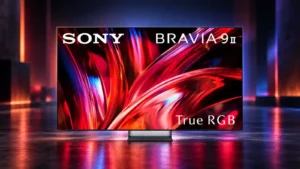
Overall: 4.3/5
Game mode is responsive and can look excellent, particularly with PlayStation 5, even though the TV is not the strongest option for every kind of gamer.
Pros: overall satisfaction, overall image accuracy
Cons: value for money, bass performance
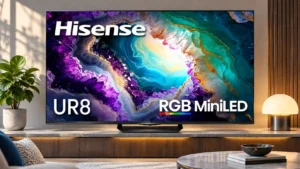
Overall: 4.0/5
Game Mode is praised for bright color and responsive action, with HDR gaming especially impressive in dark titles.
Pros: gaming performance, color volume
Cons: blooming control, dark-room performance

Overall: 4.2/5
Game Optimizer keeps lag low and picture quality strong without the HDR contouring drawbacks observed on some related models.
Pros: value for money, color accuracy
Cons: HDR brightness, reflection handling
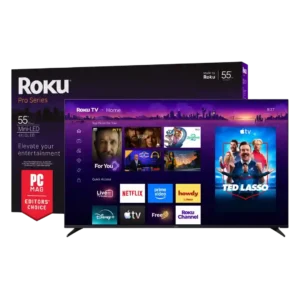
Overall: 4.4/5
Automatic Game mode switches in with a console and produces highly responsive performance without requiring manual setup.
Pros: overall satisfaction, picture quality
Cons: reliability, portability and versatility

Overall: 3.8/5
Game Mode looks bright and colorful with responsive controls, although picture adjustments cannot eliminate motion blur or weak local dimming.
Pros: picture quality, 4K at 144 Hz support
Cons: sound quality, value for money

Overall: 4.5/5
Game Mode stays highly responsive and preserves strong picture quality, making it suitable for competitive and cinematic games alike.
Pros: glare resistance, black levels
Cons: Dolby Vision support, color gamut

Overall: 3.9/5
Game presets retain bright color and strong contrast while leaving many picture controls available for customization.
Pros: peak brightness, picture quality
Cons: color accuracy, viewing angles
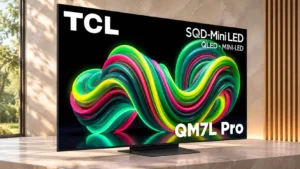
Overall: 4.1/5
Game Master mode delivers exceptionally low lag and responsive control. Motion interpolation can make play appear smoother without adding much delay.
Pros: picture quality, black levels
Cons: viewing angles, motion clarity

Overall: 4.0/5
Game Master keeps latency low and exposes practical settings; some calibration options depend on VRR and high-frame-rate settings.
Pros: color accuracy, picture quality
Cons: HDR brightness, peak brightness
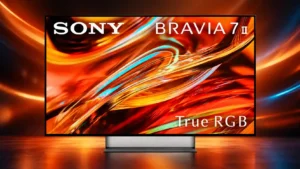
Overall: 4.2/5
Game Mode keeps brightness high while minimizing latency, and PlayStation-specific automation makes the experience especially seamless.
Pros: overall satisfaction, picture quality
Cons: HDMI 2.1 port count, reflection handling

Overall: 4.0/5
Game Optimizer delivers excellent responsiveness, while ordinary picture modes can add noticeable input delay.
Pros: contrast ratio, black levels
Cons: reflection handling, color accuracy

Overall: 4.1/5
Game Mode produces very low input lag and makes high-refresh play easy, even though it cannot correct the panel's slow transitions.
Pros: overall satisfaction, value for money
Cons: Smart TV platform, advertising intrusiveness
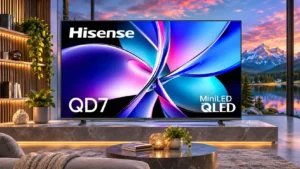
Overall: 3.9/5
Game Mode can deliver fast, smooth controls, although the smaller models remain limited by their signal formats.
Pros: picture quality, contrast ratio
Cons: HDR performance, motion handling

Overall: 4.0/5
True Game combines low latency with attractive, customizable picture quality rather than forcing a dull compromise.
Pros: overall satisfaction, picture quality
Cons: size options, value for money

Overall: 4.2/5
Game Mode preserves much of the picture's brightness and contrast, although some content shows slightly more blooming or altered tone mapping.
Pros: high-refresh-rate gaming, gaming performance
Cons: value for money, bass performance
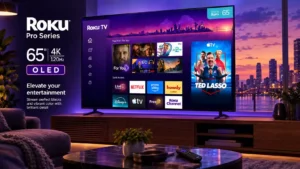
Overall: 4.1/5
Game mode delivers an attractive, accurate picture with little adjustment. Automatic switching also makes it easy to start playing.
Pros: contrast ratio, value for money
Cons: peak brightness, HDR brightness

Overall: 4.1/5
Game Optimizer preserves strong HDR impact and provides quick access to useful controls. Some samples needed tuning, and one 48-inch unit showed reduced color saturation.
Pros: picture quality, gaming performance
Cons: value for money, sound quality

Overall: 4.3/5
Game mode is an important setting for responsive play, helping deliver the lowest lag without compromising HDR peak brightness.
Pros: picture quality, black levels
Cons: bass performance, HDR brightness

Overall: 4.0/5
Game Optimizer responds automatically to consoles and can improve contrast, although the most vivid game colors sometimes require other picture presets.
Pros: peak brightness, picture quality
Cons: value for money, viewing angles

Overall: 3.6/5
Game Mode delivers responsive 60 fps play with automatic low-latency switching, even though the advanced options remain basic.
Pros: picture quality, overall satisfaction
Cons: sound quality, reliability

Overall: 3.8/5
PlayStation-oriented tuning produces a polished image and automatically selects low-latency settings. Custom picture controls are more limited than on higher-end Sony sets.
Pros: HDMI 2.1 port count, overall satisfaction
Cons: HDR performance, bass performance

Overall: 3.9/5
Game Optimizer achieves excellent responsiveness, with a modest decrease in brightness and occasional extra blooming.
Pros: gaming performance, overall satisfaction
Cons: sound quality, value for money
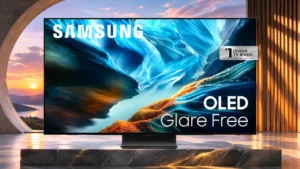
Overall: 4.1/5
Entering Game Mode preserves peak brightness while unlocking exceptionally responsive gameplay.
Pros: black levels, contrast ratio
Cons: Dolby Vision support, stutter handling

Overall: 4.2/5
Game Optimizer offers responsive play and extensive controls, and later firmware fixed its original HDR10 banding problem. Some early impressions were more critical before the fixes.
Pros: overall satisfaction, picture quality
Cons: banding control, remote control quality

Overall: 3.8/5
Automatic game detection and intuitive settings reduce friction, although the most accurate HDR Game Mode can look dimmer than other modes.
Pros: picture quality, overall satisfaction
Cons: color crosstalk, value for money

Overall: 3.7/5
Game Mode is bright, fast and feature-rich, although color balance and shadow rendering may need adjustment. Firmware improvements have helped its motion performance.
Pros: color volume, overall satisfaction
Cons: value for money, color accuracy

Overall: 3.9/5
Game Master supplies the low-latency experience while keeping the picture bright and colorful. The best settings can require some tuning.
Pros: peak brightness, value for money
Cons: reflection handling, glare resistance

Overall: 3.0/5
Game Mode offers fast controls and useful customization in SDR, but it cannot eliminate blur or the 60Hz ceiling.
Pros: color gamut, smart TV platform
Cons: value for money, overall satisfaction

Overall: 3.4/5
Game Optimizer reduces input delay and makes gaming controls easily accessible.
Pros: picture quality, color accuracy
Cons: remote control quality, black levels

Overall: 3.3/5
Game Mode gets positive marks for making colors pop and producing an attractive image. The mode itself is good even though the 60Hz hardware limits performance.
Pros: picture quality, overall satisfaction
Cons: value for money, reliability
Overall: 3.9/5
Gaming-focused picture settings are easy to access and require few changes for low-latency operation.
Pros: overall satisfaction, picture quality
Cons: Weight and handling, black levels
Overall: 3.0/5
Switching on Game Mode leaves picture quality intact while reducing control delay.
Pros: color accuracy, Picture detail
Cons: HDR performance, motion clarity
Overall: 4.2/5
Game Mode is described as looking very good and offering substantial picture customization, even though it lacks some step-up-model conveniences.
Pros: overall satisfaction, value for money
Cons: smart TV platform, blooming control

Overall: 4.1/5
Games retain vivid contrast and strong impact, but tone-mapping behavior is less flexible than some rivals.
Pros: peak brightness, HDR brightness
Cons: sound quality, viewing angles

Overall: 3.7/5
Automatic Game Optimizer switching reduces input latency without requiring manual mode changes.
Pros: picture quality, maximum volume
Cons: sound quality, bass performance

Overall: 2.6/5
Game Mode keeps ghosting tolerable for some players, especially outside very dark, fast-moving scenes.
Pros: sound quality, picture quality
Cons: value for money, local dimming performance

Overall: 3.1/5
Game Mode prioritizes responsiveness and offers the lowest input lag without requiring extensive extra adjustments.
Pros: picture quality, overall satisfaction
Cons: sound quality, black levels

Overall: 3.8/5
Game Mode offers pleasing brightness and responsive play, although tiny HDR highlights can lack the impact of stronger TVs.
Pros: picture quality, contrast ratio
Cons: blooming control, glare resistance

Overall: 3.5/5
Game Mode stays responsive but offers little improvement in HDR impact; bright game highlights still appear subdued.
Pros: art display mode, design and appearance
Cons: overall satisfaction, HDMI port accessibility

Overall: 3.8/5
Game Mode retains decent HDR brightness, but highlights remain muted and motion still blurs at high refresh rates.
Pros: cable management, design and appearance
Cons: value for money, Dolby Vision support
Overall: 3.4/5
Game Mode keeps controls responsive, but it cannot fix flat HDR and blurry pixel transitions in every scene.
Pros: picture quality, value for money
Cons: viewing angles, HDR performance

Overall: 4.4/5
Game mode preserves much of the TV’s punchy picture while reducing latency, so speed does not require a severe loss in image quality.
Pros: picture quality, value for money
Cons: stand quality, judder handling

Overall: 2.9/5
Game Mode retains the TV’s dark detail and contrast without a noticeable image penalty.
Pros: value for money, picture quality
Cons: account requirements, gaming performance

Overall: 4.0/5
Game Mode maintains excellent responsiveness and vivid color, though processing options and firmware changes can complicate tuning.
Pros: reflection handling, overall satisfaction
Cons: Dolby Vision support, bass performance

Overall: 3.9/5
Game mode preserves impressive image brightness while cutting lag, but normal modes can be much slower and do not suit gaming.
Pros: peak brightness, overall satisfaction
Cons: value for money, shadow detail

Overall: 4.4/5
Game Optimizer is feature-rich and responsive, but firmware-dependent HGiG, color, and high-refresh accuracy issues keep it from being flawless.
Pros: picture quality, peak brightness
Cons: value for money, sound quality