Best for app performance
Samsung S90H
5.0 attribute score
Highest scored product for this attribute based on supporting review evidence.

Highest scored product for this attribute based on supporting review evidence.
Balances the attribute score, supporting reviews, and overall product strength.
Has the broadest review evidence for this attribute.
Strongest overall product among items with scored evidence for this attribute.

Overall: 4.5/5
Apps open quickly and the interface shows less lag than older Samsung software.
Pros: glare resistance, black levels
Cons: Dolby Vision support, color gamut
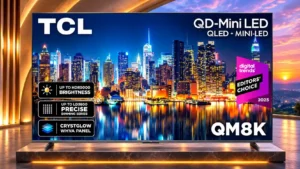
Overall: 4.0/5
Major streaming apps run smoothly, with convenient switching and broad availability.
Pros: peak brightness, picture quality
Cons: HDMI 2.1 port count, reflection handling

Overall: 3.8/5
Streaming apps launch quickly and switching between services is responsive rather than cumbersome.
Pros: picture quality, color accuracy
Cons: HDR performance, sound quality
Overall: 4.2/5
App switching is described as nearly lag-free in the source that measures platform performance directly.
Pros: overall satisfaction, value for money
Cons: smart TV platform, blooming control
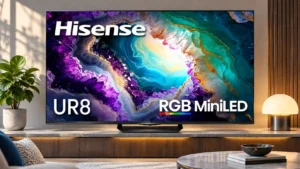
Overall: 4.0/5
Apps open and play smoothly, and streaming navigation generally feels very quick.
Pros: gaming performance, color volume
Cons: blooming control, dark-room performance

Overall: 4.1/5
Apps load quickly and are well optimized, though one early sample had a temporary BBC iPlayer launch problem.
Pros: picture quality, gaming performance
Cons: value for money, sound quality

Overall: 4.0/5
Streaming apps open quickly on webOS 26, keeping the platform feeling responsive.
Pros: peak brightness, picture quality
Cons: value for money, viewing angles
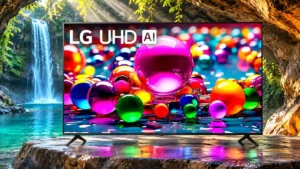
Overall: 3.0/5
Apps load quickly on one video test, contributing to a fluid streaming experience.
Pros: viewing angles, smart TV platform
Cons: overall satisfaction, refresh rate

Overall: 3.8/5
Common apps can launch quickly, even when the interface is occasionally slow just after power-on.
Pros: picture quality, 4K at 144 Hz support
Cons: sound quality, value for money

Overall: 3.8/5
Streaming apps and TV menus generally feel fast and smooth in use.
Pros: glare resistance, overall satisfaction
Cons: input lag, value for money

Overall: 3.9/5
Streaming apps can open much faster than on older Samsung sets.
Pros: color volume, black levels
Cons: Inconsistent panel and coating by size, sound quality

Overall: 3.9/5
Streaming apps ran smoothly and responsively during extended use in at least one hands-on test.
Pros: value for money, overall satisfaction
Cons: Dolby Vision support, sound quality

Overall: 3.9/5
Most app evaluations describe smooth playback and navigation, but one reported sluggish and unreliable native streaming behavior.
Pros: peak brightness, value for money
Cons: reflection handling, glare resistance

Overall: 4.4/5
Popular apps launch quickly and reach playback without lengthy waits.
Pros: picture quality, value for money
Cons: stand quality, judder handling

Overall: 4.0/5
Streaming apps work reliably.
Pros: black levels, picture quality
Cons: glare resistance, reflection handling

Overall: 4.4/5
The ThinQ app works well as a quick remote, and external streaming devices perform smoothly with the TV.
Pros: picture quality, peak brightness
Cons: value for money, sound quality

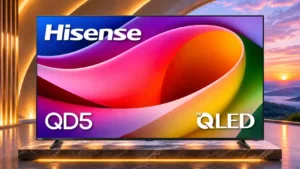
Overall: 3.7/5
Apps and movies load quickly, and the menus move smoothly through everyday streaming tasks.
Pros: picture quality, maximum volume
Cons: sound quality, bass performance
Overall: 3.9/5
One owner appreciated having familiar apps downloaded automatically when setting up the TV from a phone.
Pros: overall satisfaction, picture quality
Cons: Weight and handling, black levels

Overall: 4.1/5
The Google TV interface moves quickly through setup and navigation on working units.
Pros: peak brightness, picture quality
Cons: value for money, color accuracy

Overall: 3.1/5
Entertainment applications open quickly during everyday use, giving the set a responsive feel.
Pros: design and appearance, maximum volume
Cons: picture quality, value for money

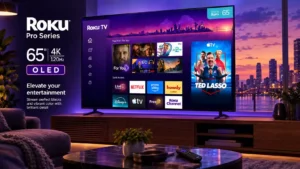
Overall: 3.9/5
App-store usage is expected to remain smooth with plenty of applications installed.
Pros: gaming performance, overall satisfaction
Cons: sound quality, value for money
Overall: 4.1/5
Initial app updates run quickly, keeping the setup process moving.
Pros: contrast ratio, value for money
Cons: peak brightness, HDR brightness

Overall: 4.2/5
Navigation and app selection generally feel snappy, avoiding excessive delays between common actions.
Pros: high-refresh-rate gaming, gaming performance
Cons: value for money, bass performance

Overall: 3.9/5
Apps and interface features ran smoothly without major glitches during extended use.
Pros: peak brightness, picture quality
Cons: color accuracy, viewing angles

Overall: 4.1/5
Streaming apps generally launch briskly and feel polished, with isolated connection or app hiccups on some units.
Pros: peak brightness, HDR brightness
Cons: sound quality, viewing angles

Overall: 4.2/5
On-TV streaming generally runs smoothly, although the newer phone setup app can struggle to connect during onboarding.
Pros: overall satisfaction, glare resistance
Cons: motion handling, viewing angles

Overall: 4.1/5
Some hands-on testers found apps launch quickly and menus respond well, while one comparison found occasional slow app starts.
Pros: overall satisfaction, value for money
Cons: Smart TV platform, advertising intrusiveness

Overall: 4.2/5
Streaming apps load smoothly overall, although the response is not always as immediate as top-end OLED models.
Pros: value for money, color accuracy
Cons: HDR brightness, reflection handling

Overall: 3.4/5
Apps can launch quickly, but webOS navigation may still feel sluggish when moving through menus.
Pros: picture quality, color accuracy
Cons: remote control quality, black levels

Overall: 2.6/5
Popular apps such as YouTube can start playback easily, but the broader interface may take time to load.
Pros: sound quality, picture quality
Cons: value for money, local dimming performance

Overall: 3.1/5
Apps can install while other menus remain usable; transitions and initial loads can be slower than navigation within an open app.
Pros: picture quality, overall satisfaction
Cons: sound quality, black levels

Overall: 4.0/5
Streaming apps generally open quickly and run smoothly during normal use.
Pros: peak brightness, blooming control
Cons: value for money, motion clarity

Overall: 3.9/5
The Bravia Connect app can make adjustments easy, but connection failures and occasional SDR playback from built-in streaming apps undermine consistency.
Pros: gaming performance, peak brightness
Cons: HDMI 2.1 support, HDMI 2.1 port count

Overall: 4.3/5
Application switching can involve brief pauses, but these delays are generally not frustrating.
Pros: picture quality, black levels
Cons: bass performance, HDR brightness

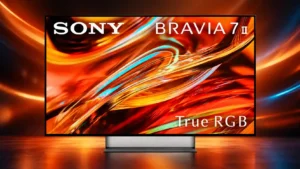
Overall: 3.4/5
Apps and the interface generally load quickly, with occasional brief hiccups during navigation.
Pros: picture quality, value for money
Cons: viewing angles, HDR performance
Overall: 4.2/5
Apps are generally usable and smooth, but occasional loading delays and stutters keep performance from feeling consistently premium.
Pros: overall satisfaction, picture quality
Cons: HDMI 2.1 port count, reflection handling

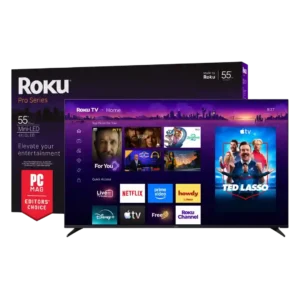
Overall: 4.0/5
Apps usually open quickly, but there are notable reports of Disney+, Paramount+, Plex, Netflix, and HBO glitches, crashes, or loading problems.
Pros: overall satisfaction, picture quality
Cons: reliability, build quality
Overall: 4.4/5
App performance is polarized: many reviewers praise instant launches and smooth streaming, while a few owners report Netflix glitches or severe buffering even on fast connections.
Pros: overall satisfaction, picture quality
Cons: reliability, portability and versatility
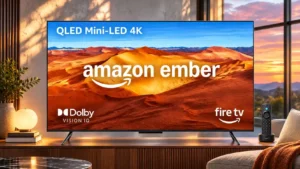
Overall: 3.7/5
Major apps usually work, yet some tests encountered slow YouTube loading, repeated sign-ins, or unexpected app exits.
Pros: value for money, HDR brightness
Cons: color accuracy, shadow detail
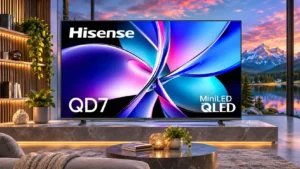
Overall: 3.9/5
Apps can be painful to launch on the slower tested configuration, although other accounts describe seamless app management.
Pros: picture quality, contrast ratio
Cons: HDR performance, motion handling

Overall: 2.7/5
Built-in apps cover everyday needs, but the small available storage makes an external streamer sensible for large collections.
Pros: white balance accuracy, design and appearance
Cons: overall satisfaction, value for money
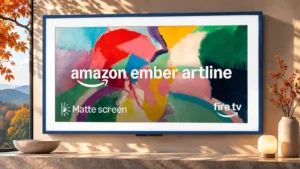
Overall: 3.4/5
Streaming apps generally work, but occasional freezes and noticeable launch delays interrupt an otherwise usable selection.
Pros: art display mode, picture quality
Cons: contrast ratio, high-refresh-rate gaming

Overall: 3.3/5
App performance is one of the most divided areas: some reviewers see fast launches, while many owners report stalls, crashes, black screens, or repeated reboot requirements. Prime Video appears in...
Pros: picture quality, overall satisfaction
Cons: value for money, reliability
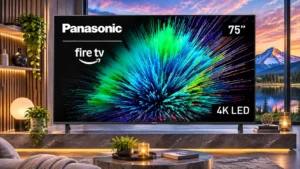
Overall: 3.3/5
App responsiveness varies in accounts of daily use. Smooth navigation is possible, but slower loading, lag and occasional buffering are recurring caveats.
Pros: picture quality, motion handling
Cons: HDR performance, HDR brightness

Overall: 3.7/5
Most services work normally, but isolated installation and casting failures can interrupt setup or playback.
Pros: color volume, overall satisfaction
Cons: value for money, color accuracy

Overall: 3.0/5
Some streaming app launches and menu transitions are sluggish on the entry-level Tizen hardware.
Pros: picture quality, smart TV platform
Cons: value for money, refresh rate
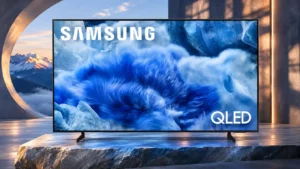
Overall: 3.3/5
Streaming apps often start and run smoothly, yet other users encounter lengthy loads, stalled programs, or intermittent glitches.
Pros: overall satisfaction, picture quality
Cons: reliability, remote control quality
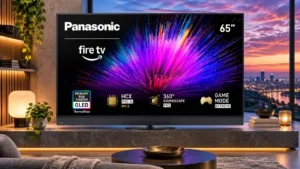
Overall: 4.3/5
Getting apps onto the preferred home-screen row can require surprisingly awkward extra steps.
Pros: picture quality, color accuracy
Cons: bass performance, HDMI 2.1 port count

Overall: 3.8/5
Most streaming use is capable, but an authentication bug kept GeForce NOW from starting in one test.
Pros: cable management, design and appearance
Cons: value for money, Dolby Vision support

Overall: 3.3/5
Opening streaming services can take longer than expected on this budget processor, despite the broad app catalog.
Pros: color accuracy, upscaling quality
Cons: picture quality, sound quality