Best for cable management
Samsung The Frame Pro 2026
5.0 attribute score
Highest scored product for this attribute based on supporting review evidence.

Highest scored product for this attribute based on supporting review evidence.
Balances the attribute score, supporting reviews, and overall product strength.
Has the broadest review evidence for this attribute.
Strongest overall product among items with scored evidence for this attribute.

Overall: 3.8/5
The separate wireless input box makes a sleek, almost cable-free screen possible. The television still requires power, and some soundbar installations bring cables back into the room.
Pros: glare resistance, overall satisfaction
Cons: input lag, value for money

Overall: 3.8/5
The wireless connection box hides HDMI clutter away from the wall-mounted screen; the TV and hub still each need power.
Pros: cable management, design and appearance
Cons: value for money, Dolby Vision support
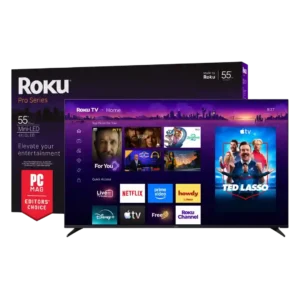
Overall: 4.4/5
Recessed routing and integrated straps keep cables controlled behind a flush-mounted TV, a small design detail reviewers repeatedly appreciate.
Pros: overall satisfaction, picture quality
Cons: reliability, portability and versatility

Overall: 4.1/5
Included clips and guides keep power and signal cables tidy around the central stand.
Pros: picture quality, gaming performance
Cons: value for money, sound quality
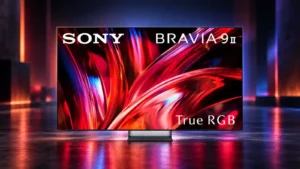
Overall: 4.3/5
The Mirage Stand hides routed cables extremely effectively, helping the TV keep a clean, floating appearance.
Pros: overall satisfaction, overall image accuracy
Cons: value for money, bass performance
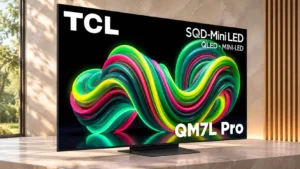
Overall: 4.1/5
A dedicated channel through the stand helps keep wires tidy, particularly with several HDMI devices connected.
Pros: picture quality, black levels
Cons: viewing angles, motion clarity
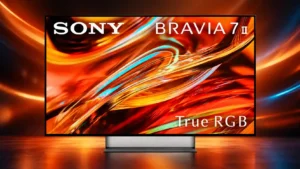
Overall: 4.2/5
The Mirage Stand’s cable-hiding trick is a consistent design highlight, making power and HDMI leads nearly disappear from the front.
Pros: overall satisfaction, picture quality
Cons: HDMI 2.1 port count, reflection handling

Overall: 3.8/5
Rear routing channels and clips help hide HDMI and power cables for a cleaner wall-mounted presentation.
Pros: picture quality, color accuracy
Cons: HDR performance, sound quality

Overall: 4.4/5
Built-in channels and removable covers hide wiring neatly through the stand and rear panel.
Pros: picture quality, value for money
Cons: stand quality, judder handling

Overall: 3.9/5
Cable channels and clips in the stand help tidy connections and keep the installation organized.
Pros: peak brightness, overall satisfaction
Cons: value for money, shadow detail

Overall: 4.2/5
Clips attached to the feet help keep power and video wires organized behind the set.
Pros: value for money, color accuracy
Cons: HDR brightness, reflection handling

Overall: 4.1/5
Routing features in the stand help keep cables organized, though wall-install cable access is less tidy.
Pros: gaming performance, HDR brightness
Cons: reflection handling, glare resistance

Overall: 3.6/5
Basic clips behind the panel provide a neat, convenient place to secure loose cables.
Pros: black levels, picture quality
Cons: HDR performance, blooming control

Overall: 3.9/5
The stand cover helps conceal the power cord and keeps the rear setup tidier.
Pros: peak brightness, picture quality
Cons: color accuracy, viewing angles

Overall: 3.8/5
Rear cable guides and a stand notch help route multiple connections without leaving an untidy trail.
Pros: picture quality, overall satisfaction
Cons: color crosstalk, value for money

Overall: 3.8/5
Rear grooves and stand clips help route power and HDMI cables neatly out of sight.
Pros: picture quality, contrast ratio
Cons: blooming control, glare resistance

Overall: 4.0/5
The One Connect box routes inputs and power through a single display cable, creating a much cleaner installation.
Pros: reflection handling, overall satisfaction
Cons: Dolby Vision support, bass performance
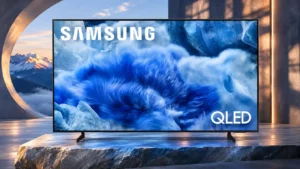
Overall: 3.3/5
Rear grooves and a clip help organize wires, but recessed ports can be awkward to reach once the TV is on a wall.
Pros: overall satisfaction, picture quality
Cons: reliability, remote control quality

Overall: 3.8/5
Back-panel grooves and cable-routing channels help keep visible wires under control.
Pros: overall satisfaction, picture quality
Cons: value for money, local dimming performance

Overall: 4.0/5
Clips behind the stand feet provide a simple, useful way to keep cables tidier.
Pros: contrast ratio, black levels
Cons: reflection handling, color accuracy

Overall: 3.8/5
A separate wireless input hub leaves fewer visible A/V cords, but the remaining TV power lead may need a recessed outlet.
Pros: Wireless One Connect compatibility, art display mode
Cons: value for money, input lag
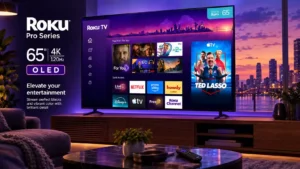
Overall: 4.1/5
Velcro straps and foot clips keep wiring tidy. They offer less concealment than the predecessor’s recessed cable management.
Pros: contrast ratio, value for money
Cons: peak brightness, HDR brightness

Overall: 3.7/5
Rear channels help tuck cables away, while optional wireless input hardware can reduce clutter dramatically.
Pros: color volume, overall satisfaction
Cons: value for money, color accuracy
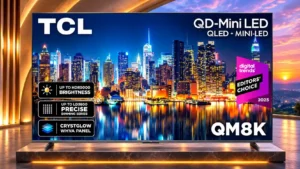
Overall: 4.0/5
Rear channels help organize cables, though recessed connections can be awkward once the TV sits close to a wall.
Pros: peak brightness, picture quality
Cons: HDMI 2.1 port count, reflection handling

Overall: 4.1/5
Smaller pedestal models provide tidy routing options; the 100-inch feet offer only basic clips.
Pros: peak brightness, HDR brightness
Cons: sound quality, viewing angles

Overall: 2.9/5
Channels in both feet are a useful touch for hiding cables under a large screen.
Pros: value for money, picture quality
Cons: account requirements, gaming performance

Overall: 4.0/5
The stand’s built-in cable management is a small but welcome practical touch.
Pros: overall satisfaction, picture quality
Cons: reliability, build quality
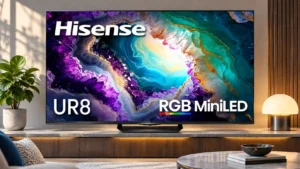
Overall: 4.0/5
Tracks along the rear of the pedestal help keep connected cables tidier.
Pros: gaming performance, color volume
Cons: blooming control, dark-room performance

Overall: 4.1/5
Tracks behind the stand provide a tidy path for attached cables.
Pros: peak brightness, picture quality
Cons: value for money, color accuracy

Overall: 3.4/5
Simple clips help keep attached cables tidy.
Pros: picture quality, color accuracy
Cons: remote control quality, black levels

Overall: 3.7/5
Rear clips and channels in the stand feet help keep visible wires organized.
Pros: picture quality, maximum volume
Cons: sound quality, bass performance
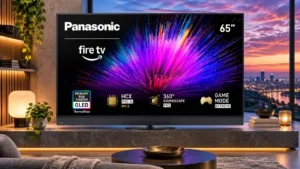
Overall: 4.3/5
A built-in channel helps conceal cables routed down the central stand.
Pros: picture quality, color accuracy
Cons: bass performance, HDMI 2.1 port count
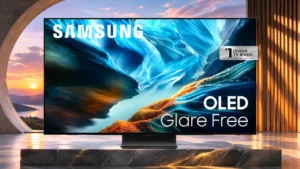
Overall: 4.1/5
Small grooves in the stand offer a simple way to organize the cables behind the screen.
Pros: black levels, contrast ratio
Cons: Dolby Vision support, stutter handling

Overall: 3.0/5
Grooves and a clip at the back help route and hide cables, a useful detail for a neat tabletop installation.
Pros: color gamut, smart TV platform
Cons: value for money, overall satisfaction

Overall: 3.1/5
Rear grooves and a foot-mounted clip provide a simple way to route visible cables.
Pros: picture quality, overall satisfaction
Cons: sound quality, black levels

Overall: 4.0/5
Included foot clips help organize exposed cables.
Pros: black levels, picture quality
Cons: glare resistance, reflection handling
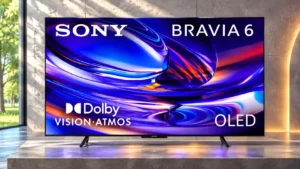
Overall: 3.8/5
Clips built into the feet make it easier to route cables discreetly behind the television.
Pros: HDMI 2.1 port count, Video input versatility
Cons: value for money, overall satisfaction

Overall: 4.0/5
Thoughtful rear channels and stand notches help hide cables despite the large display.
Pros: peak brightness, blooming control
Cons: value for money, motion clarity

Overall: 4.0/5
Cable routing is neat on some smaller versions, but the 98-inch rear offers little built-in cable management beyond a tie wrap.
Pros: picture quality, black levels
Cons: HDR brightness, value for money

Overall: 4.2/5
Channels in the pedestal help hide cords, but some find the routing limited outside the stand itself.
Pros: overall satisfaction, glare resistance
Cons: motion handling, viewing angles

Overall: 4.4/5
Rear channels and clips can keep wiring tidy, but the permanently attached power cord and cable-length requirements complicate concealed installations.
Pros: picture quality, peak brightness
Cons: value for money, sound quality

Overall: 3.9/5
Included clips or gaps help tidy cables on some versions, although rear cable routing is not universally praised.
Pros: value for money, overall satisfaction
Cons: Dolby Vision support, sound quality

Overall: 4.2/5
Rear tracks and clips can help keep wires tidy, but the lack of a separate One Connect box leaves more cables at the screen.
Pros: high-refresh-rate gaming, gaming performance
Cons: value for money, bass performance

Overall: 3.9/5
A rear cover and cable clips hide basic connections neatly, although routing space is limited with many devices.
Pros: peak brightness, value for money
Cons: reflection handling, glare resistance

Overall: 4.2/5
Channels behind the screen and through the stand help hide cables, although recessed sockets can complicate access after wall mounting.
Pros: picture quality, glare resistance
Cons: value for money, bass performance

Overall: 4.2/5
Rear grooves and optional wireless connections help conceal cables, though some routes still expose wires around the stand.
Pros: picture quality, overall satisfaction
Cons: design and appearance, Dolby Vision support

Overall: 4.0/5
An integrated rear cable clip helps keep connections tidy, but the stand itself offers no equivalent routing.
Pros: overall satisfaction, picture quality
Cons: size options, value for money

Overall: 3.4/5
Rear channels can guide wires neatly away from the screen, but an external device or poorly placed outlet can leave visible cables and spoil the picture-frame effect.
Pros: art display mode, picture quality
Cons: contrast ratio, high-refresh-rate gaming

Overall: 3.5/5
Rear cable channels help, but making a flush-mounted Frame genuinely wire-free often requires a recessed outlet or conduit. The new installation design improves access without eliminating that work.
Pros: art display mode, design and appearance
Cons: overall satisfaction, HDMI port accessibility

Overall: 4.1/5
Rear-facing and side-facing inputs are accessible, but cable-routing assistance is minimal and may require an external solution.
Pros: overall satisfaction, value for money
Cons: Smart TV platform, advertising intrusiveness