Best for AirPlay support
Panasonic W70B
5.0 attribute score
Highest scored product for this attribute based on supporting review evidence.

Highest scored product for this attribute based on supporting review evidence.
Balances the attribute score, supporting reviews, and overall product strength.
Has the broadest review evidence for this attribute.
Strongest overall product among items with scored evidence for this attribute.

Overall: 3.3/5
AirPlay is a genuine convenience for sharing photos, videos and music from Apple devices without an extra box.
Pros: picture quality, motion handling
Cons: HDR performance, HDR brightness

Overall: 4.1/5
AirPlay 2 makes streaming from Apple devices a practical alternative to built-in apps.
Pros: gaming performance, HDR brightness
Cons: reflection handling, glare resistance

Overall: 4.4/5
Apple AirPlay 2 works alongside Google Cast to make wireless sharing flexible across device ecosystems.
Pros: picture quality, peak brightness
Cons: value for money, sound quality

Overall: 4.4/5
AirPlay 2 makes sending content from iPhones, iPads, and Macs quick and uncomplicated.
Pros: picture quality, value for money
Cons: stand quality, judder handling

Overall: 3.7/5
AirPlay 2 enables convenient mirroring from Apple phones, tablets and Macs, an appreciated extra for Fire TV.
Pros: value for money, HDR brightness
Cons: color accuracy, shadow detail

Overall: 4.2/5
Apple users can cast videos and share content conveniently without an additional device.
Pros: value for money, color accuracy
Cons: HDR brightness, reflection handling

Overall: 4.1/5
Apple AirPlay 2 makes it easy to send media from an iPhone or other Apple device.
Pros: picture quality, gaming performance
Cons: value for money, sound quality

Overall: 3.9/5
AirPlay is a notably welcome convenience for wireless content sharing.
Pros: gaming performance, overall satisfaction
Cons: sound quality, value for money

Overall: 2.6/5
Built-in AirPlay makes it convenient to share video or mirror Apple devices without buying an Apple TV box.
Pros: sound quality, picture quality
Cons: value for money, local dimming performance
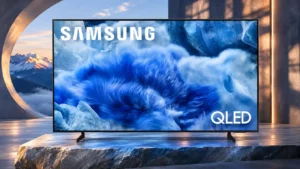
Overall: 3.3/5
Apple AirPlay adds straightforward sharing from compatible devices, broadening the TV’s ecosystem.
Pros: overall satisfaction, picture quality
Cons: reliability, remote control quality

Overall: 3.1/5
Built-in AirPlay allows mirroring from an iPhone or iMac without purchasing another streaming box.
Pros: picture quality, overall satisfaction
Cons: sound quality, black levels

Overall: 4.5/5
AirPlay works as part of the TV’s straightforward casting options, making Apple-device sharing quick and easy.
Pros: glare resistance, black levels
Cons: Dolby Vision support, color gamut

Overall: 3.8/5
AirPlay mirroring worked smoothly for a movie, in contrast to a troublesome Google casting attempt.
Pros: Wireless One Connect compatibility, art display mode
Cons: value for money, input lag

Overall: 3.8/5
AirPlay operated smoothly in direct use, despite trouble with competing casting methods.
Pros: cable management, design and appearance
Cons: value for money, Dolby Vision support
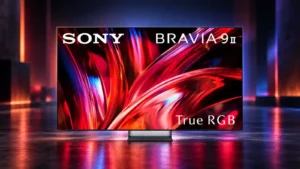
Overall: 4.3/5
AirPlay is a welcome convenience and was specifically called out as a useful addition.
Pros: overall satisfaction, overall image accuracy
Cons: value for money, bass performance

Overall: 3.9/5
AirPlay 2 provides easy wireless playback from Apple devices.
Pros: peak brightness, picture quality
Cons: color accuracy, viewing angles

Overall: 4.0/5
AirPlay is especially appreciated by Apple users, with one owner calling the built-in implementation excellent for Macs and iPhones.
Pros: overall satisfaction, picture quality
Cons: reliability, build quality

Overall: 4.1/5
Wireless Apple-device playback and mirroring are convenient; one large-screen setup found laptop mirroring smooth enough for desktop use.
Pros: peak brightness, HDR brightness
Cons: sound quality, viewing angles

Overall: 3.7/5
iPhone owners get convenient built-in screen mirroring through AirPlay, avoiding an extra casting device.
Pros: picture quality, maximum volume
Cons: sound quality, bass performance

Overall: 4.0/5
AirPlay 2 is convenient for sharing videos and photos from Apple devices.
Pros: peak brightness, picture quality
Cons: HDMI 2.1 port count, reflection handling

Overall: 3.1/5
AirPlay is a useful convenience for sharing content from Apple devices without an extra box.
Pros: design and appearance, maximum volume
Cons: picture quality, value for money

Overall: 3.0/5
AirPlay works as a simple route for casting from Apple devices, making the set convenient for households that use iPhones or Macs.
Pros: color gamut, smart TV platform
Cons: value for money, overall satisfaction

Overall: 4.2/5
AirPlay makes sharing compatible device content straightforward.
Pros: high-refresh-rate gaming, gaming performance
Cons: value for money, bass performance

Overall: 3.9/5
Apple AirPlay adds useful casting flexibility within the Tizen system.
Pros: color volume, black levels
Cons: Inconsistent panel and coating by size, sound quality

Overall: 4.0/5
Built-in AirPlay makes sharing video from Apple devices easy, without an extra streaming box.
Pros: picture quality, black levels
Cons: HDR brightness, value for money

Overall: 3.9/5
AirPlay is a useful part of the TV’s broad wireless streaming toolkit and gives Apple-device owners an easy local playback option.
Pros: gaming performance, peak brightness
Cons: HDMI 2.1 support, HDMI 2.1 port count
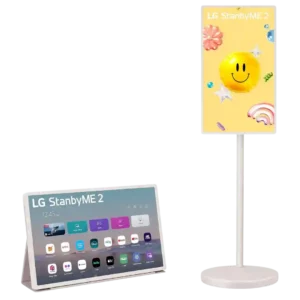
Overall: 3.8/5
AirPlay is usually a strong convenience feature for mirroring phones and Macs, and several users found it smooth or seamless. A monitor-focused buyer was disappointed that AirPlay was limited to...
Pros: overall satisfaction, portability and versatility
Cons: value for money, menu responsiveness

Overall: 3.9/5
AirPlay makes sharing from Apple devices convenient, with especially positive feedback for iPhone casting.
Pros: overall satisfaction, picture quality
Cons: Weight and handling, black levels

Overall: 3.3/5
Built-in AirPlay makes it convenient to send content from iPhones, iPads, and Macs without adding another box.
Pros: color accuracy, upscaling quality
Cons: picture quality, sound quality

Overall: 3.8/5
Apple AirPlay adds welcome device flexibility alongside Google Cast.
Pros: picture quality, color accuracy
Cons: HDR performance, sound quality

Overall: 4.2/5
AirPlay support is a mixed area, combining useful capabilities with practical caveats.
Pros: overall satisfaction, picture quality
Cons: banding control, remote control quality

Overall: 3.4/5
Apple devices can share or mirror media directly to the TV over AirPlay.
Pros: picture quality, color accuracy
Cons: remote control quality, black levels

Overall: 4.0/5
AirPlay and Apple Home integration are presented as convenient ways to share content and control the TV from Apple devices.
Pros: overall satisfaction, picture quality
Cons: size options, value for money

Overall: 3.8/5
AirPlay makes sharing content from Apple devices convenient for compatible setups.
Pros: picture quality, 4K at 144 Hz support
Cons: sound quality, value for money

Overall: 4.2/5
AirPlay is a convenient way to send compatible Apple-device content to the television without another streaming box.
Pros: picture quality, glare resistance
Cons: value for money, bass performance

Overall: 3.7/5
Apple AirPlay worked for wireless viewing when another casting method failed.
Pros: color volume, overall satisfaction
Cons: value for money, color accuracy

Overall: 3.6/5
Apple device casting is generally convenient, with particularly smooth mirroring in positive tests. At least one owner reports repeated AirPlay disconnects.
Pros: picture quality, overall satisfaction
Cons: sound quality, reliability

Overall: 2.7/5
Apple AirPlay makes it useful for casting from Apple devices, although HomeKit support is missing.
Pros: white balance accuracy, design and appearance
Cons: overall satisfaction, value for money

Overall: 3.8/5
Apple mirroring can be seamless on a suitable connection, but another setup failed to discover the TV on the home network. Results can depend on network configuration.
Pros: HDMI 2.1 port count, overall satisfaction
Cons: HDR performance, bass performance

Overall: 4.1/5
An iPhone screen-mirroring test connected only about half the time, making AirPlay a weak point for seamless Apple use.
Pros: overall satisfaction, value for money
Cons: Smart TV platform, advertising intrusiveness

Overall: 3.3/5
The only direct owner assessment is strongly negative, calling AirPlay horrible after the TV’s broader streaming performance deteriorated.
Pros: picture quality, overall satisfaction
Cons: value for money, reliability

Overall: 4.0/5
AirPlay failed to stream a Hulu title correctly from an iPad in one test, leaving Apple-device playback less dependable than casting.
Pros: peak brightness, picture quality
Cons: value for money, viewing angles