Best for streaming app support
Roku Pro Series (2025)
5.0 attribute score
Highest scored product for this attribute based on supporting review evidence.

Highest scored product for this attribute based on supporting review evidence.
Balances the attribute score, supporting reviews, and overall product strength.
Has the broadest review evidence for this attribute.
Strongest overall product among items with scored evidence for this attribute.
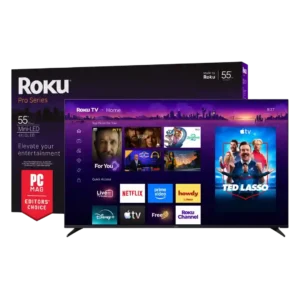
Overall: 4.4/5
Streaming is generally effortless, with major services easy to access and existing Roku app setups often carrying over quickly.
Pros: overall satisfaction, picture quality
Cons: reliability, portability and versatility

Overall: 4.1/5
Popular services are broadly covered and usually deliver Dolby Vision and Dolby Atmos correctly.
Pros: picture quality, gaming performance
Cons: value for money, sound quality
Overall: 4.2/5
Mainstream streaming coverage is excellent, with no meaningful gaps called out across the major services.
Pros: overall satisfaction, picture quality
Cons: HDMI 2.1 port count, reflection handling
Overall: 3.7/5
Prime Video, Netflix, Disney+ and many other services are readily available, making the set a capable streaming hub.
Pros: value for money, HDR brightness
Cons: color accuracy, shadow detail

Overall: 4.1/5
Major platforms are available directly through Fire TV, and most services are easy to find and launch.
Pros: overall satisfaction, value for money
Cons: Smart TV platform, advertising intrusiveness

Overall: 3.8/5
Popular international services and regional catch-up apps are available and generally run well.
Pros: value for money, peak brightness
Cons: color accuracy, stand quality

Overall: 4.4/5
Major and niche streaming services are widely available and work correctly once the required LG account is active.
Pros: picture quality, peak brightness
Cons: value for money, sound quality

Overall: 2.6/5
Major streaming services are readily available without an external streaming stick.
Pros: sound quality, picture quality
Cons: value for money, local dimming performance
Overall: 4.3/5
Streaming-app support is comprehensive, with the major services present and a broad downloadable library through Google TV.
Pros: overall satisfaction, overall image accuracy
Cons: value for money, bass performance
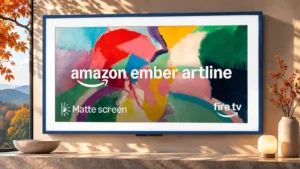
Overall: 3.4/5
Major streaming services are simple to find through the Fire TV interface, allowing the set to function without an external streamer.
Pros: art display mode, picture quality
Cons: contrast ratio, high-refresh-rate gaming
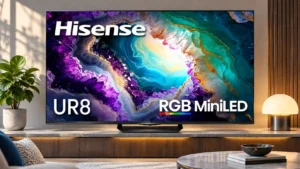
Overall: 4.0/5
Streaming and gaming app support is extensive, with the main popular services readily accessible.
Pros: gaming performance, color volume
Cons: blooming control, dark-room performance
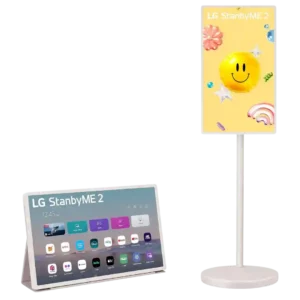
Overall: 3.8/5
One customer specifically praised how easily their streaming services synchronized with the TV. Broader reviews confirm the major services are generally covered, though the wider app catalog is less complete.
Pros: overall satisfaction, portability and versatility
Cons: value for money, menu responsiveness

Overall: 4.0/5
A hands-on owner installed and configured their usual streaming apps without trouble.
Pros: overall satisfaction, picture quality
Cons: size options, value for money

Overall: 3.8/5
Popular streaming services are readily available without needing a separate stick or box.
Pros: picture quality, 4K at 144 Hz support
Cons: sound quality, value for money

Overall: 3.1/5
The built-in app library covers popular streaming platforms, and an owner enjoys accessing them without additional hardware.
Pros: picture quality, overall satisfaction
Cons: sound quality, black levels

Overall: 3.8/5
The built-in platform covers major subscription services, reducing any need for a separate streaming stick.
Pros: overall satisfaction, picture quality
Cons: value for money, local dimming performance

Overall: 4.2/5
The popular streaming apps are available directly in Tizen, minimizing the need for a separate streaming stick.
Pros: picture quality, glare resistance
Cons: value for money, bass performance

Overall: 3.3/5
Netflix, Disney+, Apple TV, and other popular services work conveniently through the built-in streaming platform.
Pros: color accuracy, upscaling quality
Cons: picture quality, sound quality

Overall: 3.9/5
Major streaming services are widely available, making external players optional for most households.
Pros: peak brightness, picture quality
Cons: color accuracy, viewing angles

Overall: 4.4/5
The available streaming lineup is broad and easy to access, supporting everyday viewing without extra hardware.
Pros: picture quality, value for money
Cons: stand quality, judder handling

Overall: 4.0/5
A wide selection of familiar streaming services helps make webOS a complete television platform.
Pros: contrast ratio, black levels
Cons: reflection handling, color accuracy

Overall: 4.3/5
Major services are available directly in Fire TV, so there is little need for an external streaming device.
Pros: picture quality, black levels
Cons: bass performance, HDR brightness

Overall: 4.2/5
Major streaming apps run smoothly and support rich picture and sound formats when available.
Pros: high-refresh-rate gaming, gaming performance
Cons: value for money, bass performance
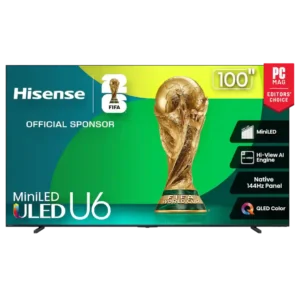
Overall: 4.2/5
Streaming-service coverage is broad and includes the major services most buyers expect, so an external streamer is not required for app availability alone.
Pros: overall satisfaction, value for money
Cons: smart TV platform, blooming control
Overall: 4.1/5
Extensive streaming coverage and free Roku programming support a wide range of everyday viewing, with Twitch the stated major service gap.
Pros: contrast ratio, value for money
Cons: peak brightness, HDR brightness
Overall: 3.8/5
Google TV provides a wide assortment of mainstream streaming services. Actual playback reliability is a separate concern in light of reported freezes.
Pros: HDMI 2.1 port count, Video input versatility
Cons: value for money, overall satisfaction
Overall: 3.9/5
A buyer appreciated being able to reach multiple streaming services easily through Google TV.
Pros: overall satisfaction, picture quality
Cons: Weight and handling, black levels
Overall: 4.1/5
A substantial selection of streaming apps makes it easy to use the TV without an external streaming box.
Pros: black levels, contrast ratio
Cons: Dolby Vision support, stutter handling
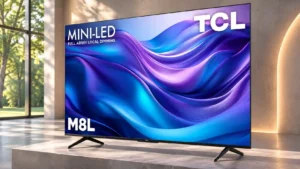
Overall: 4.1/5
Launching streaming services from the built-in Fire TV interface feels quick and straightforward.
Pros: value for money, overall satisfaction
Cons: HDR brightness
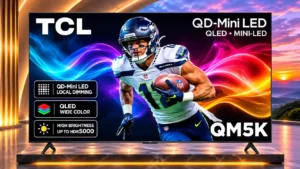
Overall: 3.6/5
A well-stocked Google TV catalog covers mainstream shows, movies, and live-streaming apps without requiring an external box.
Pros: black levels, picture quality
Cons: HDR performance, blooming control

Overall: 4.0/5
Major streaming services are well covered, but individual apps can still have compatibility or stability issues.
Pros: overall satisfaction, picture quality
Cons: reliability, build quality
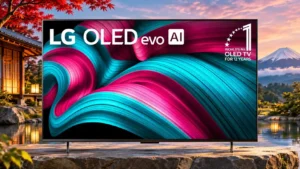
Overall: 4.0/5
Major streaming services are well represented and usually operate reliably.
Pros: value for money, overall satisfaction
Cons: Remote control usability, sound quality

Overall: 3.9/5
Major streaming and catch-up services are well supported, with the Google TV catalog leaving few meaningful gaps.
Pros: gaming performance, peak brightness
Cons: HDMI 2.1 support, HDMI 2.1 port count

Overall: 4.0/5
Google TV is a convenient home for popular streaming services, films and shows.
Pros: peak brightness, blooming control
Cons: value for money, motion clarity

Overall: 3.7/5
Most familiar streaming services are available through LG’s interface, although at least one regional TV service is missing.
Pros: picture quality, maximum volume
Cons: sound quality, bass performance

Overall: 3.1/5
Most major streaming services are supported, with some region-specific omissions during early 2026 testing.
Pros: gaming performance, color accuracy
Cons: value for money, overall satisfaction

Overall: 3.1/5
Common video services are easy to access, though a specific live-TV app omission may push some homes toward an external streamer.
Pros: design and appearance, maximum volume
Cons: picture quality, value for money

Overall: 3.4/5
Netflix, YouTube and other familiar streaming services are easy to find within webOS.
Pros: picture quality, color accuracy
Cons: remote control quality, black levels

Overall: 3.8/5
Mainstream streaming apps are available through Tizen, keeping normal watching convenient.
Pros: overall satisfaction, color gamut
Cons: value for money, local dimming performance

Overall: 3.9/5
Popular streaming apps are easy to access, even if certain specialized or regional services remain absent.
Pros: value for money, overall satisfaction
Cons: Dolby Vision support, sound quality

Overall: 4.0/5
Popular streaming services are supported, but some regional integrations and navigation choices may disappoint.
Pros: reflection handling, overall satisfaction
Cons: Dolby Vision support, bass performance

Overall: 4.5/5
Core streaming services are well supported and run smoothly, with only isolated regional omissions noted.
Pros: glare resistance, black levels
Cons: Dolby Vision support, color gamut

Overall: 3.6/5
Popular services are easy to access, but a few customers encounter missing apps or failures with specific services.
Pros: picture quality, overall satisfaction
Cons: sound quality, reliability

Overall: 3.3/5
Streaming compatibility is a major customer pain point despite broad app availability. Reports include YouTube TV logouts, black screens, stutter, missing services, and complete streaming failure after months of use.
Pros: picture quality, overall satisfaction
Cons: value for money, reliability