Best for eARC support
TCL QM7L
5.0 attribute score
Highest scored product for this attribute based on supporting review evidence.

Highest scored product for this attribute based on supporting review evidence.
Balances the attribute score, supporting reviews, and overall product strength.
Has the broadest review evidence for this attribute.
Strongest overall product among items with scored evidence for this attribute.

Overall: 3.9/5
The separate eARC connection preserves both high-bandwidth gaming inputs, a layout repeatedly praised for console-and-soundbar setups.
Pros: peak brightness, picture quality
Cons: color accuracy, viewing angles

Overall: 4.1/5
eARC provides a convenient path to uncompressed audio and a compatible soundbar or receiver.
Pros: overall satisfaction, value for money
Cons: Smart TV platform, advertising intrusiveness

Overall: 4.2/5
The eARC port makes high-quality audio transfer to a soundbar or AV receiver straightforward.
Pros: overall satisfaction, glare resistance
Cons: motion handling, viewing angles

Overall: 4.4/5
eARC is available for connecting a soundbar or receiver, though it cannot pass DTS.
Pros: picture quality, peak brightness
Cons: value for money, sound quality

Overall: 3.6/5
The eARC HDMI connection is useful for sending higher-quality audio to a soundbar or receiver without relying on the TV's internal speakers.
Pros: picture quality, overall satisfaction
Cons: sound quality, reliability

Overall: 3.8/5
eARC lets a soundbar or receiver receive high-quality uncompressed sound over HDMI, with broad format compatibility.
Pros: picture quality, color accuracy
Cons: HDR performance, sound quality

Overall: 4.0/5
High-quality uncompressed audio can pass to a soundbar or home-theater receiver over HDMI eARC.
Pros: gaming performance, color volume
Cons: blooming control, dark-room performance

Overall: 4.1/5
The eARC connection can feed uncompressed audio to a soundbar or receiver, though using that HDMI input reduces free slots.
Pros: peak brightness, picture quality
Cons: value for money, color accuracy

Overall: 4.4/5
Connecting a soundbar through HDMI ARC/eARC is reported as straightforward, with easy integration into the Roku control experience.
Pros: overall satisfaction, picture quality
Cons: reliability, portability and versatility

Overall: 2.6/5
eARC is a useful way to connect a soundbar or receiver and transfer high-quality audio from external devices.
Pros: sound quality, picture quality
Cons: value for money, local dimming performance

Overall: 3.1/5
eARC lets the M80H send high-quality multichannel audio to compatible soundbars and receivers.
Pros: gaming performance, color accuracy
Cons: value for money, overall satisfaction

Overall: 3.8/5
eARC provides an effective route to a soundbar or receiver for much fuller audio than the TV speakers can produce.
Pros: picture quality, 4K at 144 Hz support
Cons: sound quality, value for money

Overall: 4.5/5
The eARC connection makes it straightforward to send high-quality audio to a soundbar or receiver.
Pros: glare resistance, black levels
Cons: Dolby Vision support, color gamut

Overall: 4.1/5
eARC can deliver uncompressed audio to a compatible soundbar or receiver, helping the TV pair with better external speakers.
Pros: picture quality, black levels
Cons: viewing angles, motion clarity

Overall: 4.4/5
The dedicated eARC connection was strongly welcomed for straightforward soundbar or receiver integration.
Pros: picture quality, value for money
Cons: stand quality, judder handling

Overall: 3.9/5
eARC supports high-quality audio to an external sound system and sits separately from the two full-bandwidth gaming inputs.
Pros: peak brightness, overall satisfaction
Cons: value for money, shadow detail

Overall: 3.8/5
The eARC connection handles high-quality uncompressed audio to compatible external receivers or soundbars.
Pros: picture quality, overall satisfaction
Cons: color crosstalk, value for money

Overall: 4.0/5
Because eARC sits on a separate HDMI 2.0 input, connecting a soundbar does not take away either 4K/144Hz gaming port.
Pros: color accuracy, picture quality
Cons: HDR brightness, peak brightness

Overall: 3.9/5
The separate eARC port can send high-quality sound to a receiver or soundbar without sacrificing a premium gaming input.
Pros: peak brightness, value for money
Cons: reflection handling, glare resistance

Overall: 3.4/5
An eARC connection makes it easy to pair a soundbar or receiver and pass compatible surround audio from external devices.
Pros: picture quality, value for money
Cons: viewing angles, HDR performance

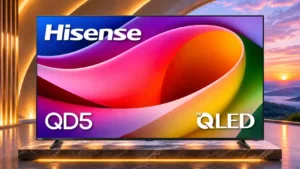
Overall: 3.8/5
The audio return channel passes high-quality formats to a soundbar or receiver, including lossless movie soundtracks. Its downward-facing port can be fiddly after wall mounting.
Pros: HDMI 2.1 port count, overall satisfaction
Cons: HDR performance, bass performance
Overall: 3.9/5
The HDMI eARC connection supports high-quality audio transfer to compatible receivers and sound systems.
Pros: overall satisfaction, picture quality
Cons: Weight and handling, black levels

Overall: 4.2/5
ARC/eARC is described as working well with external soundbars and receivers, making it easy to expand beyond the built-in audio.
Pros: overall satisfaction, value for money
Cons: smart TV platform, blooming control

Overall: 4.1/5
The eARC connection makes adding a soundbar simple, a useful benefit given the speakers’ limited impact.
Pros: contrast ratio, value for money
Cons: peak brightness, HDR brightness

Overall: 4.2/5
The eARC connection offers a straightforward route to pairing a modern theater soundbar.
Pros: high-refresh-rate gaming, gaming performance
Cons: value for money, bass performance

Overall: 4.0/5
Audio connectivity accommodates external soundbars.
Pros: black levels, picture quality
Cons: glare resistance, reflection handling

Overall: 3.8/5
eARC can deliver high-bitrate, uncompressed surround audio from connected devices to a compatible receiver or soundbar.
Pros: HDMI 2.1 port count, Video input versatility
Cons: value for money, overall satisfaction

Overall: 3.6/5
eARC supports uncompressed multichannel audio to compatible external audio gear, making a separate sound system easy to incorporate.
Pros: black levels, picture quality
Cons: HDR performance, blooming control

Overall: 2.9/5
Lossless passthrough lets a capable soundbar or receiver handle multichannel audio the built-in speakers cannot reproduce.
Pros: value for money, picture quality
Cons: account requirements, gaming performance

Overall: 4.0/5
eARC passes high-quality sound to a receiver or soundbar without occupying one of the two fastest HDMI ports, with some switching tradeoffs.
Pros: peak brightness, picture quality
Cons: HDMI 2.1 port count, reflection handling

Overall: 3.9/5
An eARC connection makes it straightforward to pair the TV with a modern soundbar or AV receiver for upgraded audio.
Pros: picture quality, contrast ratio
Cons: HDR performance, motion handling

Overall: 3.0/5
eARC provides a useful path to higher-quality audio through a compatible soundbar or receiver.
Pros: viewing angles, smart TV platform
Cons: overall satisfaction, refresh rate

Overall: 3.9/5
eARC makes connecting an external soundbar or receiver straightforward.
Pros: value for money, overall satisfaction
Cons: Dolby Vision support, sound quality

Overall: 3.8/5
Multiple eARC connection paths offer flexibility, but coordinating the hub, receiver and soundbar may take extra care.
Pros: cable management, design and appearance
Cons: value for money, Dolby Vision support

Overall: 3.3/5
eARC provides a practical route to a soundbar through the lone HDMI 2.1 connection. Its usefulness is clear, though sharing that port with gaming gear can be limiting.
Pros: picture quality, overall satisfaction
Cons: value for money, reliability

Overall: 3.4/5
An eARC connection makes it straightforward to pair the TV with a capable external audio system.
Pros: picture quality, color accuracy
Cons: remote control quality, black levels

Overall: 3.7/5
eARC and Dolby Digital passthrough work together for straightforward connection to compatible external sound equipment.
Pros: picture quality, maximum volume
Cons: sound quality, bass performance

Overall: 3.0/5
HDMI eARC offers the preferred way to connect a receiver or compatible soundbar without an optical port.
Pros: picture quality, smart TV platform
Cons: value for money, refresh rate

Overall: 4.0/5
eARC is useful for connecting a capable receiver or soundbar, though it uses one of the two highest-bandwidth HDMI inputs.
Pros: picture quality, black levels
Cons: HDR brightness, value for money

Overall: 4.0/5
An eARC connection is available for external audio, although setup and routing behavior can require attention.
Pros: reflection handling, overall satisfaction
Cons: Dolby Vision support, bass performance

Overall: 4.3/5
The audio return channel works with external sound systems and does not occupy one of the two full-bandwidth gaming inputs. Its lower-bandwidth location may still limit some hookups.
Pros: picture quality, black levels
Cons: bass performance, HDR brightness

Overall: 4.0/5
eARC is welcome for external audio, but sharing one of only two fast HDMI inputs creates a connection tradeoff.
Pros: overall satisfaction, picture quality
Cons: size options, value for money

Overall: 3.3/5
The audio return connection is convenient for an external speaker system, and owners appreciate compatible hookup options.
Pros: overall satisfaction, picture quality
Cons: reliability, remote control quality

Overall: 3.7/5
eARC accommodates external Dolby sound, but its sharing of a high-speed HDMI port creates a practical tradeoff.
Pros: value for money, HDR brightness
Cons: color accuracy, shadow detail
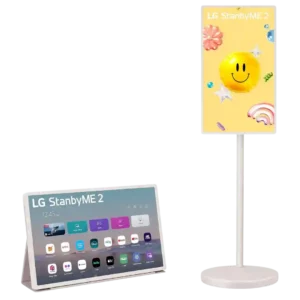
Overall: 3.8/5
eARC gives the StanByMe 2 a straightforward path to better external sound. The practical tradeoff is that a wired soundbar connection undermines the product’s otherwise portable setup.
Pros: overall satisfaction, portability and versatility
Cons: value for money, menu responsiveness

Overall: 3.8/5
eARC works with a properly arranged receiver, but the single port on the wireless box imposes a setup constraint.
Pros: Wireless One Connect compatibility, art display mode
Cons: value for money, input lag

Overall: 4.0/5
eARC is useful when it works, but repeated owner reports of dropped ARC/eARC connections and required reboots make it a notable risk area.
Pros: overall satisfaction, picture quality
Cons: reliability, build quality
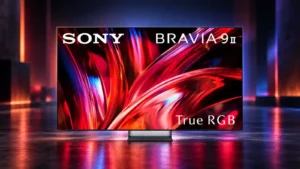
Overall: 4.3/5
eARC functionality is weakened by a reported bug that prevented correct sound output to compatible devices during testing.
Pros: overall satisfaction, overall image accuracy
Cons: value for money, bass performance