Best for wall-mount compatibility
Samsung QN70F
5.0 attribute score
Highest scored product for this attribute based on supporting review evidence.

Highest scored product for this attribute based on supporting review evidence.
Balances the attribute score, supporting reviews, and overall product strength.
Has the broadest review evidence for this attribute.
Strongest overall product among items with scored evidence for this attribute.

Overall: 3.8/5
Standard mounting points and the thin body support an attractive wall installation, though rear input access can get awkward.
Pros: picture quality, 4K at 144 Hz support
Cons: sound quality, value for money

Overall: 3.8/5
Its relatively restrained design and flat rear make mounting straightforward, although rear connections become harder to reach close to a wall.
Pros: picture quality, contrast ratio
Cons: blooming control, glare resistance

Overall: 3.6/5
The light body and slim frame make wall mounting practical for bedroom buyers, with standard mounting hardware patterns covered.
Pros: picture quality, overall satisfaction
Cons: sound quality, reliability

Overall: 3.8/5
The slim panel looks neat mounted on a wall, and mounting avoids the polarizing two-legged stand.
Pros: value for money, peak brightness
Cons: color accuracy, stand quality
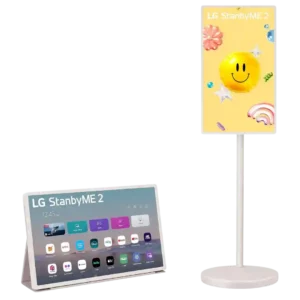
Overall: 3.8/5
The ability to hang the detached screen on a wall adds useful placement flexibility. One customer specifically loved using it as wall art as well as a TV.
Pros: overall satisfaction, portability and versatility
Cons: value for money, menu responsiveness

Overall: 4.0/5
VESA mounting and side-facing inputs make mounting relatively straightforward.
Pros: color accuracy, picture quality
Cons: HDR brightness, peak brightness

Overall: 4.4/5
The flat Gallery chassis and included zero-gap or slim mounts create an especially clean, picture-like wall installation.
Pros: picture quality, peak brightness
Cons: value for money, sound quality
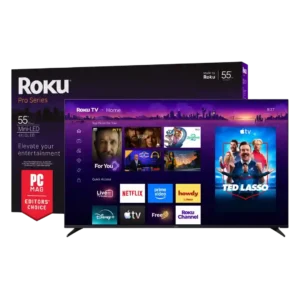
Overall: 4.4/5
Wall mounting is a major strength: the flat-backed design can sit nearly flush like a frame TV, with several owners reporting straightforward installation.
Pros: overall satisfaction, picture quality
Cons: reliability, portability and versatility

Overall: 3.5/5
The included slim mount lets The Frame hang almost like artwork, and standard VESA holes offer flexibility. Concealed cables remain important for a polished result.
Pros: art display mode, design and appearance
Cons: overall satisfaction, HDMI port accessibility

Overall: 3.8/5
The thin chassis and wireless source box are especially well suited to neat wall installations. Only the power connection must reach the display itself.
Pros: glare resistance, overall satisfaction
Cons: input lag, value for money

Overall: 3.8/5
The included flush-mount option is attractive and typically simple to install, with standard mount support mentioned as an alternative.
Pros: picture quality, color accuracy
Cons: HDR performance, sound quality
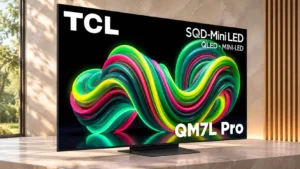
Overall: 4.1/5
The slim body sits close to the wall and the side-facing inputs are relatively accessible even after mounting.
Pros: picture quality, black levels
Cons: viewing angles, motion clarity
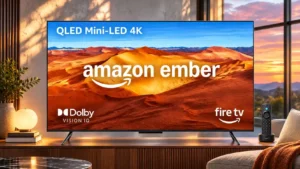
Overall: 3.7/5
The side ports and relatively tidy backing aid wall mounting, though the thicker chassis prevents a fully flush art-TV look.
Pros: value for money, HDR brightness
Cons: color accuracy, shadow detail

Overall: 4.1/5
The large display looks attractive on a standard VESA bracket, but recessed inputs and a fixed cable make installation less convenient.
Pros: gaming performance, HDR brightness
Cons: reflection handling, glare resistance

Overall: 4.0/5
The flat back and flush-mount design allow a tidy, close-to-the-wall installation.
Pros: peak brightness, picture quality
Cons: value for money, viewing angles
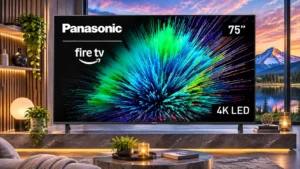
Overall: 3.3/5
VESA mounting is straightforward, but input access becomes awkward once the screen is close to the wall.
Pros: picture quality, motion handling
Cons: HDR performance, HDR brightness
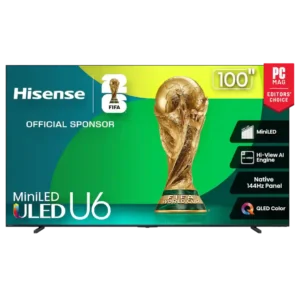
Overall: 4.2/5
Wall mounting is straightforward and can produce a relatively slim, tidy profile despite the TV's mini-LED depth.
Pros: overall satisfaction, value for money
Cons: smart TV platform, blooming control

Overall: 3.4/5
Common VESA mounting options are available, although spacing, port access and handling become important with the biggest models.
Pros: picture quality, value for money
Cons: viewing angles, HDR performance

Overall: 4.0/5
The thin panel and external connections suit wall mounting, although placement and cable routing require planning.
Pros: reflection handling, overall satisfaction
Cons: Dolby Vision support, bass performance

Overall: 4.2/5
The slim body looks smart on a wall and supports standard mounting, though recessed sockets are less accessible afterward.
Pros: picture quality, glare resistance
Cons: value for money, bass performance

Overall: 4.3/5
Standard VESA compatibility and accessible side inputs make mounting straightforward.
Pros: picture quality, black levels
Cons: bass performance, HDR brightness

Overall: 4.1/5
Standard wall mounts and accessible side inputs make mounting practical, although an existing mount may need height adjustment.
Pros: overall satisfaction, value for money
Cons: Smart TV platform, advertising intrusiveness

Overall: 3.9/5
A slim profile and standard mounting arrangements suit wall installations, provided the mount matches the exact size.
Pros: color volume, black levels
Cons: Inconsistent panel and coating by size, sound quality

Overall: 4.2/5
Its slim, flat rear and frame-like front make wall mounting appealing. Access to recessed ports requires forethought.
Pros: high-refresh-rate gaming, gaming performance
Cons: value for money, bass performance
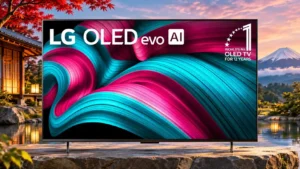
Overall: 4.0/5
VESA mounting and slim edges work well on a wall, although reaching some side inputs afterward is less convenient.
Pros: value for money, overall satisfaction
Cons: Remote control usability, sound quality

Overall: 3.9/5
Standard VESA mounting is available and the front looks tidy on a wall. Heavy panels and recessed sockets need planning.
Pros: gaming performance, overall satisfaction
Cons: sound quality, value for money

Overall: 3.3/5
Wall mounting is generally straightforward, but the set’s thickness can make it protrude more than expected. Some customers prefer wall mounting specifically to avoid the included stand.
Pros: picture quality, overall satisfaction
Cons: value for money, reliability

Overall: 2.7/5
Its light, relatively slim body is easy to mount, although backward-facing ports make cable hookup awkward.
Pros: white balance accuracy, design and appearance
Cons: overall satisfaction, value for money

Overall: 4.1/5
The thin panel looks excellent on a wall, but larger sizes are heavy and delicate enough to justify professional installation.
Pros: picture quality, gaming performance
Cons: value for money, sound quality

Overall: 4.0/5
The surprisingly slim chassis is attractive on a wall, but weight and screen size make installation a serious job.
Pros: peak brightness, blooming control
Cons: value for money, motion clarity

Overall: 3.9/5
A thin profile and standard mounting layout make wall installation feasible with a compatible bracket.
Pros: value for money, overall satisfaction
Cons: Dolby Vision support, sound quality
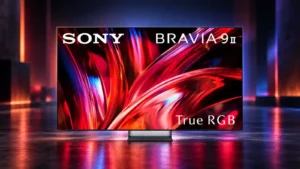
Overall: 4.3/5
The flat rear panel allows a neat wall-mounted installation that should sit close to the wall.
Pros: overall satisfaction, overall image accuracy
Cons: value for money, bass performance
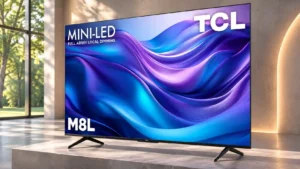
Overall: 4.1/5
The straightforward styling looks tidy whether the TV is on its stand or mounted on a wall.
Pros: value for money, overall satisfaction
Cons: HDR brightness

Overall: 3.9/5
The VESA mounting position sits lower than usual but remains practical and leaves room for the speaker system.
Pros: peak brightness, picture quality
Cons: color accuracy, viewing angles

Overall: 4.4/5
Side-facing connections remain accessible after mounting, making wall installations less frustrating.
Pros: picture quality, value for money
Cons: stand quality, judder handling

Overall: 4.0/5
The set can be mounted using standard VESA hardware, but recessed ports are harder to reach when installed flush against a wall.
Pros: black levels, picture quality
Cons: glare resistance, reflection handling
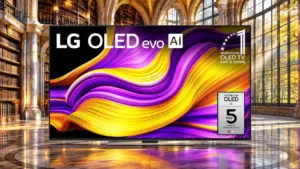
Overall: 4.2/5
Wall mounting is central to the G5’s appeal, although cable routing, port access, and installation planning deserve attention.
Pros: overall satisfaction, picture quality
Cons: banding control, remote control quality

Overall: 3.8/5
The included two-bracket mount achieves an elegant flush finish but needs accurate alignment and suitable wall support.
Pros: cable management, design and appearance
Cons: value for money, Dolby Vision support

Overall: 3.9/5
The set looks tidy on a wall, with side-facing connectors that can help keep cables out of sight.
Pros: peak brightness, value for money
Cons: reflection handling, glare resistance
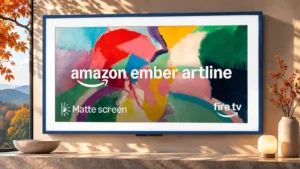
Overall: 3.4/5
The supplied wall mount makes an art-focused installation possible, but the heavier chassis and precise hook alignment can make mounting tricky.
Pros: art display mode, picture quality
Cons: contrast ratio, high-refresh-rate gaming

Overall: 2.6/5
The screen can be wall mounted, but rear-facing sockets may require specialized adapters to sit close to a wall.
Pros: sound quality, picture quality
Cons: value for money, local dimming performance

Overall: 3.8/5
Compatible mounts are available, but buyers need to check the exact screen size's weight and VESA pattern before installation.
Pros: overall satisfaction, picture quality
Cons: value for money, local dimming performance

Overall: 3.8/5
Wall installation is possible, although the slightly deeper chassis projects farther from the wall than slimmer alternatives.
Pros: overall satisfaction, color gamut
Cons: value for money, local dimming performance

Overall: 4.0/5
Wall mounting is possible and sometimes straightforward, but rear port placement, plug design, thickness, and large-screen weight can complicate installation.
Pros: overall satisfaction, picture quality
Cons: reliability, build quality

Overall: 3.7/5
The slim chassis looks appealing on a wall, although reaching rear inputs can be awkward and one long-term user flagged heat concerns.
Pros: color volume, overall satisfaction
Cons: value for money, color accuracy

Overall: 4.1/5
The TV can be mounted, but unusual VESA positioning and the 100-inch set's weight make careful hardware planning essential.
Pros: peak brightness, HDR brightness
Cons: sound quality, viewing angles

Overall: 3.1/5
Wall mounting is feasible, but VESA patterns change by size and recessed inputs are difficult to reach afterward.
Pros: picture quality, overall satisfaction
Cons: sound quality, black levels

Overall: 3.0/5
The light design can be wall-mounted, but recessed ports and model-specific mounting details call for careful planning.
Pros: color gamut, smart TV platform
Cons: value for money, overall satisfaction

Overall: 4.2/5
The frame makes the most visual sense mounted close to a wall, although mounting hardware and setup expectations vary.
Pros: picture quality, overall satisfaction
Cons: design and appearance, Dolby Vision support

Overall: 3.8/5
Wall mounting is possible, but the thicker rear profile looks less sleek than TCL's slimmer SQD flagship.
Pros: picture quality, overall satisfaction
Cons: color crosstalk, value for money