Best for PC text clarity
TCL QM9K
5.0 attribute score
Highest scored product for this attribute based on supporting review evidence.

Highest scored product for this attribute based on supporting review evidence.
Balances the attribute score, supporting reviews, and overall product strength.
Has the broadest review evidence for this attribute.
Strongest overall product among items with scored evidence for this attribute.

Overall: 3.9/5
PC text benefits from the regular RGB subpixel layout and high-bandwidth chroma support, producing unusually clean lettering for a television.
Pros: peak brightness, overall satisfaction
Cons: value for money, shadow detail

Overall: 4.4/5
The RGWB subpixel arrangement makes desktop text noticeably clearer, with less fringing and blur than the G5.
Pros: picture quality, peak brightness
Cons: value for money, sound quality

Overall: 3.4/5
Proper 4:4:4 chroma and an RGB layout keep computer text crisp.
Pros: picture quality, color accuracy
Cons: remote control quality, black levels

Overall: 4.0/5
Full chroma support preserves crisp lettering when used with a computer.
Pros: overall satisfaction, picture quality
Cons: size options, value for money

Overall: 3.8/5
Proper chroma 4:4:4 support keeps fine computer text legible across supported signal formats.
Pros: picture quality, contrast ratio
Cons: blooming control, glare resistance

Overall: 3.8/5
Proper 4:4:4 chroma keeps desktop text crisp at supported resolutions and refresh rates.
Pros: overall satisfaction, color gamut
Cons: value for money, local dimming performance

Overall: 3.8/5
Correct chroma rendering keeps desktop lettering crisp across supported PC signal modes.
Pros: cable management, design and appearance
Cons: value for money, Dolby Vision support

Overall: 3.6/5
The RGB layout and proper chroma handling keep on-screen computer text clean, making occasional desktop use feasible.
Pros: picture quality, overall satisfaction
Cons: sound quality, reliability
Overall: 4.1/5
Full chroma 4:4:4 and an RGB subpixel layout help desktop lettering stay legible.
Pros: picture quality, black levels
Cons: viewing angles, motion clarity

Overall: 4.0/5
A revised subpixel structure improves the sharpness of computer text compared with less PC-friendly OLED arrangements.
Pros: contrast ratio, black levels
Cons: reflection handling, color accuracy

Overall: 3.1/5
RGB subpixels and correctly displayed chroma signals help computer text stay clear at supported resolutions.
Pros: gaming performance, color accuracy
Cons: value for money, overall satisfaction

Overall: 3.8/5
Proper RGB and chroma 4:4:4 rendering keep Windows or PC interface text readable at both 1080p and 4K.
Pros: HDMI 2.1 port count, overall satisfaction
Cons: HDR performance, bass performance
Overall: 3.8/5
The RGWB subpixel arrangement improves compatibility with PC text rendering, helping text appear crisp. Static desktop interfaces still warrant careful long-term use.
Pros: HDMI 2.1 port count, Video input versatility
Cons: value for money, overall satisfaction

Overall: 3.8/5
Full chroma support and an RGB subpixel layout keep desktop text well defined, making occasional PC display use practical.
Pros: picture quality, overall satisfaction
Cons: color crosstalk, value for money

Overall: 4.1/5
Text can be sharp from normal sofa distances, but the 100-inch BGR pixel layout is a potential issue for close-up desktop work.
Pros: peak brightness, HDR brightness
Cons: sound quality, viewing angles

Overall: 4.1/5
Full chroma support helps PC images, but the non-RGB subpixel arrangement can slightly soften or fringe fine Windows text.
Pros: gaming performance, HDR brightness
Cons: reflection handling, glare resistance

Overall: 3.8/5
Correct 4:4:4 chroma helps maintain readable PC text, although the large BGR subpixel layout can compromise fine lettering.
Pros: overall satisfaction, picture quality
Cons: value for money, local dimming performance

Overall: 3.8/5
8K density can make desktop text very sharp. The BGR subpixel order and matte surface can still affect fine lettering for sensitive users.
Pros: glare resistance, overall satisfaction
Cons: input lag, value for money

Overall: 3.3/5
PC text is generally readable with full chroma support, but the BGR subpixel arrangement may cause issues in certain desktop applications.
Pros: color accuracy, upscaling quality
Cons: picture quality, sound quality
Overall: 4.0/5
Full chroma support and a crisp glossy panel keep computer text relatively clear on a very large screen.
Pros: peak brightness, blooming control
Cons: value for money, motion clarity
Overall: 3.1/5
Proper 4:4:4 chroma reproduction makes desktop text look crisp even when connected to a PC.
Pros: design and appearance, maximum volume
Cons: picture quality, value for money

Overall: 4.0/5
Proper chroma 4:4:4 handling keeps lettering legible when the screen is used with a desktop computer.
Pros: peak brightness, picture quality
Cons: value for money, viewing angles

Overall: 3.7/5
Proper 4:4:4 rendering and RGB subpixels make fine computer text look sharp.
Pros: color volume, overall satisfaction
Cons: value for money, color accuracy

Overall: 4.0/5
The RGWB arrangement improves computer text rendering.
Pros: black levels, picture quality
Cons: glare resistance, reflection handling
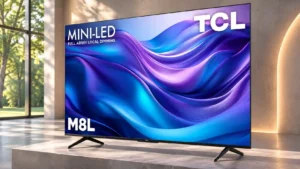
Overall: 4.1/5
Proper chroma reproduction keeps text clear across supported PC signal modes.
Pros: value for money, overall satisfaction
Cons: HDR brightness

Overall: 2.9/5
4:4:4 chroma reproduction and the RGB subpixel structure help keep letters and interface elements legible.
Pros: value for money, picture quality
Cons: account requirements, gaming performance
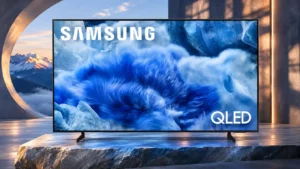
Overall: 3.3/5
Text is readable for some desktop tasks, but the BGR pixel arrangement can reduce crispness in certain computer applications.
Pros: overall satisfaction, picture quality
Cons: reliability, remote control quality

Overall: 4.0/5
Text remains very usable for PC work, though the sub-pixel layout causes a small loss of fine-edge crispness versus a true RGB layout.
Pros: overall satisfaction, picture quality
Cons: reliability, build quality

Overall: 3.0/5
Proper chroma support helps computer text look clear, although the BGR subpixel arrangement can cause problems in some applications.
Pros: picture quality, smart TV platform
Cons: value for money, refresh rate

Overall: 3.9/5
Full chroma support helps lettering, but the BGR subpixel pattern can create visible text fringing in some desktop applications.
Pros: gaming performance, overall satisfaction
Cons: sound quality, value for money
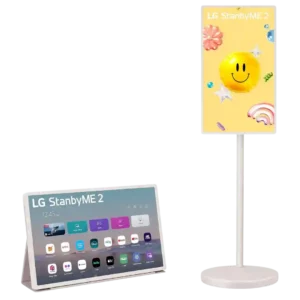
Overall: 3.8/5
QHD resolution can make text clear enough for a useful secondary display, and some reviewers found it excellent for work. Others found pixel density or wireless 1080p limits too weak...
Pros: overall satisfaction, portability and versatility
Cons: value for money, menu responsiveness

Overall: 4.0/5
Chroma detail is usable, but the BGR pixel layout can cause text quirks in some desktop applications.
Pros: picture quality, black levels
Cons: HDR brightness, value for money
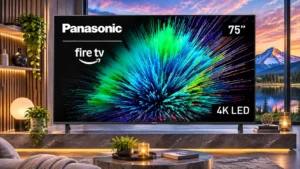
Overall: 3.3/5
PC text is legible with appropriate chroma support, but the BGR subpixel pattern may soften text in desktop applications.
Pros: picture quality, motion handling
Cons: HDR performance, HDR brightness

Overall: 3.1/5
4K/60Hz PC mode can reproduce full-color detail, while 1080p/120Hz has reduced chroma and visibly softer lettering.
Pros: picture quality, overall satisfaction
Cons: sound quality, black levels
Overall: 3.9/5
Fine details appear reasonably crisp, but small text is less clearly processed than on an upgraded Hisense set.
Pros: picture quality, contrast ratio
Cons: HDR performance, motion handling

Overall: 4.2/5
Full chroma support helps desktop detail, yet the BGR subpixel layout can cause text fringing on a PC.
Pros: overall satisfaction, glare resistance
Cons: motion handling, viewing angles

Overall: 4.1/5
Standard 4:4:4 support helps, but the BGR pixel structure can make fine text appear less crisp on a computer desktop.
Pros: peak brightness, picture quality
Cons: value for money, color accuracy

Overall: 4.2/5
Desktop text is generally legible but can show color fringing because the WOLED subpixel layout differs from standard RGB.
Pros: value for money, color accuracy
Cons: HDR brightness, reflection handling
Overall: 4.0/5
Windows fonts can show minor fringing because the WOLED subpixel layout is unlike a conventional RGB monitor.
Pros: value for money, overall satisfaction
Cons: Remote control usability, sound quality
Overall: 4.1/5
A revised subpixel pattern helps text somewhat, but Windows ClearType is not optimized for it.
Pros: black levels, contrast ratio
Cons: Dolby Vision support, stutter handling

Overall: 3.9/5
PC text is usable, but QD-OLED subpixels can create green or purple fringing around high-contrast lettering.
Pros: color volume, black levels
Cons: Inconsistent panel and coating by size, sound quality

Overall: 4.0/5
The triangular QD-OLED subpixel arrangement can create colored edges around Windows text, making desktop reading less pristine than gaming.
Pros: reflection handling, overall satisfaction
Cons: Dolby Vision support, bass performance

Overall: 3.5/5
Chroma is handled properly in supported modes, but the blue-green-red subpixel layout can make some small desktop text look less clean.
Pros: art display mode, design and appearance
Cons: overall satisfaction, HDMI port accessibility

Overall: 4.2/5
Text may show faint color fringing or softness because of the QD-OLED subpixel structure and matte finish, especially up close.
Pros: picture quality, overall satisfaction
Cons: design and appearance, Dolby Vision support

Overall: 3.8/5
BGR subpixels can make desktop text less clean than on typical RGB displays, though the issue may be subtle for some users.
Pros: picture quality, color accuracy
Cons: HDR performance, sound quality

Overall: 4.3/5
The BGR subpixel layout can affect fine desktop text even though video and games are not similarly affected.
Pros: picture quality, black levels
Cons: bass performance, HDR brightness

Overall: 3.7/5
The nonstandard BGR subpixel pattern can make fine desktop text appear less sharp, particularly at close distances.
Pros: picture quality, maximum volume
Cons: sound quality, bass performance

Overall: 3.0/5
PC text can appear less clean because of the BGR subpixel arrangement, despite proper chroma support when the input is labelled for PC.
Pros: color gamut, smart TV platform
Cons: value for money, overall satisfaction

Overall: 2.7/5
Normal 4K/60Hz signals can show clear text, while BGR subpixels and 1080p/120Hz chroma issues cause problems in some applications.
Pros: white balance accuracy, design and appearance
Cons: overall satisfaction, value for money
Overall: 3.4/5
The BGR subpixel arrangement can make fine desktop text look less crisp than on a conventional RGB monitor.
Pros: picture quality, value for money
Cons: viewing angles, HDR performance