
Overall: 4.2/5
G-SYNC and FreeSync support cover common GPUs, although OLED flicker can compromise the otherwise smooth adaptive-sync experience.
Pros: overall satisfaction, black levels
Cons: reflection handling, Color brightness

Overall: 4.2/5
G-SYNC and FreeSync support cover common GPUs, although OLED flicker can compromise the otherwise smooth adaptive-sync experience.
Pros: overall satisfaction, black levels
Cons: reflection handling, Color brightness

Overall: 4.1/5
Variable refresh rate helps prevent tearing, with ELMB Sync offering the valuable ability to combine VRR and blur reduction.
Pros: Pixel density, Resolution
Cons: GPU demands, HDR performance

Overall: 4.1/5
Support for common adaptive-sync standards broadens compatibility across modern GPUs. The screen can take advantage of variable refresh in both principal display modes.
Pros: Resolution, overall satisfaction
Cons: value for money, GPU demands

Overall: 3.6/5
The monitor works with major adaptive-sync formats, including FreeSync and G-SYNC Compatible modes. This provides flexibility across gaming PCs and consoles.
Pros: refresh rate, Dual-mode versatility
Cons: motion clarity, black levels

Overall: 4.2/5
Adaptive refresh supports smooth PC and console play across variable frame rates. It is particularly useful when a game cannot hold a steady 240fps.
Pros: reflection handling, color gamut
Cons: value for money, brightness

Overall: 3.7/5
Variable refresh support helps keep ordinary games tear-free across capable PCs and consoles. That smoothness is separate from the restricted glasses-free 3D mode.
Pros: glasses-free 3D quality, AI 2D-to-3D conversion
Cons: 3D compatible game library, value for money

Overall: 4.3/5
VRR support covers both AMD FreeSync Premium Pro and Nvidia G-Sync compatibility, giving broad GPU flexibility.
Pros: overall satisfaction, competitive gaming suitability
Cons: value for money, screen size

Overall: 4.1/5
Variable refresh works with compatible gaming systems, including PS5 and Nvidia G-Sync, helping minimize tearing.
Pros: value for money, overall satisfaction
Cons: HDR performance, Headphone output quality

Overall: 4.4/5
FreeSync and G-SYNC support allow variable refresh across NVIDIA and AMD gaming systems.
Pros: overall satisfaction, response time
Cons: reflection handling, VRR flicker

Overall: 4.3/5
VRR compatibility was strong overall, with broad format support and smooth results, despite one review noting OLED VRR flicker in some dark scenes.
Pros: value for money, sharpness
Cons: brightness, USB hub functionality

Overall: 4.1/5
Compatible with common PC variable-refresh standards and PS5 VRR, though some use cases expose flicker and a console-signal issue.
Pros: overall satisfaction, value for money
Cons: reflection handling, screen uniformity

Overall: 4.2/5
Support for common variable-refresh formats helps prevent tearing on supported PCs and consoles.
Pros: value for money, Resolution
Cons: port selection, competitive gaming suitability

Overall: 4.2/5
G-SYNC-compatible and variable-refresh operation generally prevent tearing and support fluid play. Noticeable OLED VRR flicker can still appear when frame rates fluctuate.
Pros: HDR performance, DisplayPort connectivity
Cons: value for money, brightness

Overall: 4.0/5
Support for NVIDIA G-SYNC, AMD FreeSync and common adaptive-sync standards makes the monitor flexible across gaming PCs.
Pros: overall satisfaction, refresh rate
Cons: HDR performance, HDMI 2.1 support

Overall: 4.2/5
Adaptive-sync operation is solid over supported connections, including FreeSync and usable G-Sync in some setups.
Pros: overall picture quality, overall satisfaction
Cons: port selection, brightness

Overall: 4.4/5
Support for major PC and HDMI VRR formats makes the monitor flexible across devices and GPUs. Flicker with sudden frame-rate changes is the main caveat.
Pros: sharpness, overall satisfaction
Cons: value for money, VRR flicker

Overall: 4.0/5
AMD and Nvidia adaptive-refresh support is welcome, although the strongest motion tuning varies across frame rates.
Pros: Dual-mode versatility, refresh rate
Cons: black levels, contrast

Overall: 3.7/5
Adaptive refresh works over DisplayPort and HDMI, including PS5 VRR in direct testing. Other sources caution against assuming every console output mode is supported.
Pros: overall satisfaction, PC gaming compatibility
Cons: color accuracy, local dimming performance

Overall: 3.8/5
FreeSync and compatible VRR reduce tearing and improve gameplay smoothness, but overshoot can worsen as the refresh rate falls.
Pros: value for money, Resolution
Cons: port selection, HDR performance

Overall: 4.2/5
HDMI variable refresh support benefits console and casual gaming, though it lacks some gaming-specific adaptive-sync optimizations.
Pros: port selection, overall satisfaction
Cons: value for money, competitive gaming suitability

Overall: 4.1/5
Variable refresh operation is generally smooth and tear-free, with stable OLED response across refresh rates. Flicker can appear when frame rates become low and inconsistent.
Pros: motion clarity, PC gaming compatibility
Cons: color accuracy, software support

Overall: 4.2/5
Support spans common variable-refresh formats and the full gaming modes; certification status and detailed behavior vary.
Pros: HDR performance, overall satisfaction
Cons: HDR highlight detail, color accuracy

Overall: 4.2/5
Console and PC adaptive-refresh connections are supported, but using VRR in dark, variable-frame-rate games can reveal flicker.
Pros: brightness, HDR performance
Cons: speaker quality, built-in speakers

Overall: 4.2/5
Common adaptive-sync formats work on both major GPU platforms; VRR flicker remains a separate limitation.
Pros: refresh rate, HDR performance
Cons: reflection handling, Text fringing

Overall: 3.7/5
Support for common variable-refresh formats is useful, although some experiences highlight compatibility caveats or unwanted flicker.
Pros: ultrawide gaming experience, black levels
Cons: HDR performance, viewing angles

Overall: 3.9/5
VRR is supported over HDMI and DisplayPort and generally functions well, but fluctuating frame rates can trigger dark-scene flicker.
Pros: HDR performance, black levels
Cons: viewing angles, response time

Overall: 4.1/5
VRR support helps make the S2725DC more flexible for casual PC gaming, although the panel still has visible blur.
Pros: USB hub functionality, USB-C power delivery
Cons: speaker quality

Overall: 3.7/5
Variable refresh rate provides a welcome gaming convenience, even though response times remain the limiting factor.
Pros: value for money, Resolution
Cons: stand adjustability, viewing angles

Overall: 4.0/5
PC and console VRR support is broad, though unstable frame rates can reveal gamma flicker and some input-switching quirks.
Pros: brightness, contrast
Cons: Text fringing, speaker quality

Overall: 3.5/5
Variable refresh generally works in formal testing, but at least one owner experiences brief signal blackouts with it enabled.
Pros: HDR performance, overall satisfaction
Cons: local dimming performance, Blooming control

Overall: 4.2/5
Modern consoles can send VRR signals, but adaptive-sync artifacts and uneven performance limit the benefit for PC gaming.
Pros: port selection, USB hub functionality
Cons: competitive gaming suitability, motion clarity

Overall: 3.6/5
PC variable refresh is supported, but a comparison notes that PS5 VRR works on a competing monitor and not on this LG.
Pros: refresh rate, value for money
Cons: HDR performance, contrast
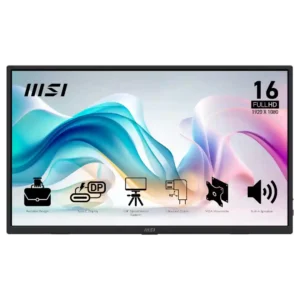
Overall: 4.1/5
VRR support is effectively absent, which limits gaming smoothness and flexibility.
Pros: value for money, portability and weight
Cons: built-in speakers, color gamut