
Overall: 4.1/5
FreeSync and G-SYNC-compatible operation help limit tearing across a broad range of PC and console refresh rates.
Pros: Resolution, overall satisfaction
Cons: value for money, Image scaling

Overall: 4.1/5
FreeSync and G-SYNC-compatible operation help limit tearing across a broad range of PC and console refresh rates.
Pros: Resolution, overall satisfaction
Cons: value for money, Image scaling

Overall: 4.4/5
G-SYNC, FreeSync and VESA VRR provide broad PC support and smooth frame pacing across suitable devices.
Pros: brightness, value for money
Cons: port selection, built-in speakers

Overall: 3.9/5
VRR works with both PCs and modern consoles, making changing frame rates less distracting.
Pros: brightness, color gamut
Cons: AI scene optimization, value for money

Overall: 3.8/5
FreeSync and AdaptiveSync are useful for reducing tearing, with some users reporting workable G-Sync compatibility and others noting caveats.
Pros: value for money, panel type
Cons: brightness, port selection

Overall: 3.5/5
FreeSync Premium and G-SYNC compatibility make variable-refresh play practical, with no obvious VRR flicker in one detailed test.
Pros: Resolution, sharpness
Cons: value for money, HDR performance

Overall: 4.0/5
Variable refresh support works across common PC standards and also supports tested 4K/120Hz console gaming, helping prevent tearing.
Pros: Resolution, Dual-mode versatility
Cons: value for money, GPU demands
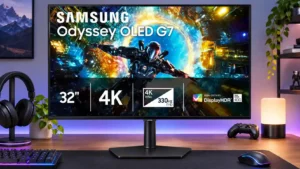
Overall: 3.8/5
G-SYNC and FreeSync support are valued for keeping motion smooth while minimizing tearing across graphics cards.
Pros: overall satisfaction, contrast
Cons: value for money, port selection
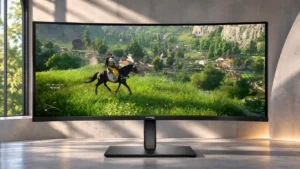
Overall: 4.4/5
Variable refresh operation works with recent graphics cards, supporting smoother PC play.
Pros: refresh rate, color accuracy
Cons: console gaming compatibility, DisplayPort connectivity

Overall: 4.3/5
VRR helps maintain smoother motion when frame rates vary and is a welcome addition to the 120Hz panel. Certification and behavior may still depend on the connected system.
Pros: productivity versatility, overall satisfaction
Cons: value for money, response time

Overall: 4.4/5
Variable refresh works across common PC ecosystems, although some reviewers note the absence of branded certification.
Pros: refresh rate, Text fringing
Cons: Resolution, GPU demands

Overall: 4.2/5
The monitor supports smooth G-Sync and FreeSync operation at high refresh rates. Some firmware-specific anti-flicker options did not work as intended in one test.
Pros: overall satisfaction, black levels
Cons: value for money, stand adjustability

Overall: 4.4/5
Variable refresh works with AMD FreeSync and has also been reported with unofficial Nvidia G-Sync. That broad compatibility helps casual gaming feel smoother.
Pros: productivity versatility, aspect ratio
Cons: value for money, competitive gaming suitability

Overall: 4.1/5
Common adaptive-refresh standards are supported, which is helpful for changing frame rates. Dark-scene flicker means compatibility is not always trouble-free.
Pros: PC gaming compatibility, reflection handling
Cons: color accuracy, VRR flicker

Overall: 3.9/5
Variable refresh operates broadly and can run alongside Pulsar on NVIDIA systems; an early owner experienced some game-specific disruptions.
Pros: motion clarity, Backlight strobing
Cons: contrast, HDR performance

Overall: 4.5/5
Multiple major VRR formats are supported, but the anti-flicker setting narrows the active VRR range and can disable compensation at low frame rates.
Pros: color gamut, contrast
Cons: value for money, Resolution

Overall: 4.3/5
VRR delivers smooth, tear-free play once enabled, but dark scenes and loading screens may show the flicker common to OLED displays.
Pros: color gamut, overall picture quality
Cons: brightness, HDR performance

Overall: 4.4/5
VRR works with compatible Nvidia and AMD hardware across a broad 48–240Hz range. Like other OLEDs, the monitor can show brightness flicker during unstable frame rates, though reviewers generally found...
Pros: brightness, reflection handling
Cons: cable management
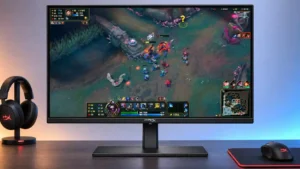
Overall: 4.1/5
FreeSync and G-SYNC support generally work well, though one embedded user comment reports G-SYNC trouble over HDMI.
Pros: black levels, overall picture quality
Cons: brightness, Gaming feature selection
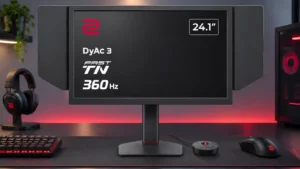
Overall: 3.8/5
Adaptive refresh is available to help games with fluctuating frame rates, though it cannot operate at the same time as DyAc 3.
Pros: competitive gaming suitability, motion clarity
Cons: contrast, overall picture quality

Overall: 4.3/5
Most configurations support variable refresh smoothly, although one tester found small tearing near the bottom of the screen with an Nvidia card. That experience may depend on drivers and the...
Pros: overall satisfaction, Text fringing
Cons: brightness, Edge dimming behavior
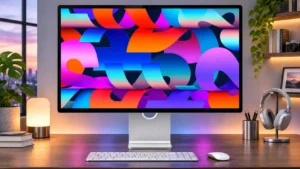
Overall: 3.7/5
Missing variable refresh makes the standard Studio Display less attractive for gaming compared with monitors offering adaptive synchronization.
Pros: Monitor daisy-chaining, overall picture quality
Cons: value for money, refresh rate