
Overall: 4.2/5
QD-OLED is central to the excellent contrast and saturated color, but brings ambient-light black lift and static-image retention concerns.
Pros: overall picture quality, overall satisfaction
Cons: port selection, brightness

Overall: 4.2/5
QD-OLED is central to the excellent contrast and saturated color, but brings ambient-light black lift and static-image retention concerns.
Pros: overall picture quality, overall satisfaction
Cons: port selection, brightness

Overall: 4.4/5
Fourth-generation Tandem WOLED improves brightness and gamut over older WOLED models while retaining OLED contrast and response-time strengths.
Pros: overall satisfaction, response time
Cons: reflection handling, VRR flicker

Overall: 4.3/5
Fourth-generation Tandem WOLED improves brightness, gamut and ambient-black performance over older WOLED designs while retaining extremely fast response times.
Pros: black levels, motion clarity
Cons: value for money, Dual-mode versatility

Overall: 4.3/5
The QD-OLED panel is praised for combining rich color, deep blacks, instant response, and higher brightness than earlier 1440p OLED generations.
Pros: overall satisfaction, competitive gaming suitability
Cons: value for money, screen size

Overall: 4.2/5
Glossy WOLED combines remarkably deep black levels with clarity approaching glossy QD-OLED, but not quite the same bright-color saturation.
Pros: overall satisfaction, black levels
Cons: reflection handling, Color brightness

Overall: 4.1/5
WOLED brings the expected deep blacks and rapid response with a notably higher pixel density than earlier 45-inch OLED designs. Its color volume still trails some QD-OLED competitors.
Pros: Resolution, overall satisfaction
Cons: value for money, GPU demands

Overall: 4.2/5
QD-OLED delivers superb blacks, intense colors and extremely fast motion, giving the display much of its appeal. Its light sensitivity and OLED maintenance needs are real tradeoffs.
Pros: reflection handling, color gamut
Cons: value for money, brightness

Overall: 4.3/5
The QD-OLED/OLED panel drew broad praise for vivid image quality and was treated as the core strength of the monitor.
Pros: value for money, sharpness
Cons: brightness, USB hub functionality

Overall: 4.2/5
Enhanced IPS Black is praised for elevating LCD contrast and color without OLED burn-in concerns, while its remaining glow and gray blacks are clear limits.
Pros: port selection, overall satisfaction
Cons: value for money, competitive gaming suitability

Overall: 4.2/5
Enhanced IPS Black offers a strong balance of LCD brightness and improved contrast, without OLED burn-in worries. It still has characteristic IPS limitations in dark rooms.
Pros: port selection, USB hub functionality
Cons: competitive gaming suitability, motion clarity
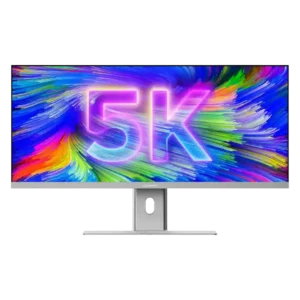
Overall: 4.3/5
The IPS panel was praised for maintaining accurate color across broad viewing positions, making the flat screen well suited to productivity and color-sensitive work.
Pros: productivity versatility, aspect ratio
Cons: built-in speakers, competitive gaming suitability

Overall: 3.7/5
The fast IPS panel offers steady off-axis color and good motion response, with weaker native blacks than VA rivals.
Pros: overall satisfaction, PC gaming compatibility
Cons: color accuracy, local dimming performance

Overall: 4.1/5
The tandem QD-OLED panel delivers elite speed, contrast, color, and clarity in controlled lighting. Burn-in risk and limited bright-scene output remain familiar OLED compromises.
Pros: motion clarity, PC gaming compatibility
Cons: color accuracy, software support

Overall: 4.0/5
The fourth-generation Tandem WOLED brings meaningful gains in brightness and color, but retains some WOLED uniformity and color-volume shortcomings.
Pros: brightness, contrast
Cons: Text fringing, speaker quality

Overall: 3.9/5
Rapid VA provides much better native contrast than typical IPS but sacrifices off-axis consistency and clean dark-pixel transitions.
Pros: HDR performance, black levels
Cons: viewing angles, response time

Overall: 4.1/5
The VA panel is a good-value route to deep blacks and vivid colors, with the familiar tradeoffs of narrower viewing angles and some motion smearing.
Pros: value for money, overall satisfaction
Cons: HDR performance, Headphone output quality

Overall: 4.1/5
Third-generation WOLED brings superb blacks and response, but newer Tandem OLEDs can achieve brighter, more saturated HDR.
Pros: overall satisfaction, value for money
Cons: reflection handling, screen uniformity

Overall: 3.6/5
Nano IPS Black brings better contrast and bright, crisp text without OLED burn-in worries. Its slower pixel response and limited black depth still matter for dedicated gaming.
Pros: refresh rate, Dual-mode versatility
Cons: motion clarity, black levels

Overall: 4.0/5
Rapid IPS offers wide viewing angles, work-friendly text and good speed, while sacrificing native black depth against VA and OLED.
Pros: Dual-mode versatility, refresh rate
Cons: black levels, contrast

Overall: 4.1/5
The IPS panel favors broad viewing angles and surprisingly good contrast for its class, but it cannot deliver the deepest blacks of some VA alternatives.
Pros: USB hub functionality, USB-C power delivery
Cons: speaker quality

Overall: 3.6/5
The IPS panel supports good viewing angles and appealing standard colors, but its inherently modest contrast remains a limitation.
Pros: refresh rate, value for money
Cons: HDR performance, contrast

Overall: 4.2/5
The IPS LCD uses a conventional RGB stripe for clear text and avoids OLED burn-in, though native blacks and off-axis glow remain IPS-like.
Pros: HDR performance, overall satisfaction
Cons: HDR highlight detail, color accuracy

Overall: 4.2/5
Fast VA combines better native blacks than typical IPS with unusually quick response, while retaining the narrow viewing angles of VA.
Pros: brightness, HDR performance
Cons: speaker quality, built-in speakers

Overall: 4.4/5
QD-OLED delivers wonderfully deep blacks, vivid color, and fast pixel transitions. It also retains familiar limitations with ambient lighting and prolonged static content.
Pros: sharpness, overall satisfaction
Cons: value for money, VRR flicker

Overall: 3.7/5
Its VA LCD gives deep blacks, good SDR brightness and no OLED burn-in risk, in exchange for narrower angles and slower dark transitions.
Pros: ultrawide gaming experience, black levels
Cons: HDR performance, viewing angles

Overall: 3.5/5
IPS supports the crisp high-resolution presentation, but its native contrast remains a weakness in dark scenes.
Pros: HDR performance, overall satisfaction
Cons: local dimming performance, Blooming control

Overall: 3.7/5
Its VA panel is valued for contrast, but it comes with narrower viewing angles and slower motion than many IPS alternatives.
Pros: value for money, Resolution
Cons: stand adjustability, viewing angles

Overall: 4.0/5
Fast IPS keeps costs down and offers useful viewing angles, but sacrifices OLED-like blacks and HDR impact.
Pros: overall satisfaction, refresh rate
Cons: HDR performance, HDMI 2.1 support
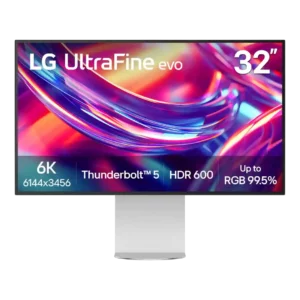
Overall: 3.9/5
IPS Black improves depth over conventional IPS, but reviewers repeatedly note that it still cannot match OLED or Mini LED for blacks, contrast, and HDR impact. The panel feels capable...
Pros: port selection, overall satisfaction
Cons: value for money, cable management
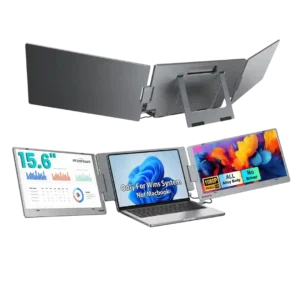
Overall: 4.2/5
The inexpensive IPS panels are considered serviceable for productivity, but they do not match OLED or MicroLED for contrast and color performance. The panel choice is practical rather than premium.
Pros: overall satisfaction, portability and weight
Cons: reliability over time
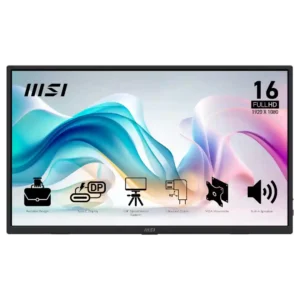
Overall: 4.1/5
The IPS-LCD panel is practical and affordable, but it looks dull and washed out next to OLED alternatives.
Pros: value for money, portability and weight
Cons: built-in speakers, color gamut

Overall: 3.8/5
IPS brings consistent colors and broad viewing angles, but does not deliver the deep blacks of OLED or VA alternatives.
Pros: value for money, Resolution
Cons: port selection, HDR performance
Overall: 4.3/5
The IPS LCD is bright and sharp, but reviewers comparing it with OLED portable screens miss the richer image punch of OLED.
Pros: overall satisfaction, stand adjustability
Cons: value for money, reflection handling