#1

Overall: 4.4/5
QD-OLED's self-emissive contrast, vivid color and responsiveness are central to the appeal, though brighter rooms can expose its characteristic raised blacks.
Pros: color gamut, overall satisfaction
Cons: reflection handling, VRR flicker
#2

Overall: 4.4/5
IPS Black adds visibly stronger dark tones while keeping IPS-style color fidelity and viewing flexibility. It is still limited by IPS-level black depth in demanding HDR scenes.
Pros: color accuracy, stand adjustability
Cons: built-in speakers, Desk footprint
#3

Overall: 4.0/5
The QD-OLED panel is praised for its rich color, fast transitions and per-pixel black levels compared with conventional LCD technology.
Pros: value for money, overall satisfaction
Cons: HDR performance, HDMI 2.1 support
#4

Overall: 4.0/5
Moving to a QD-OLED panel is described as a dramatic visual upgrade over conventional LCD displays.
Pros: overall satisfaction, DisplayPort connectivity
Cons: value for money, reliability over time
#5

Overall: 4.4/5
IPS Black is praised for better contrast and practical long-session use, with the expected compromise against OLED black depth.
Pros: overall picture quality, color accuracy
Cons: value for money, built-in speakers
#6

Overall: 4.0/5
WOLED provides near-instant pixel response and perfect blacks, while its subpixel arrangement and older-generation brightness impose tradeoffs.
Pros: refresh rate, competitive gaming suitability
Cons: value for money, brightness
#7

Overall: 3.7/5
QD-OLED color and pixel-level blacks are central to the monitor’s appeal and set it apart from conventional backlit options.
Pros: value for money, black levels
Cons: refresh rate, portability and weight
#8

Overall: 4.2/5
This third-generation QD-OLED implementation wins praise for its combination of color volume, contrast and rapid response.
Pros: competitive gaming suitability, color gamut
Cons: brightness, HDMI 2.1 support
#9
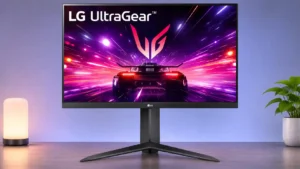
Overall: 3.3/5
The IPS panel offers pleasing viewing angles and responsive gaming, although its native contrast is modest.
Pros: adaptive sync performance, response time
Cons: HDR performance, console gaming compatibility
#10

Overall: 4.0/5
IPS Black is a strong fit for productivity, with excellent panel quality and better contrast than conventional IPS. It still cannot match OLED-class blacks and contrast, but avoids making OLED...
Pros: overall satisfaction, productivity versatility
Cons: value for money, reliability over time
#11

Overall: 3.8/5
The fast IPS panel excels at responsiveness and viewing angles but cannot escape its native contrast limitations.
Pros: value for money, Resolution
Cons: HDR performance, port selection
#12

Overall: 3.6/5
The IPS panel brings consistent color and wide angles, trading away the deeper blacks found on many VA screens.
Pros: stand adjustability, competitive gaming suitability
Cons: value for money, port selection
#13

Overall: 3.6/5
Third-generation QD-OLED provides a major jump in perceived contrast, color richness and speed, while retaining the usual OLED brightness and static-image caveats.
Pros: overall satisfaction, brightness
Cons: Dolby Vision support, VRR flicker
#14
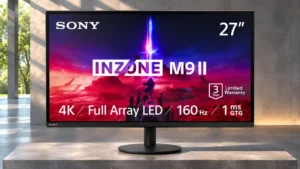
Overall: 3.9/5
The IPS LCD panel offers a familiar burn-in-resistant option with broad viewing angles, though several comparisons favor OLED for deeper blacks, contrast and perceived clarity.
Pros: color gamut, stand adjustability
Cons: value for money, Bass reproduction
#15

Overall: 3.9/5
The IPS panel delivers brightness, text clarity and immunity to OLED burn-in, while giving up OLED's deeper blacks and faster pixel transitions.
Pros: Resolution, refresh rate
Cons: HDR performance, contrast
#16

Overall: 3.1/5
The IPS panel offers wide-angle practicality but draws criticism for gray blacks and its inability to match OLED contrast.
Pros: PC gaming compatibility, overall picture quality
Cons: overall satisfaction, Smart TV platform
