
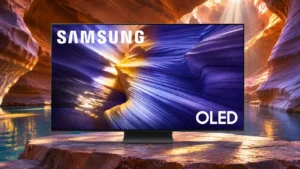
Samsung S90F OLED Feature Scores
Overall Scorata score: 3.9/5
Based on 30 analyzed reviews · View source samples
Explore all 121 feature scores for Samsung S90F OLED, organized into pros and cons.
Scores by Feature
Summary
121 reviewed features-
Very positive 4.5-5.018 (15%)
-
Positive 3.5-4.473 (60%)
-
Neutral 2.5-3.414 (12%)
-
Negative 1.5-2.416 (13%)
Pros
Sort
-
The S90F draws enthusiastic recommendations as a midrange OLED with much of the performance of pricier sets. Its missing HDR format and size-dependent panels keep the verdict from being unconditional.
-
This is one of the S90F’s clearest strengths: lively HDR color, minimal lag, VRR, and four fast HDMI inputs suit serious gaming.
-
Striking QD-OLED colors, high contrast, and sharp 4K images make the tested S90F a compelling all-round display. Its strongest picture results apply to the QD-OLED variants, not automatically to every size.
-
Picture brightness and color remain exceptionally stable far off-center, suiting wide seating arrangements.
-
Four full-bandwidth HDMI 2.1 ports are an unusually generous advantage for households connecting consoles and gaming PCs together.
-
Rich QD-OLED color and OLED blacks help HDR10 and HDR10+ material look dramatic. The format mix still excludes Dolby Vision.
-
Near-infinite pixel contrast creates powerful depth without the light leakage associated with backlit displays, especially for dark movie scenes.
-
Near-instant OLED pixel transitions make fast-moving objects exceptionally sharp and minimize ghosting.
-
The S90F delivers near-flagship picture and gaming quality at a lower tier, especially after discounts. Value is less clear at launch prices or when a WOLED size is priced like a QD-OLED version.
-
In dark rooms, self-lit pixels create exceptionally deep blacks. QD-OLED blacks can turn purplish or gray when substantial ambient light hits the screen.
-
Input response is exceptionally quick in Game Mode, especially at 120 Hz and 144 Hz.
-
A 144 Hz ceiling is excellent for a television, albeit lower than some 165 Hz flagship rivals.
-
HD and even standard-definition sources receive effective 4K upscaling. Persistent edge sharpening and occasional processing artifacts are the main caveats.
-
Broad VRR compatibility helps keep fluctuating game frame rates smooth and free of tearing.
-
OLED’s pixel-level light control provides deep blacks and contrast, while the QD-OLED versions add particularly rich, bright color.
-
Samsung’s Game Bar and Gaming Hub gather useful display settings, game services, and quick adjustments in one place.
-
Game Motion Plus can make slower games look smoother, with mixed results depending on the game and the chosen settings.
-
Small HDR highlights have impressive punch for a midrange OLED, although expensive flagships can go further and full-screen white scenes are less intense.
-
Tizen generally feels cleaner and more useful than in past years, with some initial complexity and service promotion remaining.
-
Full-rate HDMI inputs make it easy to use high-resolution, high-refresh consoles and PCs without sacrificing ports.
-
Color brightness is a signature strength: saturated reds, greens, and blues stay vibrant rather than washing out at higher intensities.
-
HDR highlights are bright enough to make movies and games vivid and dimensional. Output is lower for some large, uniformly bright scenes and can vary by panel type.
-
Color gradients are generally smooth with very little posterization, although faint vertical lines can sometimes be visible in difficult dark test scenes.
-
Smooth 10-bit transitions and minimal posterization help sunsets and subtle HDR tones look clean.
-
The QD-OLED configuration stands out for particularly vivid colors and HDR impact; the smaller WOLED versions remain capable but should not be expected to match the same color volume.
-
Minimal bezels and exceptionally thin panel edges create a sleek, expensive-looking set.
-
G-SYNC support helps PCs avoid screen tearing and maintain smooth motion when frame rates vary.
-
Snap-in feet or a pedestal make assembly unusually quick, with little need for tools.
-
Fast action and sports are mostly crisp, although low-frame-rate film and default smoothing settings can expose stutter or processing quirks.
-
Newer settings menus are easier to navigate, though initial setup and layered options may take some learning.
-
Movie and Filmmaker presets offer natural viewing when adjusted, while some default processing or AI modes exaggerate the image.
-
The S90F is at its most convincing in a dim room, where deep OLED blacks and bright HDR highlights can be appreciated without ambient-light washout.
-
FreeSync Premium Pro offers a capable variable-refresh option for AMD-powered sources.
-
Bright points stay clean against black backgrounds, with virtually none of the haloing or blooming seen on many LED sets.
-
The stand snaps together quickly and the television can be ready for viewing shortly after unboxing.
-
Color can look convincingly natural, particularly in Filmmaker Mode, while other tests find a mild red or blue push and some oversaturation before adjustment.
-
A slim display and generally solid finish feel premium, though some plastic parts are less convincing.
-
Fast transitions are generally clean, although an occasional default smoothing preset can create visible glitches.
-
4K/144 Hz capability offers extra headroom for demanding PC gamers over standard 120 Hz displays.
-
Samsung’s upgraded processing preserves plenty of detail, though some sharpening and edge enhancement remain visible even when dialed down.
-
The glossy finish controls many direct reflections well but does not eliminate every lamp or window reflection.
-
Automatic low-latency switching removes a manual step when starting games.
-
It is bright enough for many daytime setups, but strong sunlight can make dark scenes look washed out.
-
HGiG restores source-led HDR control and helps compatible games avoid overly aggressive TV-side mapping.
-
Accurate picture presets can preserve a cinematic look close to mastering intent; the default modes may need tuning to avoid exaggerated color and brightness.
-
Specular highlights leap out of darker scenes, adding sparkle and depth even if some extreme highlights can lose gradation.
-
Tizen includes nearly all major streaming services, with a smaller ecosystem than some competing platforms.
-
Day-to-day operation is usually quick and responsive, with only occasional slowdowns around startup.
-
Reorganized settings and quick shortcuts make frequent picture adjustments more accessible.
-
Compatible Samsung soundbars can combine their output with the TV speakers for a larger, more coherent presentation.
-
Native 4K content has crisp texture, with strong detail retrieval in both bright and dark scenes.
-
Samsung TV Plus contributes a large free channel catalog, adding entertainment without a separate streaming box.
-
HDR10+ content benefits from rich color and highlight impact, although the format is not as widespread as Dolby Vision.
-
There is enough space under the screen for many slim soundbars without blocking the picture.
-
Filmmaker Mode favors faithful color and tone, although brightness and accuracy judgments vary by test and preference.
-
Calibration can achieve excellent neutrality, although some out-of-box HDR presets run too cool or emphasize red and blue.
-
The HDR brightness curve is generally very well controlled, but Active tone mapping and some default game settings can prioritize impact over accuracy.
-
Current consoles can use 4K/120 Hz gaming with responsive performance on the S90F.
-
Fast PC and console play benefits from 144 Hz support, rapid pixel transitions, and low latency.
-
Most test samples show clean, even fields without obvious dirty-screen effect; some near-black bands are faintly visible under scrutiny.
-
Everyday SDR material generally looks lively, but brightness comparisons with competitors depend heavily on picture mode and room lighting.
-
Audio processing creates a convincing sense of effects following on-screen action, despite the limited speaker count.
-
Streaming apps ran smoothly and responsively during extended use in at least one hands-on test.
-
SDR-to-HDR enhancement adds striking pop to ordinary video and earned unusually enthusiastic praise.
-
The compact solar remote is practical, but its minimal controls and plastic construction divide opinion.
-
Popular streaming apps are easy to access, even if certain specialized or regional services remain absent.
-
Viewing profiles and personalized suggestions can surface useful programs, though the platform also promotes Samsung’s own channels.
-
eARC makes connecting an external soundbar or receiver straightforward.
-
Fine gradations and vibrant yet realistic color give films and documentaries a dimensional feel without routinely looking exaggerated.
-
Older broadcasts and DVDs can look surprisingly watchable, but very soft SD feeds and compression flaws cannot always be rescued.
-
Crosshairs, mini-map magnification, and shadow-brightening controls offer practical help during play.
-
Solar charging and simplified buttons are convenient, while missing backlighting limits use in dark rooms.
-
Solar and USB-C charging reduce battery changes and make the small remote easier to maintain.
-
Sound spreads wider than the cabinet suggests, especially for everyday programs, but it cannot match a dedicated sound system.
-
Built-in assistants are convenient for voice commands alongside the normal remote.
-
The QD-OLED model spans an unusually broad HDR color range, giving richly saturated scenes more range than many similarly priced WOLED sets.
-
Dialogue and general programs can sound clear enough, but the small speaker system struggles to produce truly cinematic sound.
-
Included clips or gaps help tidy cables on some versions, although rear cable routing is not universally praised.
-
Color Booster Pro earns positive marks as part of the S90F experience.
-
Full-white scenes dim as the bright area grows, but at least one small-screen assessment finds the effect reasonably restrained.
-
Very narrow screen borders maximize the apparent display area and keep the appearance modern.
-
Conventional 24p film cadence is handled well overall; select signal formats and motion settings can introduce exceptions.
-
Very fast pixel response yields clear action with little blur behind moving subjects.
-
The panel avoids typical backlight problems, but long-term brightness aging and burn-in still warrant sensible usage habits.
-
The conventional remote offers complete controls and the compact remote prioritizes quick everyday navigation.
-
SmartThings integration makes the TV a helpful dashboard for compatible household devices.
-
The compact pedestal supports the TV securely and raises it above the cabinet surface.
-
Vision AI offers contextual shortcuts and suggestions, though some search functions remain limited to select sources.
-
Voice recognition is praised as a practical way to interact with the television.
-
A thin profile and standard mounting layout make wall installation feasible with a compatible bracket.
-
Both automatic and manual tools can yield excellent results without an especially difficult adjustment process.
Cons
Sort
-
The absence of Dolby Vision is a recurring complaint, particularly for disc viewers and Xbox owners who use that HDR format.
-
The absence of ATSC 3.0 can disappoint antenna viewers seeking next-generation broadcasts.
-
Missing DTS decoding or passthrough can complicate Blu-ray audio setups and is a disappointing omission.
-
Bass is the weakest audio area, with limited rumble and occasional buzzing or strain under demanding soundtracks.
-
Repeated static banners or interfaces pose a meaningful permanent burn-in risk; mixed video viewing is a safer pattern.
-
Promotional tiles and persistent Samsung TV Plus placements make the interface more intrusive than some viewers want.
-
Channel discovery and integration may feel awkward, particularly where broadcast and catch-up listings are separate.
-
Samsung TV Plus can launch or resume unexpectedly, creating annoyance unless startup settings are adjusted.
-
Not every S90F has the same OLED panel, which makes model codes and regional sizing important. Buying on the strength of a different size’s performance can be misleading.
-
Pixel shifting can crop Windows desktop edges, leaving taskbar elements partially hidden unless adjusted.
-
Automatic game genre detection can switch to unsuitable picture settings, making manual presets more dependable.
-
Dolby passthrough is useful but some multichannel formats are restricted, including reported 5.1 limits for Dolby Digital+.
-
Anynet sometimes powers devices on unexpectedly or fails to trigger them when expected.
-
Samsung’s insufficiently transparent panel labeling makes it harder to know which technology a particular size uses.
-
Small Windows fonts can show colored edge fringes that make this less ideal than a conventional RGB monitor for text-heavy work.
-
The stand does not rotate, modestly restricting placement flexibility.
-
The built-in player does not handle every file type reliably, limiting use with some local media.
-
Very fast pixel response can expose low-frame-rate stutter, and certain edits or motion patterns look less fluid.
-
Built-in sound is passable for routine watching but lacks the depth, power, and bass impact to match the outstanding picture.
-
The central stand is compact and functional, but its plastic cover feels less premium than the screen itself.
-
Smoothing is useful for selected content, but some low-frame-rate films remain choppy and aggressive settings can look artificial.
-
Game Mode preserves much of the TV’s picture impact, though dynamic tone mapping may need adjustment to stop distracting brightness fluctuations.
-
AI picture modes can overdo brightness and color, so manually chosen presets often look more balanced.
-
Speakers can grow strained or unbalanced when turned up, limiting their suitability for loud movie nights.
-
Low-bitrate smoothing preserves fine detail reasonably well but leaves some macroblocking in especially compressed scenes.
-
Faint vertical banding can be seen on very dark gray patterns, but is much less noticeable in ordinary viewing.
-
The Vision AI search shortcut is convenient for supported sources but does not search every streaming app.
-
Speech is generally intelligible at moderate volume, though dense soundtracks and some settings can muddy voices.
-
Ambient glare is manageable in ordinary lighting, while strong sunlight can expose both mirror-like reflections and lifted QD-OLED blacks.
-
Deep blacks retain useful detail in many modes, though raised or crushed shadows can appear depending on processing and picture presets.
Use Cases
Best for
Sort
-
OLED black levels, natural detail, and impactful HDR make films one of the best uses for the S90F, especially in a dim room.
-
A 144 Hz refresh limit, four fast HDMI inputs, and responsive motion make this a strong big-screen PC gaming choice.
-
High color volume, rapid response, and strong game-mode brightness make HDR gaming a standout experience.
-
Pairing a soundbar with the OLED picture brings much stronger bass and room-filling scale to movies.
-
Cable material often looks cleaner after upscaling, but truly low-quality broadcast signals can stay soft or blocky.
-
Moderate lighting preserves much of the OLED contrast while allowing impressive HDR highlights to stand out.
-
Very little color or brightness is lost from side seats, making shared viewing unusually flexible.
-
4K/120 Hz inputs, VRR, and low latency serve modern consoles extremely well; Xbox Dolby Vision gaming is unavailable.
-
Cinematic image quality rivals many pricier OLEDs; an external audio system is advisable for soundtracks with deep bass.
-
High-quality streams look rich and sharp, and Tizen provides the popular apps needed for everyday viewing.
-
The 48-inch version fits compact rooms more naturally while retaining an appealing OLED picture.
-
Colorful Nintendo games look lively on the OLED screen, while lower frame-rate games may benefit from motion options.
-
Rapid response minimizes distracting trails during fast sports action.
-
Saturated OLED color makes bright animation and anime especially vibrant and engaging.
-
Four full-rate HDMI 2.1 inputs let modern consoles and a gaming PC stay connected simultaneously.
-
Casual programs sound adequately clear, but movie effects and low bass suffer without a soundbar.
-
It works well as a central living-room TV for streaming, shows, and gaming, provided direct sunlight is controlled.
-
PS5 output modes, including 4K/120 Hz and VRR, work well with the screen’s low latency and OLED response.
-
Fast response and on-screen aim tools suit competitive shooters, with the usual large-screen placement considerations.
-
SmartThings and Q-Symphony strengthen the appeal for homes already using compatible Samsung devices.
-
Standard-definition discs gain convincing sharpness from upscaling, despite the limitations of the source material.
Conditional or not ideal for
Sort
-
Long-term ownershipMixed content is less concerning, but repeated static elements increase the risk of burn-in as the panel ages.
-
Bright-room viewingBrightness and reflection control help in ordinary light, but strong ambient light makes QD-OLED blacks gray or purple.
-
Desktop productivityA compact OLED makes an attractive large desktop, but text fringing and pixel-shift cropping limit precision work.