Best for search quality
Hisense U8QG
5.0 attribute score
Highest scored product for this attribute based on supporting review evidence.

Highest scored product for this attribute based on supporting review evidence.
Balances the attribute score, supporting reviews, and overall product strength.
Has the broadest review evidence for this attribute.
Strongest overall product among items with scored evidence for this attribute.

Overall: 4.1/5
Google TV's integrated search and voice queries find content from multiple apps quickly and naturally.
Pros: peak brightness, HDR brightness
Cons: sound quality, viewing angles

Overall: 4.2/5
The demonstrated content search is described as quick and easy, returning relevant entertainment choices without much effort.
Pros: overall satisfaction, value for money
Cons: smart TV platform, blooming control

Overall: 4.0/5
Voice search makes it easy to find content quickly within Google TV.
Pros: overall satisfaction, picture quality
Cons: reliability, build quality

Overall: 4.2/5
AI-powered search makes finding programs and other content less cumbersome.
Pros: value for money, color accuracy
Cons: HDR brightness, reflection handling

Overall: 3.8/5
Searching the TV guide with AI can quickly explain unfamiliar controls or settings.
Pros: value for money, peak brightness
Cons: color accuracy, stand quality

Overall: 3.6/5
Voice search can find programs across compatible apps, avoiding repeated navigation through individual service menus.
Pros: picture quality, overall satisfaction
Cons: sound quality, reliability

Overall: 4.0/5
Cross-service search works well in supported apps, simplifying content discovery.
Pros: color accuracy, picture quality
Cons: HDR brightness, peak brightness

Overall: 4.4/5
Conversational search handles follow-up questions well and makes finding content easier than traditional title-by-title browsing.
Pros: picture quality, value for money
Cons: stand quality, judder handling

Overall: 4.1/5
Gemini can find shows across apps using conversational descriptions, although voice commands are not always reliable.
Pros: peak brightness, picture quality
Cons: value for money, color accuracy

Overall: 4.2/5
Search and voice-assisted discovery can find programs and related content across the TV's service selection.
Pros: high-refresh-rate gaming, gaming performance
Cons: value for money, bass performance

Overall: 3.3/5
Search is generally useful for finding services and programs quickly, particularly when paired with Alexa.
Pros: picture quality, motion handling
Cons: HDR performance, HDR brightness

Overall: 3.8/5
The home screen makes it easy to find content without complicated menus.
Pros: overall satisfaction, color gamut
Cons: value for money, local dimming performance

Overall: 3.9/5
Gemini voice search works well and improves on the older Google Assistant experience.
Pros: peak brightness, picture quality
Cons: color accuracy, viewing angles

Overall: 2.9/5
Voice search can locate films and answer simple questions, making it one of the more useful native smart features.
Pros: value for money, picture quality
Cons: account requirements, gaming performance
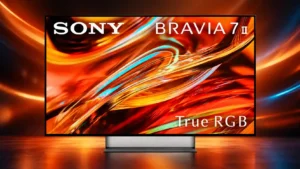
Overall: 4.2/5
Gemini’s conversational search is a useful upgrade, allowing natural-language discovery by topic, mood or follow-up request.
Pros: overall satisfaction, picture quality
Cons: HDMI 2.1 port count, reflection handling

Overall: 3.9/5
Gemini is helpful for conversational recommendations and follow-up questions, but it sometimes misunderstands device-specific requests and complex tasks.
Pros: peak brightness, overall satisfaction
Cons: value for money, shadow detail

Overall: 4.0/5
Voice and AI search can find content, yet results occasionally lead to the wrong title or fail to launch the requested show.
Pros: value for money, overall satisfaction
Cons: Remote control usability, sound quality

Overall: 3.9/5
Personalized AI search can target results to the viewer issuing a voice request.
Pros: gaming performance, overall satisfaction
Cons: sound quality, value for money

Overall: 3.1/5
On-screen search makes settings easier to locate without repeatedly digging through nested menus.
Pros: picture quality, overall satisfaction
Cons: sound quality, black levels

Overall: 3.8/5
On-screen contextual search seems useful for quickly identifying people and objects in programs.
Pros: Wireless One Connect compatibility, art display mode
Cons: value for money, input lag

Overall: 3.8/5
Gemini voice search can help locate content in conversational language without digging through several app menus.
Pros: HDMI 2.1 port count, overall satisfaction
Cons: HDR performance, bass performance

Overall: 4.0/5
Conversational searches make it easier to narrow down shows and films with follow-up questions.
Pros: peak brightness, blooming control
Cons: value for money, motion clarity

Overall: 4.2/5
Content search is convenient for some viewers, while another test found disappointing cross-app search results.
Pros: picture quality, overall satisfaction
Cons: design and appearance, Dolby Vision support

Overall: 3.4/5
Searching for shows by voice is often quick and accurate, but finding individual artworks and less obvious titles can fail.
Pros: art display mode, picture quality
Cons: contrast ratio, high-refresh-rate gaming

Overall: 4.1/5
AI search can identify content correctly but sometimes fails to launch it, while simpler voice searches generally perform better.
Pros: picture quality, gaming performance
Cons: value for money, sound quality

Overall: 4.4/5
AI Search can be convenient for simple requests, but broader queries may return slow, inaccurate, or irrelevant results.
Pros: picture quality, peak brightness
Cons: value for money, sound quality

Overall: 3.8/5
A dedicated remote search shortcut is convenient in principle, yet the hands-on impression describes its functionality as limited.
Pros: overall satisfaction, picture quality
Cons: value for money, local dimming performance

Overall: 3.9/5
The Vision AI search shortcut is convenient for supported sources but does not search every streaming app.
Pros: value for money, overall satisfaction
Cons: Dolby Vision support, sound quality

Overall: 3.3/5
Alexa+ can make discovery much easier, but search quality is inconsistent. Some prompts find exactly what the user wants while others return irrelevant movies or misunderstand the request.
Pros: picture quality, overall satisfaction
Cons: value for money, reliability

Overall: 3.9/5
Google TV search is useful but hampered by limited filters and web-style dead ends that make results less focused than they should be.
Pros: gaming performance, peak brightness
Cons: HDMI 2.1 support, HDMI 2.1 port count
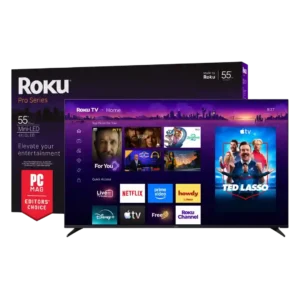
Overall: 4.4/5
Live-TV and guide navigation can be cumbersome, with some owners complaining that finding channels requires too much scrolling.
Pros: overall satisfaction, picture quality
Cons: reliability, portability and versatility

Overall: 4.1/5
Integrated search does not cover every installed streaming app, so results can be incomplete.
Pros: gaming performance, HDR brightness
Cons: reflection handling, glare resistance

Overall: 4.0/5
Voice search handles many commands but missed free streaming options for a requested movie.
Pros: peak brightness, picture quality
Cons: value for money, viewing angles

Overall: 4.5/5
Search is uneven: AI-enhanced search can find content, but the lack of a straightforward app-store search can make simple tasks frustrating.
Pros: glare resistance, black levels
Cons: Dolby Vision support, color gamut

Overall: 3.8/5
The Art Store lacks straightforward artwork search and can make specific pieces hard to locate.
Pros: cable management, design and appearance
Cons: value for money, Dolby Vision support