
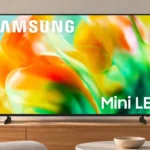
Samsung M80H Feature Scores
Explore all 127 feature scores for Samsung M80H, organized into pros and cons.
Scores by Feature
Summary
127 reviewed features-
Very positive 4.5-5.021 (17%)
-
Positive 3.5-4.441 (32%)
-
Neutral 2.5-3.428 (22%)
-
Negative 1.5-2.428 (22%)
-
Very negative below 1.59 (7%)
Pros
Sort
-
Compatible gaming PCs can feed the TV native-resolution 4K at up to 144Hz through any of its three HDMI ports.
-
Support for up to 144Hz at 4K and 240Hz at 1080p is impressive at this tier, even though panel response limits perceived clarity.
-
Controls respond extremely quickly at high refresh rates, one of the M80H's most dependable gaming advantages.
-
Wide-range VRR, FreeSync and G-SYNC Compatible support work well to keep compatible gameplay nearly tear-free.
-
Modern console signals including 4K/120Hz work well on its high-bandwidth HDMI inputs.
-
Extensive gaming features and excellent input lag are the standout strengths; actual moving-object clarity is much more contentious.
-
SDR colors and skin tones are often natural and pleasing straight out of the box, while HDR accuracy is less dependable.
-
The Game Bar gives players quick access to refresh information, genres, aiming tools and minimap controls, a clear step up from basic Samsung TVs.
-
SDR can look clean, colorful and natural compared with budget Samsungs, but the lack of local dimming and low brightness cap overall image quality.
-
Speech is clear enough through the internal speakers, and AI Football Mode can bring commentary forward without harshly changing its sound.
-
High-bandwidth HDMI connections make 4K/120Hz consoles and 4K/144Hz gaming PCs possible.
-
SmartThings-based onboarding and phone control make initial setup surprisingly painless.
-
Samsung's phone app speeds setup and works well as an alternative remote.
-
A 240Hz PC mode is available at 1080p, giving competitive players a fast signal option at the cost of 4K sharpness.
-
Tizen is comprehensive and usually quick, with clear navigation and many services, though regional gaps and occasional lag remain.
-
All three HDMI ports accept high-bandwidth gaming signals, but three total inputs can feel restrictive once eARC is occupied.
-
Auto HDR Remastering adds contrast, color and pop to SDR programming, with a particularly positive response when left enabled.
-
Samsung TV Plus provides worthwhile free channels that work well as casual background entertainment.
-
SDR is more convincing than HDR, with clean colors and improvements over cheaper Samsung models despite limited peak brightness.
-
AI football sound processing makes commentary unusually clear, and voice-enhancing functions can improve dialogue over background noise.
-
Optional artwork turns the idle screen into a decorative display; the paid art collection and non-Frame styling limit its appeal.
-
Four sizes from 55 to 85 inches cover common living rooms, but smaller rooms miss 43- and 50-inch options.
-
Colors can look full and vivid in SDR, especially against budget rivals, but brighter HDR shades lack the volume of better Mini LED TVs.
-
The M80H often reveals more dark detail than cheaper Samsungs, but some HDR scenes still crush important shadow textures.
-
The M80H accepts 1440p at 120Hz from compatible consoles, adding flexibility beyond standard 4K output.
-
Compatible consoles automatically trigger low-latency game mode, avoiding manual mode changes.
-
Bluetooth headphones paired successfully for private viewing without a cable.
-
Its direct-lit LCD design has a very low expected risk of permanent image retention from static game HUDs or desktop elements.
-
eARC lets the M80H send high-quality multichannel audio to compatible soundbars and receivers.
-
FreeSync works across a broad frame-rate range to reduce tearing from compatible consoles and PCs.
-
G-SYNC Compatible support keeps PC gameplay nearly tear-free when paired with a suitable graphics card.
-
Variable refresh operates effectively over a wide range and can use low-frame-rate compensation.
-
Bright objects show little haloing, helped partly by a globally lit panel that sacrifices black depth rather than controlling independent zones.
-
The set reproduces a useful range of colors and looks richer than cheaper Samsungs, but misses some red and green shades in demanding HDR material.
-
Compatible Samsung soundbars can play alongside the TV speakers for a fuller sound presentation.
-
SmartThings controls, connected-device status and Now Brief give the set a useful household-dashboard role.
-
Most major streaming services are supported, with some region-specific omissions during early 2026 testing.
-
Football mode can sharpen speech and boost colors, but its stronger picture treatment can look artificial and its usefulness is disputed.
-
Results are mixed: a stronger processor can improve HD feeds over entry-level TVs, but small text and weak source details can stay soft.
-
The black field is generally even with little corner flashlighting, despite the raised black floor.
-
Gradients appear clean and consistent across most shades, with some roughness confined to darker blue and green.
-
Larger M80H sizes can cost about the same as smaller Neo QLED screens, making diagonal size a meaningful reason to compromise.
-
RGB subpixels and correctly displayed chroma signals help computer text stay clear at supported resolutions.
-
Skin tones and ordinary SDR colors often appear authentic; boosted processing can upset that balanced appearance.
-
The motion-triggered Now Brief can display date, weather and household-device information when the TV is idle.
-
Tizen's organized home page serves up curated viewing suggestions alongside the major streaming apps.
-
Motion interpolation can make 30fps and 60fps games feel smoother with less lag than ordinary interpolation modes.
-
Default SDR accuracy is strong, even if slightly pinkish whites and unbalanced gamma remain.
-
The 55-inch size is manageable to handle, with a straightforward box setup and conventional accessories.
-
The bark-detection and pet-program automation could be handy for owners already using Samsung's connected-home features.
-
Multi View adds a handy split-screen viewing option missing from the less expensive M70H.
-
The direct-lit LCD is expected to resist burn-in and gradual dimming, although individual LED failures could affect a large backlight section.
-
Now Brief can start when someone enters the room, presenting relevant household status information.
-
AirPlay and Google Cast support let users send compatible phone or computer content to the TV.
-
Slow panning shots show a little stutter, but less than on many comparable TVs.
-
The Now Brief home dashboard can display date and weather alongside other household information.
-
Surrounding bezels are fairly slim, but the visible panel gap looks less tidy and can trap packaging debris.
-
HDR10, HDR10+ and HLG are available, but Dolby Vision is a conspicuous omission.
-
Standard and Movie presets can look good, but ideal settings depend on scene brightness; stronger AI adjustments sometimes overshoot.
-
The set accepts 4K at up to 144Hz and 1080p at 240Hz, but moving images are not always as sharp as those input rates imply.
-
Custom crosshairs and minimap zoom can help specific gaming styles, although their usefulness is situational.
-
SDR white balance has a slight pink tint, with changing brightness making calibrated accuracy hard to retain.
Cons
Sort
-
Despite Mini LED branding, the tested backlight has no independently controlled local-dimming zones, severely limiting dark-scene contrast.
-
The Mini LED name is misleading for buyers expecting full-array local dimming, which this television lacks.
-
This is a dim HDR television: highlights rarely sparkle, and demanding scenes cannot approach the punch of brighter competitors.
-
Support for HDR formats does not translate into high-impact HDR picture quality because highlights are dim and black depth is weak.
-
The optional strobing mode is a poor fix for motion blur: it can produce double images, flicker and even lower brightness.
-
Deep bass is notably thin, and the internal stereo system struggles to give films or games convincing weight.
-
With lights down, grayish blacks, some clouding and limited HDR impact undercut film-night immersion; a few assessments find it tolerable rather than disastrous.
-
The glossy display picks up distracting window and lamp reflections, especially in brighter rooms.
-
Light output is a recurring weak point, although viewers who prefer a gentler image may find it tolerable.
-
There is no optical digital audio output, an inconvenience for older sound systems without HDMI ARC/eARC.
-
Native contrast can be decent, but without local dimming, dark-room blacks often look gray or clouded rather than truly deep.
-
The supplied remote uses regular batteries instead of a solar panel or USB-C charging, a noticeable step down from higher models.
-
Back-facing, rotated sockets are difficult to reach or adapt when the TV is mounted close to a wall.
-
Dolby Vision is absent for movies and Xbox gaming, leaving the TV reliant on HDR10-family formats.
-
Motion is polarizing: several demonstrations look smooth, but measured slow pixel transitions produce conspicuous blur, especially at lower refresh rates.
-
Slow pixel changes cause visible smearing that undercuts its high-refresh capabilities.
-
Some bright HDR areas clip or merge together, hiding texture that better televisions preserve.
-
Fixed, low stand feet leave limited space beneath the picture for a soundbar.
-
Wall mounting is possible, but rear-facing and rotated connections make a tight installation impractical.
-
DTS formats commonly found on Blu-rays cannot be passed through, making some disc audio setups inconvenient.
-
Mirror-like direct reflections remain strong on the glossy screen.
-
Rear-facing ports prevent the cabinet from sitting close to the wall.
-
The screen is manageable under moderate daylight, but its glossy finish and low output are poor matches for strong ambient light.
-
The lack of a dedicated input button makes changing sources less convenient than it should be.
-
Color fades and shifts from side seats, making a wide sofa less suitable.
-
Automatic picture and game adjustments divide opinion: they can help selected content, but the game optimizer has also been dismissed as ineffective.
-
Darkened edges, some clouding and patches of dirty-screen effect can distract from large areas of solid color.
-
The battery-powered handset feels dated and lacks the modern rechargeable design expected of higher Samsung models.
-
Roughly 8GB of visible app storage feels meager for a modern smart television at this price.
-
The fixed blade feet keep the set upright but look inexpensive and offer no height adjustment.
-
The VA panel offers serviceable native contrast, but the absence of local dimming prevents deep blacks and bright highlights from coexisting convincingly.
-
Home-screen advertisements remain visible in Tizen, even after personalized ads are turned off.
-
The plastic chassis flexes noticeably and feels cheaper than Samsung’s higher-end televisions.
-
The compact LEDs do not translate into the independently controlled backlight zones buyers often associate with Mini LED sets.
-
High-volume compression is noticeable, weakening the sound when the speakers are pushed hard.
-
Basic modes can look fine, but pushing optional HDR/game processing too hard produces exaggerated, unnatural contrast.
-
The internal speakers do not get especially loud and compress noticeably at maximum volume.
-
Poor cleanup of compressed video leaves noticeable blocks and pixelation in low-quality streams.
-
Red and blue shades visibly change as viewers move away from the center of the screen.
-
Picture-mode-dependent backlight flicker and the flickery motion-strobing option may concern sensitive viewers.
-
Built-in sound is acceptable for everyday dialogue, but limited bass, volume and impact make a soundbar worthwhile.
-
Uneven screen patches and darkened edges are visible, most noticeably against uniform backgrounds such as sports fields.
-
Three total HDMI sockets may not be enough for a console, PC, streaming device and soundbar together.
-
eARC is useful, but limits around multichannel LPCM and the lack of DTS constrain some home-theater setups.
-
Low-strength interpolation reduces some stutter but can create uneven frame pacing.
-
The small stereo system cannot produce the enveloping impact of a dedicated audio setup.
-
Fixed feet cannot adapt to different cabinet widths, restricting placement flexibility.
-
There is disagreement about value: gaming-focused buyers appreciate the feature set, while picture-first critics point to cheaper, brighter rivals with real local dimming.
-
Tizen offers a wide range of popular apps, though service availability varies by country and BBC iPlayer was absent in one UK test.
-
Thin bezels give the set an ordinary modern look, while plastic materials and a thicker back keep it short of premium styling.
-
Tone mapping can preserve some gradation, but clipping and luminance errors cause lost highlights; adjustments provide limited improvement.
-
The stronger processor helps selected broadcasts and allows useful enhancements, yet compression cleanup is weak and aggressive settings can look artificial.
-
Handling weak streams is inconsistent: some lower-resolution video looks cleaner, while macroblocking and pixelation often remain.
-
An Amplify sound preset can add perceived power, though using the equalizer may require selecting a weaker-sounding standard mode.
-
Most gradients look smooth, although darker blues and greens show some visible transitions.
-
Careful calibration yields excellent accuracy, but the white balance changes with brightness, making all-day consistency difficult.
-
Color Booster Pro adds intensity, but its strongest setting can become overenthusiastic and unnatural.
-
Independent-zone flicker and pumping are absent, but only because there is no true zonal dimming to adjust moving highlights.
-
Targeted advertising can be switched off, although the home screen continues to show ads.
-
Film-source judder is handled well in some conditions, though sports and default movie settings can still show uneven motion.
-
Compatible regions offer console-free cloud gaming with a Bluetooth controller; geographic service restrictions can be frustrating.
-
A secondary simplified remote and voice mic help, but some handsets omit a direct input-selection button.
-
The M80H is a feature-heavy TV whose fast gaming inputs and friendly platform contrast with weak HDR, no real local dimming and mixed motion results.
-
Tizen generally feels fast and well organized, but occasional lag and unresponsive commands interrupt navigation.
-
Some hands-on tests praise sports and game motion, while others find smearing or judder despite the panel's high input refresh rate.
Use Cases
Best for
Sort
-
Responsive 4K/120Hz signals, VRR and a full Game Bar make this a strong features-first console option, despite weak HDR and disputed motion clarity.
-
4K/144Hz, 1080p/240Hz, VRR and low latency create a flexible PC gaming display, but slow response times can blur fast action.
-
Fast input response, high refresh support and optional aiming aids suit shooters, although visible motion smearing is a caveat.
-
Bluetooth headphone pairing works well for watching privately without disturbing others.
-
Moderate ambient light can hide raised blacks without overwhelming the relatively dim screen, making this a better setting than either extreme.
-
eARC and Q-Symphony provide useful external-audio options, though DTS limitations and limited clearance complicate some installations.
-
For everyday shows, free channels, connected devices and gaming, Tizen and its broad feature selection make a capable family hub.
-
SmartThings, compatible Samsung phone controls and Q-Symphony make the M80H more attractive in Samsung-equipped homes.
-
The M80H can suit value-minded gamers seeking 120–144Hz support, provided they accept its picture-quality tradeoffs.
-
The RGB pixel layout makes letters clean and readable when the M80H is used as a large PC display.
-
A capable smart-TV platform makes streaming simple, but picture-first viewers may prefer the better HDR and color volume of Neo QLED models.
Conditional or not ideal for
Sort
-
Bright-room viewingLow screen brightness and prominent reflections make a sunlit room one of the M80H’s weakest environments.
-
Movie watchingMovie colors can be natural, but dark-room blacks, limited HDR brightness and occasional crushed detail make it less compelling for cinematic viewing.
-
Daytime sports viewingDaylight reflections and low brightness dull the pitch, while uneven screen shading can make camera pans distracting.
-
Shared-screen viewingViewing angles are narrow, so people sitting to the sides will see faded and shifted colors.
-
HDR gamingGames in HDR look comparatively flat, with muted highlights even though control response remains quick.
-
TV speaker-only viewingThe built-in speakers handle casual speech and programs, yet weak bass and limited output reduce entertainment impact.
-
1080i broadcast viewingLow-resolution broadcast feeds remain soft, with upscaling unable to recreate missing detail.
-
Multiple high-bandwidth gaming devicesThree fast HDMI sockets are useful, but eARC occupies one when a soundbar is attached, leaving little room for multiple systems.
-
1080p content watchingOrdinary Full HD footage looks much like it does on cheaper Samsungs; the higher-tier processor does not create a dramatic transformation.
-
Bedroom viewingThe 55-inch minimum size is less convenient for compact bedrooms than the smaller choices offered by the M70H.
-
Sports watchingThe high refresh and football processing appeal to fans, but brightness, screen uniformity and motion blur generate sharply different assessments.