
The 360Hz refresh rate is a substantial jump over older 175Hz and 240Hz ultrawides, with the biggest payoff in games that can actually reach high fps.
Pros: color gamut, contrast
Cons: value for money, Resolution

The 360Hz refresh rate is a substantial jump over older 175Hz and 240Hz ultrawides, with the biggest payoff in games that can actually reach high fps.
Pros: color gamut, contrast
Cons: value for money, Resolution

A 240Hz 4K baseline provides excellent responsiveness, while the optional 480Hz full-HD mode makes speed the priority for esports.
Pros: black levels, sharpness
Cons: value for money, brightness
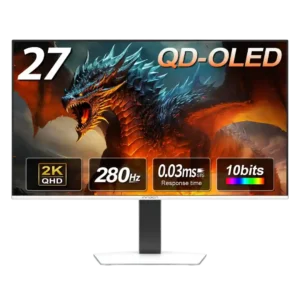
The 280Hz refresh rate feels exceptionally fluid and is more than fast enough for most competitive players.
Pros: color gamut, overall picture quality
Cons: brightness, HDR performance

The 240Hz ceiling delivers smooth gameplay and is enough for most players. The fastest competitive specialists may still prefer higher-refresh alternatives.
Pros: value for money, panel type
Cons: brightness, port selection

Native 540Hz QHD feels extraordinarily fluid and crisp. The 720Hz option is less universally useful because it drops to 720p and demands extremely high frame rates.
Pros: competitive gaming suitability, refresh rate
Cons: Dual-mode versatility, GPU demands

At 240Hz, motion is notably fluid, particularly in fast PC games. Fully exploiting that ceiling requires a PC capable of delivering high frame rates.
Pros: PC gaming compatibility, reflection handling
Cons: color accuracy, VRR flicker

The 360Hz refresh delivers conspicuously smooth, crisp action and feels like a meaningful step up from older 120Hz and 240Hz displays, provided the PC can push high enough frame rates.
Pros: refresh rate, Text fringing
Cons: Resolution, GPU demands

Combining 165Hz at 6K with 330Hz at 3K brings a fluidity rarely seen in high-density screens, even if actual gaming frames depend on the GPU.
Pros: Resolution, sharpness
Cons: value for money, HDR performance
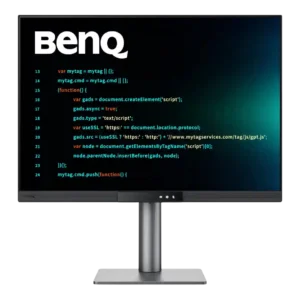
Moving from 60Hz to 120Hz makes scrolling, window movement, charts, and casual gaming feel substantially smoother. It is a major upgrade for productivity, even if competitive gaming monitors run much...
Pros: productivity versatility, aspect ratio
Cons: value for money, competitive gaming suitability

Native 4K/240Hz is already fast, and the optional Full HD/480Hz mode adds another level of smoothness for suitably powerful systems.
Pros: brightness, color gamut
Cons: AI scene optimization, value for money

The 360Hz refresh is extremely smooth even if 500Hz and 600Hz alternatives are now available. Very high frame rates help exploit it, but speed remains strong below its ceiling.
Pros: competitive gaming suitability, motion clarity
Cons: contrast, overall picture quality

The 360Hz refresh rate is excellent for a QHD IPS monitor and especially effective with high-frame-rate games. Full speed requires DisplayPort.
Pros: motion clarity, Backlight strobing
Cons: contrast, HDR performance

The 360Hz panel can make PC movement exceptionally smooth, provided the system delivers the frames. It also surpasses some close competitors on refresh rate.
Pros: refresh rate, color accuracy
Cons: console gaming compatibility, DisplayPort connectivity

The 120Hz refresh rate is one of the most celebrated upgrades over typical 60Hz office monitors, making scrolling, cursor movement, and window handling feel noticeably smoother. It also supports enjoyable...
Pros: productivity versatility, overall satisfaction
Cons: value for money, response time

The 240Hz ceiling is an excellent balance for 4K gaming and remains much smoother than 60–120Hz displays. Some high-level esports players want 360Hz or faster instead.
Pros: overall satisfaction, black levels
Cons: value for money, stand adjustability

At 280Hz the screen feels extremely smooth and offers a useful step up from older models. It deliberately stops short of pricier 360Hz esports-focused options.
Pros: brightness, value for money
Cons: port selection, built-in speakers

The 240Hz panel gives gameplay responsive, fluid motion. Faster flagship OLEDs exist, but the speed is ample for most buyers.
Pros: black levels, overall picture quality
Cons: brightness, Gaming feature selection

At 4K, 240Hz is considered a practical upper limit because few systems can exceed it in modern games. It is smooth enough for competitive play while preserving the detail needed...
Pros: brightness, reflection handling
Cons: cable management

Switching between 165Hz at native 5K and 330Hz at QHD gives players a real speed-versus-detail choice. The top rate requires compatible hardware and the lower resolution.
Pros: Resolution, Dual-mode versatility
Cons: value for money, GPU demands

120Hz adaptive refresh improves scrolling and animation over older 60Hz Apple displays, although some Macs cannot reach full speed and one tester barely noticed it.
Pros: refresh rate, HDR performance
Cons: value for money, Device compatibility

Both 4K/165Hz and Full HD/330Hz deliver smooth play, but rivals can go faster without much more expense and the fastest mode sacrifices sharpness.
Pros: overall satisfaction, contrast
Cons: value for money, port selection

Native 165Hz feels smooth for visually demanding 5K2K gaming, but trails the 240Hz-plus speeds of other flagship OLEDs. The 330Hz alternate mode adds speed at a sizeable clarity cost.
Pros: overall satisfaction, Text fringing
Cons: brightness, Edge dimming behavior

Native 165Hz is fluid for detailed 5K2K gaming, but lower than some flagship alternatives; 330Hz demands a drop to 2560×1080.
Pros: Resolution, overall satisfaction
Cons: value for money, Image scaling

The 70Hz panel feels only a little smoother than 60Hz; it is a clear compromise for anyone accustomed to 120Hz or faster screens.
Pros: port selection, color accuracy
Cons: built-in speakers, speaker quality

The 60Hz ceiling is the most repeated technical complaint at this price, even if it remains sufficient for many 24/30fps editors and ordinary tasks.
Pros: Monitor daisy-chaining, overall picture quality
Cons: value for money, refresh rate