
Overall: 4.4/5
Fine text, flexible connections, and useful multitasking features make daily desk work one of its strongest uses.
Pros: port selection, color accuracy
Cons: built-in speakers, speaker quality

Overall: 4.4/5
Fine text, flexible connections, and useful multitasking features make daily desk work one of its strongest uses.
Pros: port selection, color accuracy
Cons: built-in speakers, speaker quality

Overall: 4.3/5
The RGB-stripe panel removes much of the text fringing found on older OLEDs and makes long documents and spreadsheets more pleasant, although static use still raises burn-in considerations.
Pros: black levels, sharpness
Cons: value for money, brightness

Overall: 4.1/5
The vast 5K2K workspace and readable text are excellent for multitasking, tempered by normal OLED concerns about persistent static windows.
Pros: Resolution, overall satisfaction
Cons: value for money, Image scaling

Overall: 4.2/5
Programmable shortcuts and the multi-mode wheel make it a capable desktop productivity mouse.
Pros: Interchangeable side panels, MMO gaming suitability
Cons: value for money, FPS gaming suitability

Overall: 3.6/5
The wheel, shortcuts and stable weight make long-document navigation and desk work a genuine strength.
Pros: charging convenience, battery life
Cons: Touchscreen usefulness, value for money

Overall: 4.3/5
Crisp fonts, substantial vertical height and room for several windows make the ultrawide genuinely useful for writing, spreadsheets and editing. OLED burn-in precautions still matter with static desktop interfaces.
Pros: overall satisfaction, Text fringing
Cons: brightness, Edge dimming behavior

Overall: 4.4/5
The 21:9 workspace fits multiple windows comfortably, and improved text rendering makes office work much nicer than on earlier OLED generations. Limited docking features reduce all-in-one convenience.
Pros: brightness, value for money
Cons: port selection, built-in speakers

Overall: 4.2/5
High pixel density and easy Mac integration make everyday window work pleasant, especially when paired with other displays.
Pros: refresh rate, HDR performance
Cons: value for money, Device compatibility

Overall: 4.5/5
Clear RGB-stripe text and extra horizontal workspace are excellent for windows, browsing and timelines. Frequent all-day static applications still bring OLED wear concerns.
Pros: color gamut, contrast
Cons: value for money, Resolution
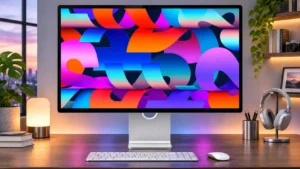
Overall: 3.7/5
Sharp text, comfortable brightness and straightforward MacBook setup make this an easy fit for regular desk work.
Pros: Monitor daisy-chaining, overall picture quality
Cons: value for money, refresh rate

Overall: 3.5/5
Six-kilopixel text, smooth 165Hz desktop motion, and abundant detail make this a serious office screen, although edge dimming distracted one demanding full-screen white-background user.
Pros: Resolution, sharpness
Cons: value for money, HDR performance

Overall: 3.8/5
Quiet clicks suit office work, and a deeper actuation setting makes deliberate desktop inputs easier.
Pros: balance and weight distribution, weight
Cons: Upgrade value, value for money
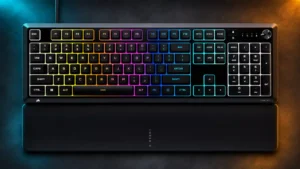
Overall: 4.0/5
The full-size layout and accessible media controls work well for everyday desktop tasks.
Pros: noise level, media controls

Overall: 4.4/5
Wide horizontal space fits spreadsheets, windows, and timelines, but static content needs OLED care and finer text is less crisp than on 4K.
Pros: refresh rate, Text fringing
Cons: Resolution, GPU demands
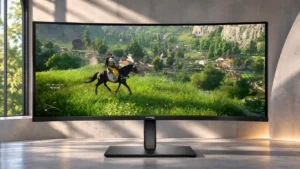
Overall: 4.4/5
Multitasking and long creative timelines benefit from the expansive workspace. For hours of static interface use, however, OLED burn-in caution remains relevant.
Pros: refresh rate, color accuracy
Cons: console gaming compatibility, DisplayPort connectivity

Overall: 4.0/5
Small text and fine desktop graphics look especially crisp at native 5K scaling. Some find 27 inches restrictive for a premium multitasking display despite the extra pixel density.
Pros: Resolution, Dual-mode versatility
Cons: value for money, GPU demands

Overall: 4.0/5
Improved subpixel ordering gives PC text a clearer appearance than some earlier OLED layouts, making occasional desktop use more comfortable.
Pros: contrast ratio, black levels
Cons: reflection handling, color accuracy

Overall: 3.9/5
QHD resolution on 27 inches makes split windows, documents, and web use comfortable without mandatory scaling. Pulsar is better left off for static office content.
Pros: motion clarity, Backlight strobing
Cons: contrast, HDR performance
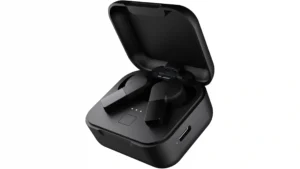
Overall: 3.8/5
Laptop listening alongside phone calls is a useful productivity scenario. Multipoint reduces the need to disconnect and reconnect devices manually.
Pros: Repairability, Overall satisfaction
Cons: Sound quality, Bass performance

Overall: 3.4/5
The panel can display legible PC text, making a simple large-screen computer setup practical.
Pros: picture quality, color accuracy
Cons: remote control quality, black levels

Overall: 3.1/5
The RGB pixel layout makes letters clean and readable when the M80H is used as a large PC display.
Pros: gaming performance, color accuracy
Cons: value for money, overall satisfaction
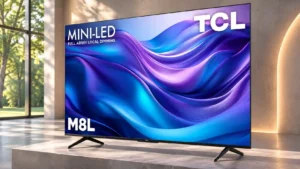
Overall: 4.1/5
Clear chroma rendering makes text on a connected computer easy to read, though this is primarily a large living-room TV.
Pros: value for money, overall satisfaction
Cons: HDR brightness
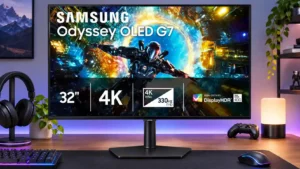
Overall: 3.8/5
Opinions diverge sharply: some find the high-resolution flat panel great for coding and everyday tasks, while one user struggles with tiny text and Windows scaling.
Pros: overall satisfaction, contrast
Cons: value for money, port selection

Overall: 4.2/5
The spacious 4K desktop, useful brightness controls, and connectivity make multitasking comfortable for many people. Owners sensitive to text fringing or eye strain report a markedly worse experience with long...
Pros: overall satisfaction, black levels
Cons: value for money, stand adjustability

Overall: 3.4/5
Compact size and good stereo sound make the Minis attractive desk speakers, and some Mac setups work very well. Other tests encounter delay, lost default-output settings and synchronization problems.
Pros: Overall sound quality, speaker quality
Cons: Software and driver support, Value for money

Overall: 3.9/5
A sharp, spacious 32-inch 4K desktop and USB-C make office work pleasant, but text fringes, auto-dimming complaints and static-image wear make intensive office-only use less ideal.
Pros: brightness, color gamut
Cons: AI scene optimization, value for money
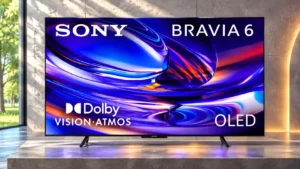
Overall: 3.8/5
The RGWB subpixel pattern helps PC text look clearer than on some earlier OLED layouts. Extended fixed desktop elements still call for precautions against burn-in.
Pros: HDMI 2.1 port count, Video input versatility
Cons: value for money, overall satisfaction

Overall: 2.9/5
Full chroma reproduction keeps computer text clear, but the TV is not a substitute for a high-refresh desktop monitor.
Pros: value for money, picture quality
Cons: account requirements, gaming performance