#1

Overall: 4.4/5
Huge horizontal room for spreadsheets, dashboards, documents, and multiple apps is the clearest selling point, especially when replacing multiple smaller screens.
Pros: overall picture quality, color accuracy
Cons: value for money, built-in speakers
#2

Overall: 3.8/5
Sharp text, comfortable brightness, and a versatile stand make ordinary office work and browsing pleasant alongside gaming.
Pros: value for money, Resolution
Cons: HDR performance, port selection
#3

Overall: 3.7/5
Side-by-side documents, spreadsheets and app windows benefit from the equivalent of two QHD screens without a central bezel.
Pros: value for money, black levels
Cons: refresh rate, portability and weight
#4

Overall: 3.3/5
A compact body, Bluetooth connection, and programmable shortcuts make routine desk work a particularly good use.
Pros: build quality, gaming performance
Cons: ergonomic design, glide smoothness
#5

Overall: 4.5/5
It can double as a comfortable everyday work mouse rather than staying exclusively on a gaming desk.
Pros: value for money, weight
Cons: wired connectivity
#6

Overall: 4.1/5
Text clarity, a flexible stand and enough room for multiple windows make everyday office work comfortable and productive.
Pros: color accuracy, overall picture quality
Cons: HDR performance, refresh rate
#7
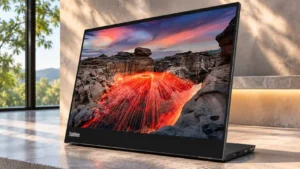
Overall: 3.9/5
Sharp text, a taller 16:10 layout, and touch controls make office apps, browser tabs, and documents convenient. It is consistently praised as an auxiliary productivity screen.
Pros: overall picture quality, Stylus usability
Cons: port selection, refresh rate
#8

Overall: 4.0/5
4K at 32 inches allows several windows side by side and reasonably crisp text, although OLED maintenance and some Mac waking issues may intrude.
Pros: overall satisfaction, DisplayPort connectivity
Cons: value for money, reliability over time
#9

Overall: 3.9/5
Crisp 4K text, strong brightness and no OLED burn-in worry make it a convincing everyday work screen. Switching down to 1080p sacrifices that desktop sharpness.
Pros: Resolution, refresh rate
Cons: HDR performance, contrast
#10

Overall: 4.4/5
Its sharp 32-inch work surface, comfortable ergonomics, and docking options suit document-heavy office work. The professional price is difficult to justify for basic tasks alone.
Pros: color accuracy, stand adjustability
Cons: built-in speakers, Desk footprint
#11

Overall: 3.6/5
Crisp QHD text, plenty of window space and flexible positioning make office tasks comfortable despite the gaming focus.
Pros: stand adjustability, competitive gaming suitability
Cons: value for money, port selection
#12

Overall: 3.1/5
The roomy, crisp 4K desktop is well suited to office work and spreadsheets; startup overlays and inconsistent PC signal behavior spoil it for some users.
Pros: PC gaming compatibility, overall picture quality
Cons: overall satisfaction, Smart TV platform
#13
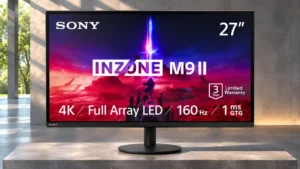
Overall: 3.9/5
4K detail, smooth scrolling and readable small text make routine office work pleasant. However, occasional corner dimming, limited 16:9 workspace and severe blotching in one test temper the recommendation.
Pros: color gamut, stand adjustability
Cons: value for money, Bass reproduction
#14

Overall: 4.0/5
Web browsing, multitasking and lighter office tasks are pleasant thanks to vivid color and fluid scrolling; fine text and burn-in concerns make all-day static work less appealing.
Pros: value for money, overall satisfaction
Cons: HDR performance, HDMI 2.1 support
#15

Overall: 4.4/5
USB-C and KVM help with daily work, but subpixel text fringing and prolonged static-content burn-in concerns keep it from being an ideal all-day office display.
Pros: color gamut, overall satisfaction
Cons: reflection handling, VRR flicker
