
4K detail looks crisp across the generous 32-inch display, benefiting gaming, movies, and office windows. Some users need OS scaling to keep text comfortably sized.
Pros: overall satisfaction, black levels
Cons: value for money, stand adjustability

4K detail looks crisp across the generous 32-inch display, benefiting gaming, movies, and office windows. Some users need OS scaling to keep text comfortably sized.
Pros: overall satisfaction, black levels
Cons: value for money, stand adjustability

The 5120×2160 5K2K resolution is a major upgrade over earlier 39-inch ultrawides, bringing finely detailed games and substantially sharper desktop content.
Pros: Resolution, overall satisfaction
Cons: value for money, Image scaling

The 27-inch 5K panel delivers exceptionally fine detail and Retina-friendly scaling, especially on macOS. The extra pixels are most noticeable in text and high-resolution creative work.
Pros: port selection, color accuracy
Cons: built-in speakers, speaker quality

The 5120×2160 desktop offers substantially more working area and sharper scenery than conventional 1440p ultrawides. The added pixels also increase the graphics workload considerably.
Pros: overall satisfaction, Text fringing
Cons: brightness, Edge dimming behavior

The 4K panel renders fine game textures and desktop detail exceptionally well. It is a striking step up for anyone coming from a lower-resolution display.
Pros: PC gaming compatibility, reflection handling
Cons: color accuracy, VRR flicker

A rare 1440p resolution at this compact size adds visible detail without moving to a larger esports display. It is an appealing upgrade from older 1080p ZOWIE monitors.
Pros: competitive gaming suitability, motion clarity
Cons: contrast, overall picture quality

The 27-inch 5K Retina image is consistently admired for its high detail, particularly against lower-resolution productivity displays.
Pros: Monitor daisy-chaining, overall picture quality
Cons: value for money, refresh rate

4K resolution on the 32-inch panel provides rich detail and a large working area, though many users will want operating-system text scaling.
Pros: black levels, sharpness
Cons: value for money, brightness
The 3840 × 2560 panel adds 400 vertical pixels beyond standard 4K, producing a spacious, highly detailed desktop. Text and dense interfaces benefit most from the extra resolution.
Pros: productivity versatility, aspect ratio
Cons: value for money, competitive gaming suitability

Its unusual 6144×3456 native resolution delivers a dramatic text-and-detail upgrade, especially for work; the performance cost makes full-res gaming less universally useful.
Pros: Resolution, sharpness
Cons: value for money, HDR performance

At 27 inches, native 5K makes desktop text and high-resolution photos visibly sharper than 4K. The benefit is less dramatic in many 3D games and comes with a substantial graphics-performance...
Pros: Resolution, Dual-mode versatility
Cons: value for money, GPU demands

The 3840×2160 resolution is exceptionally sharp at 32 inches and clearly more detailed than 27-inch QHD displays. It also demands a powerful GPU for high-refresh gaming.
Pros: brightness, reflection handling
Cons: cable management

The 6144×2560 canvas fits enormous amounts of work while keeping text usable. At 129 PPI, it is less dense than smaller 4K or 5K displays and can look softer at...
Pros: productivity versatility, overall satisfaction
Cons: value for money, response time

Native 4K looks crisp and detailed on the large panel; dropping to 1080p is noticeably rougher and less appealing for desktop viewing.
Pros: overall satisfaction, contrast
Cons: value for money, port selection

QHD sharpness strikes a practical balance for games and attainable frame rates, though some find 1440p too coarse for everyday text compared with 4K.
Pros: value for money, panel type
Cons: brightness, port selection

The 27-inch 5K panel produces dense detail, although buyers moving from a 32-inch 6K model lose some workspace.
Pros: refresh rate, HDR performance
Cons: value for money, Device compatibility

The 2560×1440 picture strikes a useful balance between desktop detail and attainable gaming frame rates, although it cannot match 4K or 5K text sharpness.
Pros: motion clarity, Backlight strobing
Cons: contrast, HDR performance

QHD is a productive compromise for high-frame-rate gaming, but it cannot supply the fine detail of a 27-inch 4K panel.
Pros: black levels, overall picture quality
Cons: brightness, Gaming feature selection

Native 4K looks crisp on the large panel, but dropping to Full HD for 480Hz creates noticeable softness at typical desk distances.
Pros: brightness, color gamut
Cons: AI scene optimization, value for money
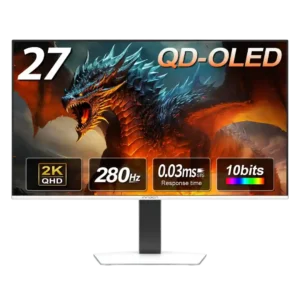
The 1440p resolution is widely treated as a strong match for a 27-inch gaming screen. It looks sharp in games, though text can appear less dense and more fringed than...
Pros: color gamut, overall picture quality
Cons: brightness, HDR performance

The 3440×1440 canvas is roomy without the full pixel cost of a 4K ultrawide. Nevertheless, sustaining 360 fps remains demanding.
Pros: refresh rate, color accuracy
Cons: console gaming compatibility, DisplayPort connectivity

3440×1440 suits immersive gaming and side-by-side windows without 4K's graphics demands, but it cannot match the text detail of higher-density 4K screens.
Pros: brightness, value for money
Cons: port selection, built-in speakers

The 3440×1440 ultrawide format provides useful working space and sharp images, especially with RGB stripe. It is not as finely detailed as true 4K or higher-density rivals.
Pros: color gamut, contrast
Cons: value for money, Resolution

3440×1440 helps balance ultrawide gaming detail against attainable high frame rates, but is visibly less dense than modern 4K alternatives.
Pros: refresh rate, Text fringing
Cons: Resolution, GPU demands

Native 1440p looks good at 27 inches, but enabling 720Hz reduces the image to a very soft 720p; detail-focused buyers may want 4K.
Pros: competitive gaming suitability, refresh rate
Cons: Dual-mode versatility, GPU demands