
Height, swivel, tilt, and 90-degree pivot adjustments are repeatedly praised, even by reviewers disappointed with the chassis materials.
Pros: Resolution, sharpness
Cons: value for money, HDR performance

Height, swivel, tilt, and 90-degree pivot adjustments are repeatedly praised, even by reviewers disappointed with the chassis materials.
Pros: Resolution, sharpness
Cons: value for money, HDR performance
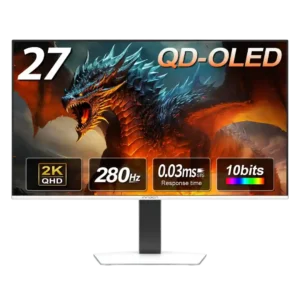
The stand is a major strength, offering height, tilt, swivel, and pivot adjustments with sturdy construction and a desk-friendly base.
Pros: color gamut, overall picture quality
Cons: brightness, HDR performance

Height, tilt, swivel, and portrait rotation make it easy to set a comfortable position.
Pros: competitive gaming suitability, refresh rate
Cons: Dual-mode versatility, GPU demands

Height, tilt and swivel adjustments are smooth and practical, although the stand does not pivot to portrait.
Pros: color gamut, contrast
Cons: value for money, Resolution

Smooth tilt, swivel and height adjustments offer an unusually wide range of ergonomic options. Reference marks and tilt readings help recreate a chosen configuration.
Pros: competitive gaming suitability, motion clarity
Cons: contrast, overall picture quality

The supplied stand adjusts height, swivel, tilt and pivot over a useful range, making ergonomic positioning straightforward.
Pros: PC gaming compatibility, reflection handling
Cons: color accuracy, VRR flicker

The included stand offers generous height, tilt, swivel, and portrait rotation. Reviewers repeatedly appreciate not paying extra for that flexibility.
Pros: port selection, color accuracy
Cons: built-in speakers, speaker quality

Height, tilt, swivel and pivot adjustments allow comfortable landscape or portrait placement without buying a separate monitor arm.
Pros: Resolution, Dual-mode versatility
Cons: value for money, GPU demands
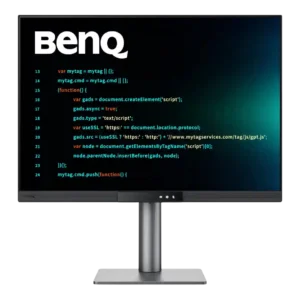
The stand offers generous height, tilt, swivel, and portrait rotation, with smooth movement and a stable base. Rotating the display requires enough cable slack to avoid stressing rear-facing connections.
Pros: productivity versatility, aspect ratio
Cons: value for money, competitive gaming suitability

The stock stand offers convenient height, tilt and swivel changes with mostly smooth, reassuring movement. Its maximum height and swivel range are not as generous as every rival.
Pros: overall satisfaction, Text fringing
Cons: brightness, Edge dimming behavior

Height and tilt adjustments operate beautifully with little effort, but limited range and no swivel or portrait pivot are recurring caveats.
Pros: refresh rate, HDR performance
Cons: value for money, Device compatibility

Height, tilt, and swivel help tailor ergonomics; some users found the height mechanism stiff or noted wobble during adjustments.
Pros: Resolution, overall satisfaction
Cons: value for money, Image scaling

Height, tilt, swivel, and pivot adjustments give the screen a versatile ergonomic setup.
Pros: overall satisfaction, contrast
Cons: value for money, port selection

Height, swivel, tilt and portrait adjustment make the stand flexible for different desks and viewing arrangements.
Pros: brightness, color gamut
Cons: AI scene optimization, value for money

The stand provides smooth height, tilt, and swivel adjustment and feels unusually sturdy for a 32-inch display. Rotation is limited and full portrait orientation is not available.
Pros: brightness, reflection handling
Cons: cable management

Height, tilt and swivel adjustments are smooth and flexible enough for most workstations, but portrait rotation is not a stand option.
Pros: brightness, value for money
Cons: port selection, built-in speakers

Height, tilt and portrait adjustment make the inexpensive stand more useful than its materials suggest, although swivel and stability impressions vary.
Pros: value for money, panel type
Cons: brightness, port selection

Height, tilt, and swivel allow comfortable positioning; limited pivot range is not enough for portrait orientation.
Pros: refresh rate, Text fringing
Cons: Resolution, GPU demands

Height, tilt and swivel adjustments feel smooth and stable, but the included stand cannot rotate into portrait orientation.
Pros: black levels, sharpness
Cons: value for money, brightness

Height, tilt, swivel, and slight slant adjustments are generally smooth and useful for positioning the enormous panel. The range is limited by size, there is no pivot, and one tested...
Pros: productivity versatility, overall satisfaction
Cons: value for money, response time

Height, rotation, and tilt adjustments provide good versatility, though limited forward tilt can make close viewing awkward.
Pros: black levels, overall picture quality
Cons: brightness, Gaming feature selection

Tilt, swivel, height, and pivot are available, but samples vary: some reviewers describe very stiff rotation and height limitations.
Pros: motion clarity, Backlight strobing
Cons: contrast, HDR performance

Height, tilt, and swivel feel solid, smooth, and stable, but portrait rotation is missing. The stand also cannot sit as low as some users would prefer.
Pros: overall satisfaction, black levels
Cons: value for money, stand adjustability

The basic stand tilts but cannot change height, and the $400 height upgrade is widely criticized despite the higher-end stand's smooth movement.
Pros: Monitor daisy-chaining, overall picture quality
Cons: value for money, refresh rate