
The enormous HDR brightness, deep blacks, and restrained blooming are the display's clearest strengths, particularly for content creation and movies.
Pros: refresh rate, HDR performance
Cons: value for money, Device compatibility

The enormous HDR brightness, deep blacks, and restrained blooming are the display's clearest strengths, particularly for content creation and movies.
Pros: refresh rate, HDR performance
Cons: value for money, Device compatibility

OLED contrast and brighter highlights produce outstanding HDR overall, with the usual tradeoff between full-scene brightness and extreme peaks.
Pros: brightness, value for money
Cons: port selection, built-in speakers

Small bright highlights glow against true OLED blacks, creating dramatic HDR images. Some high-brightness modes can lose shadow detail or alter highlight tone mapping.
Pros: PC gaming compatibility, reflection handling
Cons: color accuracy, VRR flicker

A CES demonstration claims the newer OLED panel brings improved HDR; the provided assessments do not separately quantify HDR performance.
Pros: refresh rate, color accuracy
Cons: console gaming compatibility, DisplayPort connectivity

HDR is a major strength thanks to pixel-level contrast and improved peak output. No single mode combines full accuracy, peak intensity and freedom from dimming.
Pros: color gamut, contrast
Cons: value for money, Resolution

Tiny highlights look punchy against OLED blacks and HDR games can be spectacular; mode calibration and full-screen luminance are not flawless.
Pros: Resolution, overall satisfaction
Cons: value for money, Image scaling

Bright game effects and dark scenes look exceptionally dramatic, though the impact is strongest in dimmer rooms.
Pros: overall satisfaction, contrast
Cons: value for money, port selection

HDR is the monitor’s headline strength, combining true blacks, vivid color, and bright highlights for a striking cinematic image. True Black 500, Peak 1000, and EOTF Boost each trade brightness...
Pros: brightness, reflection handling
Cons: cable management

OLED contrast and vibrant color give HDR games a dramatic look with excellent small-area highlights. Large bright scenes, dimming behavior and imperfect presets temper the enthusiasm.
Pros: overall satisfaction, Text fringing
Cons: brightness, Edge dimming behavior

Rich color, nearly perfect blacks, and bright highlights make HDR gaming a standout experience. Actual brightness gains over previous QD-OLED generations are more modest than the marketing suggests, and dimming...
Pros: overall satisfaction, black levels
Cons: value for money, stand adjustability

This is a standout strength: deep OLED blacks, brilliant small highlights, and effective EOTF Boost make HDR unusually convincing. Some modes have brightness and firmware quirks.
Pros: refresh rate, Text fringing
Cons: Resolution, GPU demands

Bright accents against dark OLED backgrounds create engaging HDR, especially compared with older LG panels. Owners disagree about sustained color brightness and how it fares against high-end QD-OLED.
Pros: brightness, color gamut
Cons: AI scene optimization, value for money

Bright highlights and perfect blacks create striking HDR games; some evaluations note inaccurate overbrightening and the matte finish softening the visual pop.
Pros: competitive gaming suitability, refresh rate
Cons: Dual-mode versatility, GPU demands

HDR can look excellent in dark, high-contrast scenes, but limited full-screen brightness and imperfect bright-mode tracking keep it behind the best alternatives.
Pros: black levels, sharpness
Cons: value for money, brightness

The combination of vivid colors, deep blacks and high peak brightness wins praise in favorable scenes. Owners disagree on consistency: muted dark scenes and reported brightness decay can interfere with...
Pros: Resolution, Dual-mode versatility
Cons: value for money, GPU demands
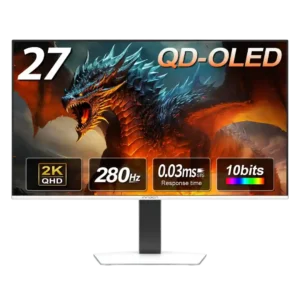
HDR is the most divisive part of the picture. OLED contrast remains impressive, but several reviewers found the default image too dim and the presets too restricted, while one found...
Pros: color gamut, overall picture quality
Cons: brightness, HDR performance

HDR can add some vibrancy and highlight depth, but its limited brightness and lack of local dimming keep it far from a true high-impact HDR display.
Pros: port selection, color accuracy
Cons: built-in speakers, speaker quality

HDR can still make colorful scenes impressive, but highlights lack the intensity of stronger HDR monitors. It is not the best choice for HDR enthusiasts.
Pros: black levels, overall picture quality
Cons: brightness, Gaming feature selection

Opinions diverge sharply. Some praise accurate, attractive HDR, but the prevailing concern is that a basic edge-lit backlight delivers little of the contrast expected at this price.
Pros: Resolution, sharpness
Cons: value for money, HDR performance

HDR retains rich OLED blacks and color, but subdued highlights stop it from delivering the dramatic punch found on brighter QD-OLED and mini-LED screens.
Pros: value for money, panel type
Cons: brightness, port selection

The monitor does not support HDR, a consistent drawback at this price. Its strong, accurate SDR image is still preferable to the weak pseudo-HDR often found on edge-lit IPS monitors.
Pros: productivity versatility, overall satisfaction
Cons: value for money, response time

HDR looks much like bright SDR: it lacks impactful highlights, deep blacks, and the local dimming needed for convincing scene depth.
Pros: motion clarity, Backlight strobing
Cons: contrast, HDR performance
HDR is consistently disappointing. Limited brightness, modest contrast, and a static backlight leave highlights weak and dark scenes washed out, making SDR the better choice.
Pros: productivity versatility, aspect ratio
Cons: value for money, competitive gaming suitability

A recurring limitation is the standard panel's lack of convincing HDR: without local dimming, it cannot deliver the bright highlights and deep dark regions the XDR can.
Pros: Monitor daisy-chaining, overall picture quality
Cons: value for money, refresh rate

HDR is not supported, a major concession that makes this a poor choice for gamers buying primarily for cinematic picture quality.
Pros: competitive gaming suitability, motion clarity
Cons: contrast, overall picture quality