#1

Overall: 4.2/5
ComfortView Plus, fine text and smooth scrolling make long sessions feel easier on the eyes. A few accounts of motion smearing show comfort is not equally strong across every task.
Pros: port selection, USB hub functionality
Cons: competitive gaming suitability, motion clarity
#2

Overall: 4.2/5
Low-blue-light modes and exceptionally crisp text help some users work comfortably, including those sensitive to older OLED fringing.
Pros: HDR performance, DisplayPort connectivity
Cons: value for money, brightness
#3

Overall: 4.1/5
The screen is comfortable to look at through long sessions, and the four-star eye-comfort certification earns praise. This is a comfort assessment, not a guarantee against eye strain.
Pros: USB hub functionality, USB-C power delivery
Cons: speaker quality
#4

Overall: 4.2/5
The curve is praised for pulling distant screen edges into a comfortable viewing field across long work sessions.
Pros: overall satisfaction, screen size
Cons: stand adjustability, Photo editing
#5

Overall: 3.9/5
Flicker-free standard backlighting and blue-light filtering provide welcome comfort options. Optional MPRT strobing is a separate feature with possible flicker or strain.
Pros: HDR performance, black levels
Cons: viewing angles, response time
#6

Overall: 4.1/5
One extended user found no significant eye strain across long workdays and credited the flicker-free, low-blue-light approach as a possible factor.
Pros: value for money, Resolution
Cons: HDR performance, refresh rate
#7
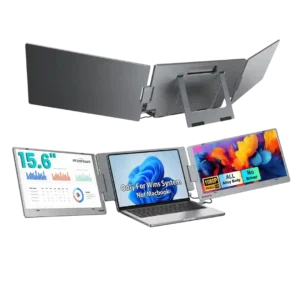
Overall: 4.2/5
Eye comfort receives limited but very positive feedback. One reviewer specifically describes the screen as easy on the eyes and clean for reading while traveling.
Pros: overall satisfaction, portability and weight
Cons: reliability over time
#8
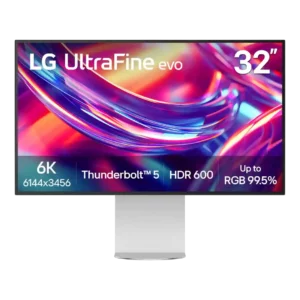
Overall: 3.9/5
One long-term reviewer found the high-density text comfortable and relaxing to read for hours, even on bright white documents. The sharp rendering appears to reduce strain in text-heavy work.
Pros: port selection, overall satisfaction
Cons: value for money, cable management
#9
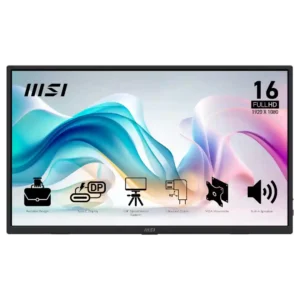
Overall: 4.1/5
The eye-comfort package is well regarded, with anti-flicker, low-blue-light, and matte treatment framed as useful for long work sessions.
Pros: value for money, portability and weight
Cons: built-in speakers, color gamut
#10

Overall: 4.2/5
The low-flicker display, anti-glare surface, and smooth motion earn praise for lengthy work sessions, although comfort remains personal.
Pros: port selection, overall satisfaction
Cons: value for money, competitive gaming suitability
#11

Overall: 3.8/5
The flicker-free backlight, warm mode and ComfortView features support long sessions, with several users reporting comfortable extended viewing.
Pros: value for money, Resolution
Cons: port selection, HDR performance
#12

Overall: 3.5/5
One owner appreciates the clear text and reports low strain, though excessive HDR brightness bothers another.
Pros: HDR performance, overall satisfaction
Cons: local dimming performance, Blooming control
#13

Overall: 4.2/5
The matte surface, height adjustment and warmer viewing presets support comfortable extended sessions, especially when avoiding harsh reflections.
Pros: value for money, Resolution
Cons: port selection, competitive gaming suitability
#14

Overall: 4.2/5
A low minimum brightness and very high-frequency backlight modulation support more comfortable viewing at night, despite separate VRR flicker concerns.
Pros: brightness, HDR performance
Cons: speaker quality, built-in speakers
#15
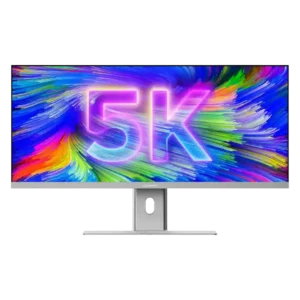
Overall: 4.3/5
The matte finish, smoother 100Hz motion, and sensible scaling options make long work sessions easier on the eyes. Choosing a readable scaled resolution is important because native 5120×2160 can make...
Pros: productivity versatility, aspect ratio
Cons: built-in speakers, competitive gaming suitability
#16

Overall: 3.7/5
Most descriptions are positive about readability and blue-light-reduction features, but one owner reported discomfort and possible flicker.
Pros: value for money, Resolution
Cons: stand adjustability, viewing angles
#17

Overall: 4.3/5
Eye-comfort options include glare reduction and settings aimed at reducing fatigue, plus a color-vision accessibility mode. The matte surface is especially helpful when bright reflections would otherwise be distracting.
Pros: overall satisfaction, competitive gaming suitability
Cons: value for money, screen size
#18

Overall: 4.1/5
Adjustable blue-light filtering helps warm the picture for more comfortable extended viewing.
Pros: Pixel density, Resolution
Cons: GPU demands, HDR performance
#19

Overall: 4.0/5
A warm preset reduces harsh blue tones and was described as easier on the eyes.
Pros: overall satisfaction, refresh rate
Cons: HDR performance, HDMI 2.1 support
#20

Overall: 3.6/5
The coating, improved text presentation, and stable white appearance make longer reading and office sessions less tiring than on some earlier OLED designs.
Pros: reflection handling, HDR performance
Cons: screen uniformity, Screen coating clarity
#21

Overall: 4.2/5
Eye-saver and flicker-reduction settings are welcome options for longer sessions. They complement the glare-reducing finish.
Pros: reflection handling, color gamut
Cons: value for money, brightness
#22

Overall: 4.0/5
Brightness controls, low-blue-light alternatives and flash dimming can make long or dark-room sessions easier on the eyes, though flicker-sensitive users may still notice OLED behavior.
Pros: brightness, contrast
Cons: Text fringing, speaker quality
#23

Overall: 3.7/5
Flicker-free backlighting is a useful advantage for sensitive viewers, though minimum screen brightness can be uncomfortable in a dark room.
Pros: overall satisfaction, PC gaming compatibility
Cons: color accuracy, local dimming performance
#24

Overall: 4.4/5
Blue-light filtering and generally flicker-free operation help comfort, although some filters cannot be combined with Uniform Brightness mode.
Pros: sharpness, overall satisfaction
Cons: value for money, VRR flicker
#25

Overall: 4.0/5
The blue-light filter is helpful after hours, but HDR brightness may need reducing for comfortable extended viewing.
Pros: Dual-mode versatility, refresh rate
Cons: black levels, contrast
#26

Overall: 4.1/5
Anti-flicker controls may help with VRR flicker, but availability appears firmware-dependent. A small minority may still notice eye strain from OLED refresh pulsing.
Pros: motion clarity, PC gaming compatibility
Cons: color accuracy, software support
#27

Overall: 4.1/5
Reader mode and warmer color settings may help, but one owner experienced substantial eye strain before adapting over months.
Pros: overall satisfaction, value for money
Cons: reflection handling, screen uniformity
#28

Overall: 4.2/5
Eye-care and e-book modes are available, but their appeal is limited by the lack of a meaningful dedicated low-blue-light preset in other testing.
Pros: HDR performance, overall satisfaction
Cons: HDR highlight detail, color accuracy
#29

Overall: 4.3/5
A low-blue-light menu is provided, but those modes cannot be used alongside every brightness setting.
Pros: black levels, motion clarity
Cons: value for money, Dual-mode versatility
#30

Overall: 4.3/5
Eye comfort was a caveat because one reviewer warned PWM-sensitive users could still experience fatigue or headaches.
Pros: value for money, sharpness
Cons: brightness, USB hub functionality
#31

Overall: 4.2/5
Uniform Brightness reduces distracting fluctuations; the blue-light options are more restrictive and their strongest setting distorts colors.
Pros: overall satisfaction, black levels
Cons: reflection handling, Color brightness
#32

Overall: 4.4/5
Blue-light-filter modes exist, but they cannot be used alongside Uniform Brightness, reducing their practical usefulness for some office routines.
Pros: overall satisfaction, response time
Cons: reflection handling, VRR flicker
