#1

Overall: 4.4/5
A large, legible presentation, flicker-free operation, and low-blue-light choices make long work sessions feel easier on the eyes. Comfort is especially praised for writing in dim rooms.
Pros: color accuracy, stand adjustability
Cons: built-in speakers, Desk footprint
#2

Overall: 4.4/5
Low-blue-light and flicker-conscious features, plus smooth scrolling, are appreciated for long desk sessions; individual comfort still depends on settings.
Pros: overall picture quality, color accuracy
Cons: value for money, built-in speakers
#3

Overall: 4.1/5
The matte finish, flicker-free output and low-blue-light options can reduce glare-related discomfort during long sessions.
Pros: color accuracy, overall picture quality
Cons: HDR performance, refresh rate
#4

Overall: 4.0/5
Eye comfort is a recurring strength, with praise for ComfortView Plus, the matte finish, and comfortable long-session use. Several owners specifically report less strain or squinting than with their previous...
Pros: overall satisfaction, productivity versatility
Cons: value for money, reliability over time
#5

Overall: 3.6/5
One long-term user reports comfortable extended sessions without notable eye strain.
Pros: stand adjustability, competitive gaming suitability
Cons: value for money, port selection
#6
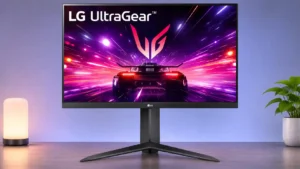
Overall: 3.3/5
Reader Mode and flicker-reduction options add comfort-oriented choices for long gaming and study sessions.
Pros: adaptive sync performance, response time
Cons: HDR performance, console gaming compatibility
#7

Overall: 4.0/5
Low-blue-light options and generally unobtrusive flicker behavior help make viewing comfortable, though some warming modes can look overly yellow or green.
Pros: value for money, overall satisfaction
Cons: HDR performance, HDMI 2.1 support
#8

Overall: 4.4/5
Flicker-free and low-blue-light options offer flexibility, while OLED anti-flicker settings can help some situations at the expense of VRR behavior.
Pros: color gamut, overall satisfaction
Cons: reflection handling, VRR flicker
#9

Overall: 3.7/5
Flicker-free and Eye Saver options help long sessions, while the wide curve can keep distant content within a more comfortable viewing arc.
Pros: value for money, black levels
Cons: refresh rate, portability and weight
#10

Overall: 4.0/5
Low-blue-light treatment and adjustable brightness help some users, but others report tired eyes or discomfort during extended use.
Pros: refresh rate, competitive gaming suitability
Cons: value for money, brightness
#11

Overall: 3.6/5
Some users report comfortable extended sessions and little visible flicker, while the low-blue-light and on-screen comfort controls are relatively sparse.
Pros: overall satisfaction, brightness
Cons: Dolby Vision support, VRR flicker
#12

Overall: 4.2/5
Some find the screen comfortable in dim conditions, but flicker sensitivity and one account of pronounced eye strain make comfort highly individual.
Pros: competitive gaming suitability, color gamut
Cons: brightness, HDMI 2.1 support
#13

Overall: 4.0/5
The immersive display can cause fatigue during very long sessions or when viewed too closely on a shallow desk.
Pros: overall satisfaction, DisplayPort connectivity
Cons: value for money, reliability over time
