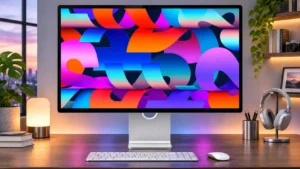
Overall: 3.7/5
The comfortable appearance during long workdays is a welcome benefit, especially with room-aware white balance.
Pros: Monitor daisy-chaining, overall picture quality
Cons: value for money, refresh rate

Overall: 3.7/5
The comfortable appearance during long workdays is a welcome benefit, especially with room-aware white balance.
Pros: Monitor daisy-chaining, overall picture quality
Cons: value for money, refresh rate

Overall: 3.8/5
Low-blue-light technology is appreciated as an eye-comfort touch for longer gaming sessions.
Pros: value for money, panel type
Cons: brightness, port selection

Overall: 4.3/5
Low-blue-light and flicker-free options are welcome for reducing strain during long sessions.
Pros: color gamut, overall picture quality
Cons: brightness, HDR performance

Overall: 4.4/5
The monochrome and flicker-control options can reduce visual strain for users who prefer gentler presentation.
Pros: refresh rate, Text fringing
Cons: Resolution, GPU demands

Overall: 4.3/5
Hardware low-blue-light filtering, flicker-free operation, and ambient sensing make long work sessions unusually comfortable without the yellow cast of software filters. Extended use caused little or no added eye strain.
Pros: productivity versatility, overall satisfaction
Cons: value for money, response time

Overall: 4.4/5
Eye comfort is a standout strength, combining low-blue-light modes, automatic brightness, Paper Color, reminders, and MoonHalo bias lighting. Long-session users repeatedly found the screen comfortable, especially in dim rooms.
Pros: productivity versatility, aspect ratio
Cons: value for money, competitive gaming suitability

Overall: 4.4/5
Eye-care modes and adaptive settings are welcomed for lengthy sessions, with some reviewers reporting comfortable extended viewing.
Pros: port selection, color accuracy
Cons: built-in speakers, speaker quality

Overall: 4.4/5
Clearer text reduces reading fatigue for some owners, but the menu lacks a dedicated low-blue-light mode and flicker-sensitive users should take care.
Pros: brightness, value for money
Cons: port selection, built-in speakers

Overall: 4.0/5
Reading profiles and subdued bias lighting are welcome conveniences for long desk sessions, though they do not substitute for personal brightness adjustment.
Pros: Resolution, Dual-mode versatility
Cons: value for money, GPU demands

Overall: 4.2/5
True Tone, Night Shift, and reduced-reflection glass can help in some rooms, but preferences vary and flicker sensitivity remains a caveat.
Pros: refresh rate, HDR performance
Cons: value for money, Device compatibility

Overall: 3.9/5
Low-frequency strobing and the warmest blue-light filter can affect comfort or image fidelity. One owner, however, found normal Pulsar gaming fatigue-free.
Pros: motion clarity, Backlight strobing
Cons: contrast, HDR performance

Overall: 4.1/5
A warmer Reader mode and hardware low-blue-light provisions make lengthy text sessions more comfortable.
Pros: Resolution, overall satisfaction
Cons: value for money, Image scaling

Overall: 4.3/5
Uniform Brightness can reduce abrupt shifts in desktop luminance, which helps during extended sessions of static work.
Pros: black levels, sharpness
Cons: value for money, brightness

Overall: 4.1/5
The blue-light-reduction setting is useful for late-night reading, but its warmer output is not ideal for accurate colors or HDR games.
Pros: PC gaming compatibility, reflection handling
Cons: color accuracy, VRR flicker

Overall: 4.4/5
A low-blue-light mode and uniform-luminance control can make long text sessions more comfortable. At maximum output, large white windows may still feel harsh on the eyes.
Pros: brightness, reflection handling
Cons: cable management
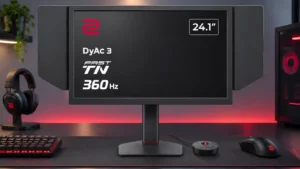
Overall: 3.8/5
Comfort varies strikingly: one long-session user reported more strain with DyAc active, while another found this TN screen much easier to watch than OLED. Sensitivity to strobing is individual.
Pros: competitive gaming suitability, motion clarity
Cons: contrast, overall picture quality

Overall: 4.5/5
Blue-light modes are available, but certain settings conflict with Uniform Brightness and the strongest filter restricts brightness.
Pros: color gamut, contrast
Cons: value for money, Resolution

Overall: 3.5/5
Low-blue-light modes are available, but locked brightness and other restrictions make them frustrating compared with manual color-temperature adjustment.
Pros: Resolution, sharpness
Cons: value for money, HDR performance

Overall: 4.2/5
One owner experienced persistent eye strain and headaches despite using blue-light filtering, so the controls could not solve their discomfort.
Pros: overall satisfaction, black levels
Cons: value for money, stand adjustability