
Among its clearest strengths are fast response, very low lag, 360Hz refresh, and crisp Pulsar motion. It is especially rewarding for fast competitive play on NVIDIA PCs.
Pros: motion clarity, Backlight strobing
Cons: contrast, HDR performance

Among its clearest strengths are fast response, very low lag, 360Hz refresh, and crisp Pulsar motion. It is especially rewarding for fast competitive play on NVIDIA PCs.
Pros: motion clarity, Backlight strobing
Cons: contrast, HDR performance

Instantaneous-feeling response, negligible input lag and 360Hz updates make this a standout for shooters and esports, assuming the PC can deliver high frame rates.
Pros: color gamut, contrast
Cons: value for money, Resolution

Fast response, 240Hz motion and low lag suit competitive play particularly well without paying for an extreme esports display.
Pros: value for money, panel type
Cons: brightness, port selection

Sharp 240Hz motion, near-instant response and low lag make it a strong option for fast competitive games. VRR flicker controls can introduce unwanted latency.
Pros: PC gaming compatibility, reflection handling
Cons: color accuracy, VRR flicker

This is where the monitor excels: 360Hz, precise motion and competitive visibility controls make fast shooters feel remarkably controlled. Its advantages are most meaningful to committed esports players.
Pros: competitive gaming suitability, motion clarity
Cons: contrast, overall picture quality
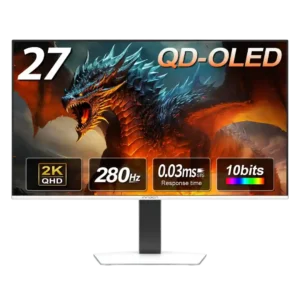
The combination of 280Hz refresh, near-instant response, and clean motion makes this a highly capable competitive gaming monitor.
Pros: color gamut, overall picture quality
Cons: brightness, HDR performance

Serious esports players get exceptionally clear motion and responsive control, especially in lightweight shooters that can run at hundreds of frames per second.
Pros: competitive gaming suitability, refresh rate
Cons: Dual-mode versatility, GPU demands

Switching from sharp 4K 240Hz to extremely responsive 1080p 480Hz gives fast-paced competitive games a meaningful speed and motion advantage.
Pros: black levels, sharpness
Cons: value for money, brightness

Quick OLED response, 240Hz refresh, and compact 27-inch framing suit competitive shooters and esports exceptionally well.
Pros: black levels, overall picture quality
Cons: brightness, Gaming feature selection

The 480Hz Full HD mode and fast pixel response suit fast multiplayer shooters, provided you can accept a visibly softer image at 32 inches.
Pros: brightness, color gamut
Cons: AI scene optimization, value for money

Exceptionally fluid motion suits demanding multiplayer play when the PC can reach high frame rates. The performance benefit is conditional on available GPU output.
Pros: refresh rate, color accuracy
Cons: console gaming compatibility, DisplayPort connectivity

330Hz and esports modes are genuinely useful for fast shooters, with responsive OLED motion. Serious competitors may prefer a smaller, natively faster display rather than this softer low-resolution mode.
Pros: overall satisfaction, Text fringing
Cons: brightness, Edge dimming behavior

The 1440p/330Hz mode and low latency work well for shooters and racing. OLED competitors retain an edge in response speed, and overdrive tuning is less consistent across refresh rates.
Pros: Resolution, Dual-mode versatility
Cons: value for money, GPU demands

The 3K/330Hz mode gives high-frame-rate competitors a viable option, though slower IPS transitions and low-frame-rate ghosting keep it from leading dedicated esports displays.
Pros: Resolution, sharpness
Cons: value for money, HDR performance

The 330Hz Full HD option provides speed and low blur for competitive play, but its soft-looking 1080p image on a 32-inch screen is a significant tradeoff.
Pros: overall satisfaction, contrast
Cons: value for money, port selection

The 240Hz refresh rate, fast response, and low native lag make competitive games look and feel excellent. Dedicated esports players may still prefer a smaller 27-inch, lower-resolution monitor with a...
Pros: brightness, reflection handling
Cons: cable management

360Hz OLED speed delivers excellent responsiveness, but a 34-inch 21:9 format is not always the preferred tournament or esports setup.
Pros: refresh rate, Text fringing
Cons: Resolution, GPU demands

Fast response and a simulated smaller-screen esports option are real strengths. Players who prioritize 16:9 layouts or refresh rates above 280Hz may prefer a dedicated esports monitor.
Pros: brightness, value for money
Cons: port selection, built-in speakers

Very low lag and optional 330Hz speed help fast shooters, but the lower-resolution picture and large form factor make it conditional for esports.
Pros: Resolution, overall satisfaction
Cons: value for money, Image scaling

Instant response and low lag make the monitor fast enough for serious play, with simulated smaller-screen modes available. Some competitive players prefer 27-inch models with 360Hz or higher refresh rates...
Pros: overall satisfaction, black levels
Cons: value for money, stand adjustability
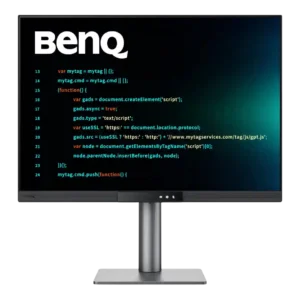
The 120Hz panel is fine for casual gaming but too slow for serious competitive play. A 5ms response, residual blur, and unconventional aspect ratio put esports players at a disadvantage.
Pros: productivity versatility, aspect ratio
Cons: value for money, competitive gaming suitability

Competitive gamers should look elsewhere because response time, ghosting, 120Hz ceiling, and missing gaming features trail dedicated OLED and high-refresh models. The monitor is designed for work first and occasional...
Pros: productivity versatility, overall satisfaction
Cons: value for money, response time

The 120Hz output and vibrant HDR help, but sluggish pixel response and motion blur make it a poor value for serious fast-paced competition.
Pros: refresh rate, HDR performance
Cons: value for money, Device compatibility

The relatively low refresh rate and slow response make the MA270S unsuitable for serious competitive play.
Pros: port selection, color accuracy
Cons: built-in speakers, speaker quality

Competitive players are better served by cheaper gaming monitors with much faster refresh rates.
Pros: Monitor daisy-chaining, overall picture quality
Cons: value for money, refresh rate