
Fine text, distant game geometry, and high-resolution photographs look exceptionally clean at 6K; switching to 3K sacrifices some of that crispness.
Pros: Resolution, sharpness
Cons: value for money, HDR performance

Fine text, distant game geometry, and high-resolution photographs look exceptionally clean at 6K; switching to 3K sacrifices some of that crispness.
Pros: Resolution, sharpness
Cons: value for money, HDR performance

Fine Mac-scaled text and 5K images look exceptionally crisp; the matte finish can reduce apparent edge definition slightly.
Pros: refresh rate, HDR performance
Cons: value for money, Device compatibility

The standard RGB-stripe layout and 4K resolution yield razor-sharp images and unusually clean fonts for a glossy gaming OLED.
Pros: black levels, sharpness
Cons: value for money, brightness

Fine detail in games and desktop apps is one of its signature strengths, particularly compared with 3440×1440 ultrawides.
Pros: Resolution, overall satisfaction
Cons: value for money, Image scaling

Fine text, images and editing details look exceptionally crisp thanks to the dense 5K panel.
Pros: Monitor daisy-chaining, overall picture quality
Cons: value for money, refresh rate

4K detail keeps textures, edges, and distant game objects crisp across the 32-inch screen.
Pros: PC gaming compatibility, reflection handling
Cons: color accuracy, VRR flicker

Text and fine image details look unusually crisp, with the glossy surface reinforcing their clarity. One filmmaker noticed artificial-looking sharpening in movies.
Pros: port selection, color accuracy
Cons: built-in speakers, speaker quality

RGB-stripe subpixels remove the characteristic fuzzy text edges of older QD-OLEDs, giving unexpectedly crisp 1440p-class results.
Pros: color gamut, contrast
Cons: value for money, Resolution
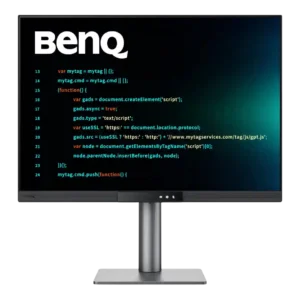
Sharpness is one of the monitor’s biggest strengths. Small fonts, code, documents, and fine image details look crisp and print-like despite the matte coating.
Pros: productivity versatility, aspect ratio
Cons: value for money, competitive gaming suitability

QHD makes text and small opponents crisp, especially compared with a conventional 24-inch 1080p gaming monitor. In some side-by-side tests, the density advantage is subtle.
Pros: competitive gaming suitability, motion clarity
Cons: contrast, overall picture quality

The revised subpixel layout makes edges and text cleaner than previous QD-OLEDs, although the underlying 1440p pixel density still limits fine detail.
Pros: refresh rate, Text fringing
Cons: Resolution, GPU demands

Tiny text, high-resolution photos and game details look especially crisp at native 5K. QHD dual mode is softer and is best reserved for gaming rather than desktop work.
Pros: Resolution, Dual-mode versatility
Cons: value for money, GPU demands

Text, UI elements, photos, and timelines look crisp at normal working distance, including at 100% scaling. Users coming from Retina-class or smaller 5K screens can still see the lower pixel...
Pros: productivity versatility, overall satisfaction
Cons: value for money, response time

Fine visual details and lettering remain crisp at native 5K2K, helped by the clear glossy surface. The lower-resolution 330Hz mode gives up a noticeable amount of that definition.
Pros: overall satisfaction, Text fringing
Cons: brightness, Edge dimming behavior

4K pixel density and the glossy coating produce crisp text and fine detail. The triangular subpixel layout can create faint fringing at very close range, but most reviewers found it...
Pros: brightness, reflection handling
Cons: cable management

RGB-stripe pixels improve the clarity of text and fine UI elements, although 110 PPI remains softer than a 4K alternative and one test recommends reducing default edge enhancement.
Pros: brightness, value for money
Cons: port selection, built-in speakers

Native 4K is detailed and the glossy coating adds clarity, but 1080p dual mode makes the large screen look disappointingly soft.
Pros: overall satisfaction, contrast
Cons: value for money, port selection

The updated panel is advertised as bringing clearer images, and preview coverage views that clarity gain favorably; this is not a separately measured sharpness result.
Pros: refresh rate, color accuracy
Cons: console gaming compatibility, DisplayPort connectivity

The 4K image generally looks very crisp, and many reviewers find text sharp enough for work. A few owners report unusually soft text, fringing, and discomfort that settings did not...
Pros: overall satisfaction, black levels
Cons: value for money, stand adjustability
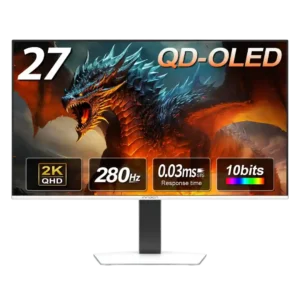
Game imagery looks crisp, but text clarity is less consistent. Some reviewers found everyday text comfortable, while another saw unusually noticeable fringing and pixelation.
Pros: color gamut, overall picture quality
Cons: brightness, HDR performance

QHD on an RGB-stripe IPS panel keeps game detail and text crisp; matte diffusion is a small compromise against glossy alternatives.
Pros: motion clarity, Backlight strobing
Cons: contrast, HDR performance

Native 1440p delivers crisp graphics, but the optional 720p mode produces conspicuous softness.
Pros: competitive gaming suitability, refresh rate
Cons: Dual-mode versatility, GPU demands

Games and movies generally look crisp at 1440p, while small text and fine details reveal the limitations versus 4K.
Pros: black levels, overall picture quality
Cons: brightness, Gaming feature selection

Game imagery can look crisp, but comparatively soft text and the older subpixel layout limit precision for desktop work.
Pros: value for money, panel type
Cons: brightness, port selection