
Near-instant OLED pixel changes keep movement precise at both high and lower refresh rates.
Pros: overall satisfaction, response time
Cons: reflection handling, VRR flicker

Near-instant OLED pixel changes keep movement precise at both high and lower refresh rates.
Pros: overall satisfaction, response time
Cons: reflection handling, VRR flicker

Near-instant OLED pixel transitions provide clean, responsive motion across refresh rates with little overshoot.
Pros: black levels, motion clarity
Cons: value for money, Dual-mode versatility

Near-instant OLED transitions keep action crisp from high refresh rates down to slower gameplay. Response performance is a clear strength.
Pros: sharpness, overall satisfaction
Cons: value for money, VRR flicker

Response time was described as essentially instant, with reviewers tying it to sharp motion and excellent gaming feel.
Pros: value for money, sharpness
Cons: brightness, USB hub functionality

Near-instant OLED response produces crisp pixel transitions that help fast action look controlled.
Pros: overall satisfaction, value for money
Cons: reflection handling, screen uniformity
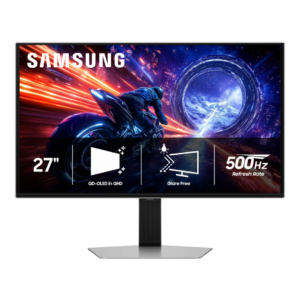
Pixel response is a unanimous strength, with OLED transitions described as exceptionally fast and effectively free of the sluggishness seen on LCDs.
Pros: overall satisfaction, competitive gaming suitability
Cons: value for money, screen size

Near-instant OLED pixel transitions keep action responsive and reduce traditional LCD-style smearing.
Pros: overall picture quality, overall satisfaction
Cons: port selection, brightness

Near-instantaneous OLED pixel changes are consistently praised for clear, immediate gameplay.
Pros: reflection handling, HDR performance
Cons: screen uniformity, Screen coating clarity
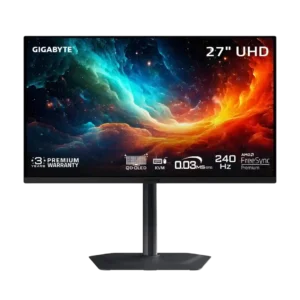
Pixel response is essentially instantaneous, with no meaningful slowdown at lower refresh rates. Fast motion stays clean and responsive.
Pros: motion clarity, PC gaming compatibility
Cons: color accuracy, software support

Near-instant OLED response times give the screen precise moving detail and excellent high-speed gaming behavior.
Pros: brightness, contrast
Cons: Text fringing, speaker quality

Response is good for an IPS gaming display and competes well with similarly priced monitors. Tuning matters because the most aggressive overdrive setting overshoots.
Pros: overall satisfaction, PC gaming compatibility
Cons: color accuracy, local dimming performance

Fast pixel response gives competitive games pleasing clarity, with overdrive settings still requiring sensible tuning.
Pros: overall satisfaction, refresh rate
Cons: HDR performance, HDMI 2.1 support

Most descriptions consider the pixels quick enough for responsive play, though actual clarity depends on settings and can suffer from overshoot as frame rates fall.
Pros: refresh rate, value for money
Cons: HDR performance, contrast

Rated response speed and fast-feeling scrolling impress some users, but the panel still shows motion blur in more demanding tests.
Pros: USB hub functionality, USB-C power delivery
Cons: speaker quality

Transitions are sufficiently quick for responsive play, although testing still notes some blur and overshoot.
Pros: HDR performance, overall satisfaction
Cons: local dimming performance, Blooming control

This fast VA panel approaches IPS-like response behavior and handles moving games well, though it does not quite match the best OLEDs.
Pros: brightness, HDR performance
Cons: speaker quality, built-in speakers

Pixel transitions are fast by IPS standards, although the fastest OLED panels retain an advantage and overdrive settings affect the result.
Pros: Pixel density, Resolution
Cons: GPU demands, HDR performance

The response is quick enough for general gaming, but the fastest setting is not always the cleanest and some moving objects blur.
Pros: value for money, overall satisfaction
Cons: HDR performance, Headphone output quality

Good 160Hz pixel response keeps blur reasonably low, but transitions cannot fully keep pace with 320Hz and overshoot rises in aggressive modes.
Pros: HDR performance, overall satisfaction
Cons: HDR highlight detail, color accuracy
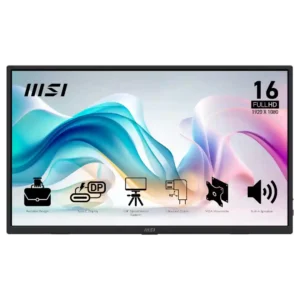
The quoted 4ms response time is considered sufficient for casual gaming and video, not for serious competitive play.
Pros: value for money, portability and weight
Cons: built-in speakers, color gamut

Most gaming feels responsive, but dark pixel transitions are too slow to deliver consistently clean 180Hz motion.
Pros: ultrawide gaming experience, black levels
Cons: HDR performance, viewing angles

Pixel transitions are adequate for everyday work and some games, but faster action exposes the panel's slower response and occasional trailing.
Pros: value for money, Resolution
Cons: port selection, competitive gaming suitability

Pixel transitions are generally quick but not class-leading, with blur and overshoot dependent on refresh and overdrive.
Pros: Dual-mode versatility, refresh rate
Cons: black levels, contrast

Most transitions are reasonably quick, yet dark transitions and imperfect 300Hz compliance lag behind the best fast IPS displays.
Pros: HDR performance, black levels
Cons: viewing angles, response time
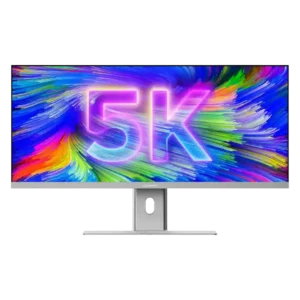
The measured 14ms gray-to-gray response is acceptable for office work and content creation but clearly too slow for demanding gaming.
Pros: productivity versatility, aspect ratio
Cons: built-in speakers, competitive gaming suitability
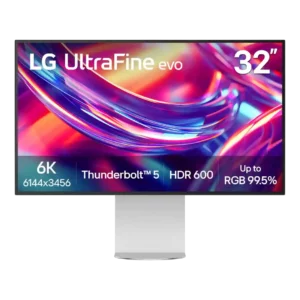
The quoted 5ms response is viewed as slow by current high-end monitor standards. It reinforces the sense that this is a productivity display rather than a motion-focused one.
Pros: port selection, overall satisfaction
Cons: value for money, cable management

Measured pixel transitions are middling or slow for 120Hz and give moving objects more blur than faster gaming monitors.
Pros: value for money, Resolution
Cons: port selection, HDR performance

Pixel response is acceptable for productivity, with visible blur or less-than-ideal speed in fast motion.
Pros: brightness, portability and weight
Cons: value for money, port selection

Its stated 5ms response is serviceable for a professional monitor but unremarkable next to modern gaming and OLED alternatives.
Pros: value for money, Resolution
Cons: HDR performance, refresh rate

Pixel changes are relatively slow at normal settings; trying a faster setting helps only partly and introduces overshoot. That undermines its apparent 120Hz gaming potential.
Pros: port selection, USB hub functionality
Cons: competitive gaming suitability, motion clarity