
OLED response times remain exceptionally quick, yielding crisp moving objects with little of the smearing seen on slower LCDs.
Pros: value for money, panel type
Cons: brightness, port selection

OLED response times remain exceptionally quick, yielding crisp moving objects with little of the smearing seen on slower LCDs.
Pros: value for money, panel type
Cons: brightness, port selection

OLED pixels change almost instantly, producing precise movement and clean transitions with little blur across multiple refresh rates.
Pros: overall satisfaction, black levels
Cons: value for money, stand adjustability

Near-instant OLED pixel transitions keep fast action clear and make the monitor feel exceptionally responsive.
Pros: brightness, value for money
Cons: port selection, built-in speakers

Near-instant OLED transitions keep motion crisp and reduce smearing without distracting overshoot.
Pros: color gamut, contrast
Cons: value for money, Resolution

Near-instant OLED pixel transitions produce exceptionally clean action, even where lower frame-rate console output limits the refresh rate.
Pros: PC gaming compatibility, reflection handling
Cons: color accuracy, VRR flicker

Pixel transitions are extremely quick, so fast movement stays clean without traditional LCD smearing. This is among the monitor’s most consistent gaming strengths.
Pros: overall satisfaction, Text fringing
Cons: brightness, Edge dimming behavior
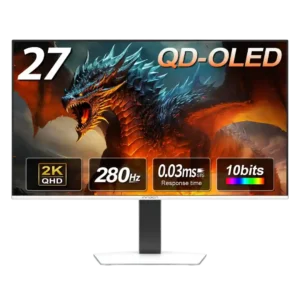
Response performance is consistently excellent, with measured results near the top of the OLED monitors one reviewer had tested.
Pros: color gamut, overall picture quality
Cons: brightness, HDR performance

Near-instant pixel response virtually removes smearing, making the display especially responsive in action-heavy play.
Pros: black levels, overall picture quality
Cons: brightness, Gaming feature selection

Extremely fast pixel transitions keep moving objects clear with little conventional ghosting or smearing.
Pros: Resolution, overall satisfaction
Cons: value for money, Image scaling

Near-instant 0.03ms-class pixel response keeps action clean and smooth without conventional trailing. Reviewers consistently rank the speed among the monitor’s strongest gaming qualities.
Pros: brightness, reflection handling
Cons: cable management

Near-instant OLED pixel transitions keep fast motion clear and avoid the smearing associated with slower panels.
Pros: competitive gaming suitability, refresh rate
Cons: Dual-mode versatility, GPU demands

Very fast OLED pixel transitions support crisp moving images and a responsive feel in demanding games.
Pros: black levels, sharpness
Cons: value for money, brightness

Near-instant OLED response keeps fast-moving content exceptionally clear and responsive.
Pros: overall satisfaction, contrast
Cons: value for money, port selection

Pixel response is exceptionally quick, helping the display remain crisp during high-speed gaming without obvious overshoot.
Pros: brightness, color gamut
Cons: AI scene optimization, value for money

Rapid OLED pixel response keeps action clear even at variable refresh rates; both tests and preview commentary emphasize speed.
Pros: refresh rate, color accuracy
Cons: console gaming compatibility, DisplayPort connectivity

Near-instant OLED pixel transitions help keep moving objects crisp, even during frantic action, with minimal smearing.
Pros: refresh rate, Text fringing
Cons: Resolution, GPU demands

Pixel transitions are exceptionally fast for an LCD, supporting clean, immediate motion. OLED remains quicker in strict pixel-response terms.
Pros: competitive gaming suitability, motion clarity
Cons: contrast, overall picture quality

Pixel transitions are sound for a modern IPS panel, especially with suitable overdrive. They remain slower than OLEDs and do not fully keep pace with the 330Hz ceiling.
Pros: Resolution, Dual-mode versatility
Cons: value for money, GPU demands

Pixel transitions are very fast for IPS and contribute to remarkably clear motion, even though OLED retains an inherent response-time advantage.
Pros: motion clarity, Backlight strobing
Cons: contrast, HDR performance

Pixel transitions are adequate for gaming but not fast enough for perfect 330Hz compliance; careful settings and high frame rates help avoid artifacts.
Pros: Resolution, sharpness
Cons: value for money, HDR performance
The 5ms response is acceptable for casual play but visibly slower than dedicated gaming displays. Fast motion can blur, so serious competitive players will notice the limitation.
Pros: productivity versatility, aspect ratio
Cons: value for money, competitive gaming suitability

The 5–8ms response time is adequate for work and casual games but visibly slower than OLED and fast gaming panels. Switching from a 0.03ms display makes the extra blur immediately...
Pros: productivity versatility, overall satisfaction
Cons: value for money, response time

Pixel transitions are relatively slow for the price, leaving more visible blur than faster gaming-oriented OLED models.
Pros: refresh rate, HDR performance
Cons: value for money, Device compatibility

Slow pixel transitions are a drawback for fast-moving material, particularly when compared with dedicated gaming monitors.
Pros: port selection, color accuracy
Cons: built-in speakers, speaker quality

Slow pixel response causes noticeable motion blur, falling short of expectations for a premium current-generation monitor.
Pros: Monitor daisy-chaining, overall picture quality
Cons: value for money, refresh rate