
The joystick-driven menu is generally straightforward and feature-rich, with useful profile and brightness adjustments.
Pros: refresh rate, Text fringing
Cons: Resolution, GPU demands

The joystick-driven menu is generally straightforward and feature-rich, with useful profile and brightness adjustments.
Pros: refresh rate, Text fringing
Cons: Resolution, GPU demands

The joystick menus are quick and intuitive, with programmable shortcuts for commonly used gaming and picture settings.
Pros: black levels, sharpness
Cons: value for money, brightness

The supplied S Switch allows quick menu navigation without reaching behind the display, making display control especially convenient.
Pros: competitive gaming suitability, motion clarity
Cons: contrast, overall picture quality

The central joystick makes the on-screen menu quick and intuitive to navigate. MSI’s menus are praised for useful controls and easy access to the most important settings.
Pros: brightness, reflection handling
Cons: cable management

A compact joystick and straightforward menus make settings easy to find and change.
Pros: competitive gaming suitability, refresh rate
Cons: Dual-mode versatility, GPU demands

The joystick is responsive and the menu generally easy to navigate, although its numerous layers and sometimes jagged text draw occasional complaints.
Pros: brightness, value for money
Cons: port selection, built-in speakers

The refreshed on-screen interface is fast, logically arranged and provides handy shortcuts. One tester found the physical joystick small or awkwardly placed.
Pros: Resolution, Dual-mode versatility
Cons: value for money, GPU demands

Most testers like the fast joystick menus and customizable shortcuts, with desktop software as another option. One found important VRR and HDR controls hard to locate.
Pros: overall satisfaction, black levels
Cons: value for money, stand adjustability
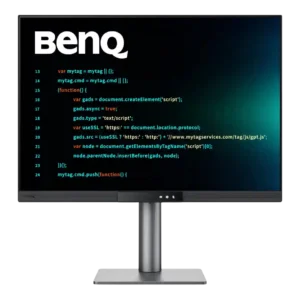
The OSD is clear and feature-rich, with large text, a joystick, and a quick-access Function Bar. Some prefer physical controls, but rapid mode switching is widely praised.
Pros: productivity versatility, aspect ratio
Cons: value for money, competitive gaming suitability

Clear menu organization and a responsive joystick earn praise; DisplayWidget is often quicker for complex settings.
Pros: color gamut, contrast
Cons: value for money, Resolution

A responsive joystick and customizable shortcuts make the on-screen settings quick to navigate, despite the large number of controls.
Pros: motion clarity, Backlight strobing
Cons: contrast, HDR performance

Physical controls and menus are easy to navigate, so brightness and input changes require little effort.
Pros: black levels, overall picture quality
Cons: brightness, Gaming feature selection

Bottom-mounted controls and a revised graphical menu are welcomed as more convenient ways to navigate the monitor’s numerous functions.
Pros: refresh rate, color accuracy
Cons: console gaming compatibility, DisplayPort connectivity

A conventional joystick menu makes key settings accessible and avoids Samsung’s older smart-TV interface. The compact layout and abundance of picture settings still take learning.
Pros: PC gaming compatibility, reflection handling
Cons: color accuracy, VRR flicker

Dell's joystick-driven OSD is fast, intuitive, and packed with useful controls, shortcuts, diagnostics, and partition options. Minor complaints include physical reach around the giant panel, loud clicks, and a fixed...
Pros: productivity versatility, overall satisfaction
Cons: value for money, response time
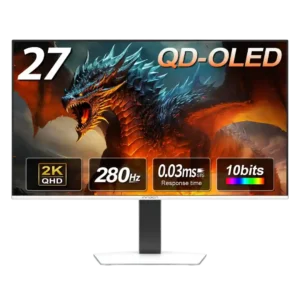
The joystick makes navigation much easier than traditional monitor buttons, and most found the menu intuitive. Its dated appearance and occasionally tedious structure keep it from being perfect.
Pros: color gamut, overall picture quality
Cons: brightness, HDR performance

The physical joystick makes most monitor settings and inputs easy to reach. Multiple menus and mode-switching steps are less elegant than modern smart-display controls.
Pros: overall satisfaction, Text fringing
Cons: brightness, Edge dimming behavior

The on-screen controls are approachable and the LG software simplifies management, although some menu choices and the interface style divide opinion.
Pros: Resolution, overall satisfaction
Cons: value for money, Image scaling

The rear joystick is typically easy to navigate, although the menus are pared back and one reviewer found the power button too close.
Pros: value for money, panel type
Cons: brightness, port selection

The menu itself can be intuitive, yet the rear joystick attracts complaints about location, cheap feel, and awkward quick-switch behavior.
Pros: Resolution, sharpness
Cons: value for money, HDR performance

The minimal physical controls handle basic changes, but more advanced settings often require the companion software.
Pros: port selection, color accuracy
Cons: built-in speakers, speaker quality

The absence of physical controls keeps the design clean and suits Mac users, but is inconvenient when troubleshooting or using another platform.
Pros: Monitor daisy-chaining, overall picture quality
Cons: value for money, refresh rate

Mac software and keyboard controls feel seamless at one desk, but the missing physical OSD is frustrating when connecting or diagnosing other devices.
Pros: refresh rate, HDR performance
Cons: value for money, Device compatibility