#1

Overall: 4.4/5
The large 4K canvas, dark-scene detail, and controlled P3 colors make video editing comfortable and productive. HDR finishing is less compelling because highlight intensity is limited.
Pros: color accuracy, stand adjustability
Cons: built-in speakers, Desk footprint
#2

Overall: 4.4/5
Long timelines, a large preview, and many visible tools make editing especially comfortable, although rapid-motion evaluation and HDR work are less convincing.
Pros: overall picture quality, color accuracy
Cons: value for money, built-in speakers
#3

Overall: 4.2/5
The broad gamut and Creator sRGB option support occasional video work, although professional grading and long static timelines warrant caution.
Pros: competitive gaming suitability, color gamut
Cons: brightness, HDMI 2.1 support
#4

Overall: 4.0/5
The spacious 32-inch canvas and vibrant picture suit video work, though long-term static-content concerns remain.
Pros: overall satisfaction, DisplayPort connectivity
Cons: value for money, reliability over time
#5

Overall: 4.0/5
Vivid SDR color and strong black levels can make casual video editing more enjoyable than on a typical LCD.
Pros: value for money, overall satisfaction
Cons: HDR performance, HDMI 2.1 support
#6

Overall: 3.6/5
The expansive sharp screen and strong calibrated color make editing appealing for mixed-use creators, with long static timelines still carrying OLED wear considerations.
Pros: overall satisfaction, brightness
Cons: Dolby Vision support, VRR flicker
#7
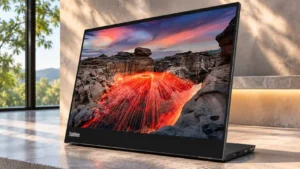
Overall: 3.9/5
The dense, accurate sRGB image helps with editing in Premiere Pro and similar software. It is useful for secondary panels and routine projects, not full HDR or wide-gamut grading.
Pros: overall picture quality, Stylus usability
Cons: port selection, refresh rate
#8

Overall: 4.1/5
The high-resolution workspace and dependable SDR colors help video-editing timelines, though 60Hz and HDR backlighting limit some advanced workflows.
Pros: color accuracy, overall picture quality
Cons: HDR performance, refresh rate
#9

Overall: 3.9/5
Detailed 4K footage and accurate sRGB color make the panel appealing for editing, although its HDR and black-level limitations rule out demanding grading work.
Pros: Resolution, refresh rate
Cons: HDR performance, contrast
#10

Overall: 3.7/5
A panoramic editing timeline and wide view help complex projects, while careful desk positioning matters over long sessions.
Pros: value for money, black levels
Cons: refresh rate, portability and weight
#11

Overall: 4.4/5
Vivid colors, broad gamut and smooth playback suit editing work, with calibration recommended when tonal accuracy is important.
Pros: color gamut, overall satisfaction
Cons: reflection handling, VRR flicker
#12

Overall: 4.0/5
Wide gamut and constant luminance are assets for video work, but greater 4K detail and more uniform dark shades would help demanding edits.
Pros: refresh rate, competitive gaming suitability
Cons: value for money, brightness
#13

Overall: 3.6/5
The display is usable for routine sRGB-focused edits and appeals to mixed-use creators, but is not a precision HDR grading tool.
Pros: stand adjustability, competitive gaming suitability
Cons: value for money, port selection
