
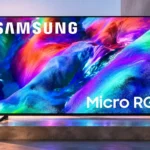
Samsung R85H Feature Scores
Explore all 103 feature scores for Samsung R85H, organized into pros and cons.
Scores by Feature
Summary
103 reviewed features-
Very positive 4.5-5.042 (41%)
-
Positive 3.5-4.435 (34%)
-
Neutral 2.5-3.417 (17%)
-
Negative 1.5-2.49 (9%)
Pros
Sort
-
Micro RGB's broad color range is the most consistently admired innovation, especially in vivid reds, greens and blues.
-
Highly saturated material has striking depth and punch, though lighter scenes can look washed out and not every show uses the full palette.
-
Broad VRR support across PC and console ecosystems makes tearing less apparent even when frame rates fluctuate.
-
One UI Tizen is generally responsive, well organized and rich in features, although newer conversational AI functions occasionally feel unfinished.
-
Tizen is consistently praised for smooth app switching and navigation, even when advanced AI voice responses take longer.
-
Bright color and good processing create an appealing image, but color spill, blooming and off-axis issues keep it from consistent flagship quality.
-
Minimal styling, thin borders and a practical stand give the R85H a premium but understated appearance.
-
Standard-definition and HD material can look clear and lively, but heavy compression is much harder for the processor to fix.
-
AI voice enhancements make speech easier to hear, even if opinions on the speakers' overall sound remain divided.
-
Automated voice enhancement is useful for hard-to-hear dialogue, although it cannot entirely make up for the basic speakers.
-
Very slim borders and restrained branding give the large panel an immersive, upscale appearance.
-
Strong SDR light output works well with daytime television and sports, provided direct window reflections are controlled.
-
The R85H excels in HDMI compatibility and low input lag, but reactions diverge on ghosting and fast-action clarity.
-
Automatic picture adjustments are convenient and can look excellent, while more conversational AI features feel less polished.
-
Adjustable stand positions and uncomplicated assembly make placement flexible, while its visual design stays restrained.
-
PS5 and Xbox 4K/120Hz output is fully supported, giving console owners modern gaming compatibility without compromises in signal format.
-
The TV accepts 4K at 144Hz for suitably equipped PCs; high refresh-rate support is a genuine strength even if pixel response limits clarity.
-
HDR transitions between close colors are exceptionally smooth, with little noticeable banding.
-
Four full-capability HDMI 2.1 connections are particularly useful for households juggling consoles, PCs and external audio.
-
Very low latency makes button presses feel immediate, even though optional motion enhancement can introduce its own delay.
-
Adjustable stand height makes it practical to fit a soundbar beneath the TV without obscuring the screen.
-
Wide and narrow foot placements help the R85H fit different entertainment cabinets.
-
The SolarCell remote feels solid, comfortable and easy to navigate, with straightforward access to streaming shortcuts.
-
Saturated colors, convincing contrast and good HDR tracking make many scenes impressive, with caveats around small highlights and light bleed.
-
Fast action looks clean in some hands-on viewing, while instrumented testing finds motion blur and slower transitions.
-
LCD contrast is generally convincing in darker scenes, but per-zone control cannot reproduce the absolute separation of OLED pixels.
-
Soccer-specific tuning makes action appear smoother and more detailed, with sound adjustments that can emphasize commentary or stadium ambience.
-
The redesigned Tizen home screen and straightforward navigation make everyday operation less cumbersome.
-
Its LCD backlight avoids the OLED-specific static-image concerns that worry gaming and news viewers.
-
Factory colors are appealing but can lean cool in SDR; careful calibration delivers more neutral and faithful color.
-
Processing is generally good with clean sources and HDR, although smoothing and compressed-stream cleanup are weaker areas.
-
Presets can emphasize vivid saturation, and automatic picture tuning makes it easy to find an appealing look.
-
A rear solar panel and USB-C top-up option make the remote convenient to keep charged.
-
Vibrant color and broad capabilities inspire enthusiastic recommendations, but equally firm critiques focus on cross-talk, weak value and uneven performance.
-
Contrast is strong by LCD standards, but zone-based dimming can elevate blacks or erase small dark details; OLED remains cleaner.
-
RGB LED backlighting broadens the LCD color palette, but does not eliminate traditional compromises in black depth or zone control.
-
Samsung Gaming Hub offers a convenient route to games without a dedicated console, though some extra services can require fees.
-
Major consoles can deliver high-resolution, high-frame-rate gameplay through the R85H's HDMI inputs.
-
The platform offers broad access to popular streaming apps, avoiding some of the gaps experienced on competing systems.
-
Automatic Game Mode activation ensures low input lag without switching picture modes manually.
-
Phone-to-TV casting is described as easy, complementing the TV's native app ecosystem.
-
AMD FreeSync works across the supported refresh range and helps keep variable-frame-rate gaming free of tearing.
-
Certified G-SYNC support expands the TV's compatibility with gaming PCs and minimizes tearing during frame-rate changes.
-
Modern full-bandwidth HDMI connections support the R85H's strongest high-refresh gaming capabilities.
-
Four inputs make it easier to leave multiple gaming and home-theater devices connected at once.
-
Everyday UI interactions feel quick and snappy, especially compared with older Tizen implementations.
-
Proper 4:4:4 chroma keeps desktop text crisp at supported resolutions and refresh rates.
-
Stand assembly is unusually straightforward, allowing the TV to be ready for picture setup quickly with help lifting the panel.
-
Opinions range from surprisingly punchy to decidedly thin; dialogue is serviceable, but external audio makes movies more satisfying.
-
Screen uniformity is respectable through the center, which helps sports, although some edge darkening can be seen.
-
DVDs and other older material are easier to watch after upscaling, without becoming truly native 4K.
-
Tizen promises extended updates and one firmware release reportedly improved backlight behavior.
-
HDR highlights look punchy in many scenes, but competing premium LCDs can reach substantially higher brightness.
-
4K/144Hz and VRR are strong technical benefits, but enthusiasts may prefer rivals with sharper response and lower processing delay.
-
Smooth HDR gradients help avoid obvious transitions between nearby shades.
-
Game Bar offers live game information and quick access to relevant adjustments.
-
Low levels of smoothing can reduce stutter in pans without much inconsistency.
-
A flexible high-refresh ceiling supports 4K gaming at 144Hz and faster 1080p modes, although response clarity still varies.
-
A month of use showed no visible clouding or backlight bleeding, but this short experience cannot establish long-term durability.
-
The SolarCell remote is comfortable to hold and puts common streaming and assistant functions within easy reach.
-
The home screen makes it easy to find content without complicated menus.
-
SmartThings connects the TV to compatible home devices, adding convenient household controls.
-
Dolby Atmos positioning gives some effects a convincing directional location on screen.
-
Larger bright scenes retain much of their impact rather than immediately dimming down.
-
Variable refresh works across the refresh range, with low-frame-rate compensation helping when game performance drops.
-
Wi-Fi 6E connectivity is praised as a fast wireless option for online viewing and connected devices.
-
Samsung Art Store gives the screen an optional decorative role when shows and movies are not playing.
-
Optional black-frame insertion can improve the appearance of movement for viewers who prefer a crisper presentation.
-
HDR luminance tracking generally follows the intended curve well, retaining a sensible balance between light output and fine highlight detail.
-
The screen can look excellent after calibration, with neutral whites and much better color balance than its factory settings.
-
Multi View is viewed as a useful way to bring more than one source onto the screen.
-
Gray-screen consistency is good overall, without an especially noticeable dirty-screen appearance.
-
Mainstream streaming apps are available through Tizen, keeping normal watching convenient.
-
Relatively modest motion stutter is generally easy to live with, even during slow camera pans.
-
HDR roll-off balances highlight visibility and image brightness, though slight crushing can remain.
-
AI gaming settings can be convenient but are taste-dependent, and additional motion processing may add delay.
-
Wall installation is possible, although the slightly deeper chassis projects farther from the wall than slimmer alternatives.
Cons
Sort
-
Nearby saturated objects can tint whites or neighboring highlights, an unusual and sometimes distracting RGB-backlight artifact.
-
The TV does relatively little to remove compression artifacts from heavily encoded streaming or cable sources.
-
Extra motion processing introduces noticeable latency for gaming, making it a poor fit when prompt controls matter.
-
Value is highly contested: premium OLEDs and brighter Mini LED alternatives can cost the same or less, while discounts or an R95H comparison improve the case.
-
Lamps and windows remain visible in the glossy screen, a disadvantage against anti-reflective premium rivals.
-
Color, contrast and brightness often deteriorate off-axis, sometimes with a red tint; a minority of viewing impressions are considerably more positive.
-
The stock speakers lack deep low-end weight, making an external audio system worthwhile for cinematic impact.
-
Pixel response leaves visible trailing on fast movement, making high-refresh content less sharp than the numbers imply.
-
Fast-moving objects can leave long blur trails, particularly at 60Hz; 120Hz helps somewhat without entirely fixing it.
-
Direct reflections are a recurring issue with the glossy surface, despite one much more favorable assessment of glare control.
-
Aggressive dimming can darken subtle near-black elements, and OLED often preserves intricate shadow textures better.
-
Boxy midrange and sometimes harsh treble reduce the refinement of the built-in audio.
-
The built-in speakers fail to deliver the richness suggested by the extensive audio feature list.
-
Sponsored recommendations are still present in Tizen, which may bother people who want an uncluttered home screen.
-
Professional calibration is awkward because RGB backlight interactions alter test colors, but a careful setup can substantially improve accuracy.
-
Pulse-width backlight dimming can cause perceptible flicker for susceptible viewers in certain picture modes.
-
The glossy coating preserves a vivid picture but can add rainbow-like smearing around reflected lights.
-
Basic navigation remains smooth, but conversational AI commands may be slow and require repeating.
-
Factory SDR grays can appear too blue, but calibration can remove the unwanted cool tint.
-
Tiny bright points can be subdued by dimming, and some bright tones lose fine detail.
-
Some fast games leave ghost trails, especially at lower frame rates, while other hands-on impressions report little perceptible ghosting.
-
Bright objects and subtitles can produce halos, particularly on dark backgrounds, although some viewers find the effect modest.
-
Clean 4K sources look sharp, yet low-bitrate streams and aggressive smoothing can lose textures and small details.
-
Dark scenes generally look even, but black areas can appear raised or washed out around brighter objects.
-
Zone control is improved over some older Samsung LCDs, but limited precision can create halos, color spill and lost details.
-
Daytime output is adequate to strong, but HDR peak brightness disappoints several testers compared with similarly priced LCDs.
Use Cases
Best for
Sort
-
External audio is a worthwhile upgrade for movies: the R85H's picture often outclasses its stock speaker performance.
-
Centered viewing delivers bright, colorful sports with useful soccer tuning; a wide crowd around the screen faces major viewing-angle tradeoffs.
-
Regular shows, streaming apps and daytime television benefit from a colorful picture and responsive interface, particularly with centered seating.
-
PlayStation and Xbox compatibility is strong, including 4K/120Hz and VRR, but some testers find fast movement blurrier than expected.
-
A centrally positioned viewer in a room with ambient or mixed light sees a vibrant, convincing picture without needing OLED-level black depth.
-
Low-resolution DVDs can gain impressive clarity through upscaling, though fine textures may remain soft.
-
Films can look rich and detailed, but dark-room enthusiasts may notice haloing, muted shadow detail and the absence of OLED-perfect blacks.
-
PC players get 4K/144Hz and VRR compatibility, but slower pixel changes can undermine the clarity expected of a fast gaming display.
-
The screen is bright enough for many daylit rooms, but direct windows or lamps can overwhelm the glossy finish; judgments vary with room lighting.
-
Occasional players get responsive controls and excellent connectivity without being overly affected by ghosting or added processing delay.
-
HD material can look impressively close to native 4K after upscaling, although much softer sources still expose their age.
-
Vivid color and high-refresh support give HDR games strong impact, though Dolby Vision gaming is not supported.
-
Samsung's Tizen platform, Vision AI and connected services are convenient for households already using Samsung devices.
-
Its built-in audio has enough presence for a bedroom, making casual viewing feasible without a separate sound system.
-
The R85H can make sense as a lower-cost alternative to Samsung's R95H, although more affordable rival OLED and Mini LED models challenge its value.
Conditional or not ideal for
Sort
-
Shared-screen viewingOff-center seats are a significant risk: several assessments describe color fading, red tint or lost contrast, despite a few more positive experiences.
-
Streaming movies and showsMajor apps are available, but heavily compressed streams can retain artifacts and lose fine detail.
-
Photosensitive playersPWM flicker may bother sensitive viewers, with behavior that changes by picture mode.
-
FPS gamingFast-moving competitive play can expose trailing and slower transitions despite the 144Hz input specification.