
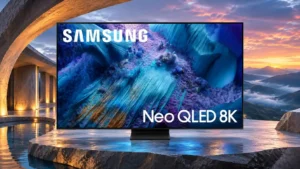
Samsung QN990F 8K Feature Scores
Overall Scorata score: 3.8/5
Based on 16 analyzed reviews · View source samples
Explore all 134 feature scores for Samsung QN990F 8K, organized into pros and cons.
Scores by Feature
Summary
134 reviewed features-
Very positive 4.5-5.034 (25%)
-
Positive 3.5-4.444 (33%)
-
Neutral 2.5-3.423 (17%)
-
Negative 1.5-2.431 (23%)
-
Very negative below 1.52 (1%)
Pros
Sort
-
The matte Glare Free panel dramatically cuts reflections from windows and lamps. That advantage is substantial in bright spaces, though scattered light can make dark scenes look grayer.
-
The separate wireless input box makes a sleek, almost cable-free screen possible. The television still requires power, and some soundbar installations bring cables back into the room.
-
The ultra-thin, even chassis is a standout styling achievement. It helps the television sit close to a wall without bulky rear-mounted connections.
-
The wireless input box lets consoles and streaming devices sit well away from the ultra-slim screen, making minimalist layouts possible. Distance, obstacles and the need for an external power supply still matter.
-
Extremely thin borders make the screen feel expansive and contribute to its sleek flagship appearance.
-
The minimalist, near-borderless metal design repeatedly wins praise. Its slim, uniform silhouette can look almost like a floating picture on a stand or wall.
-
The thin chassis and wireless source box are especially well suited to neat wall installations. Only the power connection must reach the display itself.
-
Direct reflections are unusually well controlled, with bright lamps often almost disappearing. The diffuse haze caused by scattered room light can still affect contrast.
-
Most 4K material looks exceptionally sharp when expanded to the 8K panel. HD, SD and older material can still reveal softness, banding or processing artifacts.
-
Compatible Samsung soundbars can play in tandem with the TV speakers, yielding a broader, clearer, more immersive presentation. This is one of the strongest audio-related advantages.
-
The QN990F can look crisp, colorful and impactful, especially with good sources. Color accuracy, motion artifacts and occasional backlight halos prevent an unqualified flagship-level verdict.
-
The built-in speakers sound clearer, fuller and louder than many TV systems, making everyday viewing pleasant without a soundbar. Deep bass and full cinematic impact remain limited.
-
HDR colors are often vivid and well saturated, especially in dark scenes. SDR saturation is less consistent, with some bright shades losing richness.
-
The centered metal stand looks premium and supports the large screen securely. Its compact design helps fit into high-end entertainment setups.
-
Standard-range content can be incredibly bright, allowing comfortable daytime viewing. Some sports settings are less luminous but remain adequate.
-
The ultra-slim panel mounts near flush to the wall, with no HDMI cable bundle running up its back. It creates an exceptionally clean installation.
-
The Mini LED backlight creates satisfying separation between bright highlights and dark backgrounds. Some difficult scenes still expose haloing.
-
Highlights can look dazzling and the screen handles plenty of daylight. Some picture presets are surprisingly dim for an expensive Mini LED flagship, and several alternatives measure brighter.
-
The sturdy construction and premium metal stand convey the finish expected of a flagship. Some flex in the rear panel is a minor compromise.
-
Gaming on the 75-inch screen can feel spectacularly expansive, with native 8K rendering adding fine detail when the source supports it.
-
Some viewers found colors and contrast strong even from side seats; others saw noticeable fading at moderate angles. Seating position still matters for the best picture.
-
Speech is consistently clear and intelligible. Voice enhancement and compatible Q-Symphony speakers can improve it further.
-
Sound effects and voices can follow the action across the display, adding convincing height and placement for built-in audio.
-
This is a striking flagship with unusually ambitious features, but the enthusiastic reactions are tempered by input lag, picture-processing flaws and premium pricing. Its appeal depends heavily on installation priorities.
-
A reliable picture was reported when the box stayed within its intended range, including across a room. Obstacles, longer distances and occasional video glitches complicate that success.
-
Modern 4K/120Hz sources are fully supported, giving the TV strong compatibility with current consoles.
-
Tizen responds quickly to commands and launches apps smoothly, although speed does not solve the complaints about its busy layout.
-
SmartThings and related controls add useful connected-home conveniences beyond ordinary streaming.
-
Popular cloud-gaming services can run directly on the television without a console, a convenient option for lighter gaming sessions.
-
Support for modern 4K console modes is comprehensive, although wireless transport adds lag and can undermine the practical benefit.
-
Streaming apps and TV menus generally feel fast and smooth in use.
-
Automatic game detection enables low-latency mode without making players navigate the picture settings first.
-
The LCD design eliminates permanent OLED-style image retention, a useful reassurance for static interface use.
-
The combination of high screen brightness and anti-reflective coating keeps most programs visible even with plenty of light in the room.
-
Samsung TV Plus provides a welcome collection of channels without an extra subscription.
-
Support for FreeSync Premium Pro and other VRR formats helps compatible consoles and PCs avoid visible tearing.
-
Game Bar brings refresh information and graphics tools into one place, making advanced gaming controls easy to inspect.
-
Four HDMI 2.1 connections on the wireless box provide flexibility for sources, but only one direct Micro HDMI path avoids wireless lag.
-
High-bandwidth HDMI connections support demanding resolution and refresh-rate combinations, including 8K and high-refresh 4K.
-
Small bright objects can look vivid and lifelike, with punchy light and color preserved in well-mastered HDR content.
-
The near-black image is especially clean, without noticeable vertical banding.
-
Fine uniforms, sharp outlines and intricate textures look especially impressive with good HD and 4K sources.
-
The extended software-update commitment offers welcome longevity and security maintenance for the smart-TV platform.
-
The centered stand supports the television securely while keeping the overall silhouette clean.
-
Native 8K demonstration footage played from USB looked exceptionally detailed, showing what the panel can do with a suitable file.
-
Compatibility with major VRR systems is a gaming strength, helping maintain smoother frame pacing across changing loads.
-
The unusually broad VRR range supports low-frame-rate compensation and reduces tearing when frame rates fluctuate.
-
Bright, saturated highlights provide impressive HDR moments. Out-of-box color accuracy, some dark-scene blooming and the lack of Dolby Vision limit fidelity.
-
Atmos support brings a sense of height to the built-in sound and allows compatible wireless soundbar playback, although lossless Atmos still requires a wired path.
-
Highlights can be spectacularly bright, even if some scenes and presets fall below the output expected from a costly flagship.
-
Live caption translation is a welcome convenience for following broadcasts in other languages.
-
8K density can make desktop text very sharp. The BGR subpixel order and matte surface can still affect fine lettering for sensitive users.
-
The picture menu offers plenty of adjustment, including ways to improve dim Filmmaker Mode and restrain overly vivid AI output.
-
The slim remote can recharge from ambient light or USB-C. It is handy, although the minimalist button layout may slow some common actions.
-
The built-in upfiring and tracking effects lend some height and positional realism, even if a separate theater system remains more immersive.
-
Built-in speakers deliver clear, adequately full sound for everyday use without making a soundbar mandatory.
-
The 8K panel provides superb fine detail with suitable sources. On ordinary viewing distances and available content, the practical advantage over premium 4K sets is debatable.
-
Adaptive picture modes can add welcome brightness and punch, particularly with sports. Films sometimes look exaggerated or artificial, making the option best treated as adjustable rather than always on.
-
The TV offers powerful adjustment routes, and a full calibration can correct much of its inaccurate default picture. Quick smartphone calibration does not always produce dependable results.
-
Interpolation smooths many scenes and can reduce judder. Aggressive AI smoothing can introduce an obvious soap-opera look.
-
The small remote is easy to hold and has useful direct-app buttons, though its reduced button count can make rapid changes awkward.
-
Local dimming makes dark areas appear deep in controlled light. A bright room can make the matte-coated screen look gray instead of black.
-
Generative art and wallpapers offer creative ways to use the screen between programs. Their appeal is more decorative than essential to picture performance.
-
Automatic genre detection can set up an attractive game picture without laborious manual tweaking.
-
A broad range of major streaming, music and gaming services is available through Tizen.
-
The art interface offers numerous works to explore, including animated scenes that make the idle screen feel more decorative.
-
Art Mode makes the TV more pleasant when nothing is playing by showing artwork or subtly animated scenes.
-
Deep Mini LED blacks make controlled-light viewing enjoyable, but visible blooming around highlights and subtitles can spoil difficult shots.
-
AI-driven dialogue boosting can make speech easier to follow, although the baseline speaker clarity is already good.
-
The HDR tracking curve is notably accurate in the important near-black range, although peak highlights can run slightly brighter than intended.
-
The speakers can play loudly enough to fill a typical room without straining ordinary viewing.
-
Menu interaction is fast and fluid, even if Tizen presents more options and promotions than some users want.
-
Game Bar includes quick-access aids such as a virtual aiming point and minimap zoom, useful for configuring play.
-
Smaller floating settings panels let users tweak picture controls without covering as much of the program.
-
The LCD architecture carries low risk of burn-in and several common panel failures, though component failure remains possible over time.
-
Audio processing spreads sound surprisingly widely for such a thin panel.
-
Virtual surround processing helps add depth and positional direction to the built-in speakers.
-
The central stand leaves ample clearance for many soundbars, but one setup found its height insufficient for taller models.
Cons
Sort
-
The Wireless One Connect box introduces a conspicuous delay for gaming and mouse movement. A direct Micro HDMI connection substantially improves responsiveness, but there is only one such input.
-
The substantial price is difficult to justify with so little native 8K content and strong 4K rivals. Its value is strongest when cable-free source placement or 8K experimentation is a priority.
-
There is little native 8K entertainment to make full use of the panel. A handful of demos and compatible games stand out, but almost everything else must be upscaled.
-
Dolby Vision is absent, limiting support for a major premium HDR format. HDR10+ remains available, but some films and games cannot be viewed in their preferred dynamic HDR format.
-
Certain games and moving edges reveal severe green-purple color fringing or image duplication. The issue is not universal, but it is distracting when triggered.
-
Strong 8K and high-refresh-rate capabilities promise impressive gaming visuals, but wireless latency and occasional severe motion artifacts undermine the experience. Direct HDMI helps, with only one low-lag input available.
-
DTS audio tracks are not supported, an unwelcome limitation for some Blu-ray collections.
-
Backlight zones sometimes respond too slowly to moving objects or scene cuts, creating dark leading edges, trailing halos and distracting brightness shifts.
-
Slow pixel transitions create visible blur, duplication and occasional false colors behind moving objects, despite the advertised fast refresh formats.
-
Wireless inputs do not mean a cordless television: both the panel and input box need power. The extra cable and outlet may complicate otherwise minimalist setups.
-
A firmware change disrupted HGiG handling, leaving some games with incorrect HDR brightness until corrected.
-
Promotions are integrated throughout Tizen, and targeted ads can be reduced but not removed entirely.
-
Filmmaker Mode is available, but its unusually dark picture and reduced shadow detail are disappointing under some room lighting.
-
Motion is a weak spot: blur, judder, ghosting and poor edge definition appear in difficult content. Picture controls can alleviate some problems without eliminating them.
-
HDR10+ is supported, but the absence of Dolby Vision limits playback options for some premium movies and games.
-
Some installations are clean and straightforward, while others require managing two boxes and separate power sources. It is not as effortless as the cable-free marketing might suggest.
-
Mini LED dimming delivers convincing blacks in many scenes but can show halos around subtitles, bright objects and challenging night sequences. Moving highlights may also reveal distracting backlight transitions.
-
Support for possible future 8K compression standards is uncertain, adding to the format's limited long-term certainty.
-
Black-frame insertion is present, but its restriction to 60Hz makes it less flexible for fast-refresh gaming.
-
Visible steps in bright gray gradients are an image-quality weakness, especially on demanding transitions.
-
The integrated audio remains relatively light on deep bass despite generally clear and balanced sound.
-
Tizen presents a large volume of suggested programming, and the crowded rows can make finding a particular app less convenient.
-
The PWM backlight can bother flicker-sensitive viewers, with frequency varying by picture mode and brightness settings.
-
Bright gradients can break into visible bands instead of blending smoothly.
-
Getting a Mac to output the desired 8K format is frustratingly dependent on its model and available adapters.
-
8K YouTube playback was unreliable in one test, with the screen blanking when the 4320p stream was selected.
-
Colors start to fade or wash out when viewed at a moderate angle away from the screen center.
-
The HDR picture needs calibration to correct a warm white balance and mapping errors. The tuned result is far better than the default.
-
Many transitions take multiple frames to complete, so fast movement can leave blur and temporary color doubling.
-
The component-rich, upright assembly can be cumbersome for a big-screen installation despite a tidy final appearance.
-
The largest 98-inch version does not offer the same high-refresh gaming ceiling as the smaller models.
-
Some slow camera pans display noticeable stutter, though motion interpolation can reduce the problem.
-
The fixed pedestal cannot rotate left or right, which limits adjustment once the television is installed.
-
HDMI is well catered for, but desktop connections relying on DisplayPort or Thunderbolt can require awkward adapters.
-
Default white balance tends too warm, especially in lighter grays, and is much better after calibration.
-
The screen shows convincing dark areas, but blooming around highlights and some unevenness hold uniformity back.
-
Tizen can respond quickly, but some find its layers of suggestions and settings unnecessarily complicated. Comfort with smart-TV menus makes a difference.
-
AI-enhanced images can appear vivid but overly processed, particularly with movies. Switching to more restrained picture modes improves naturalness.
-
Tizen is capable and responsive, but its promotional tiles and crowded menus are repeatedly criticized. It rewards users who already know the ecosystem.
-
Uncalibrated white balance and picture tones draw criticism, particularly in SDR and HDR default modes. Careful calibration can make a major improvement, though quick phone calibration is less reliable.
-
Fine near-black detail can look excellent, but dark shots and aggressive backlighting sometimes crush information. Certain modes improve visibility at the expense of deep blacks.
-
The backlight generally deepens black levels and controls contrast well. Abrupt scene changes and moving bright objects sometimes reveal pumping and slow zone transitions.
-
Most HDMI sockets are conveniently grouped on the separate box. The one low-latency connection sits behind the panel and uses the less familiar Micro HDMI format.
-
HD and lower-quality videos retain useful detail after processing but can still show macroblocking, softness and color banding on the enormous 8K screen.
-
Opinions on installation differ: some find the stand straightforward to attach while others liken the process to assembling a puzzle.
-
Static tone mapping better preserves the intended image, while active mapping boosts brightness at the cost of some accuracy and subtlety.
-
Dolby-based formats are well covered, but DTS and universal LPCM 7.1 passthrough are missing or restricted.
-
The SDR-to-HDR enhancement can make highlights punchier, but the outcome varies by content and often looks more natural when turned off.
-
Color Booster Pro can make colors pop, but the extra saturation sometimes looks excessive.
-
Game Mode can be impressively bright, but slightly weaker dimming transitions and shadow detail affect some dark games.
-
Low-bitrate video keeps much of its detail, but blocky compression artifacts are only partly smoothed away.
-
The matte layer suppresses reflections remarkably well but can lend fine pixels a slightly hazy appearance.
-
Some grid structure and central discoloration may show in broad, even-toned images, though ordinary programs often disguise them.
-
The TV supports unusually fast gaming formats and variable refresh. Slow pixel transitions, motion duplication and wireless delay can prevent those specifications from translating into clean, responsive gameplay.
-
HDR color coverage is good, but reviewers highlight limitations in brighter saturated tones and competitive alternatives with wider reach.
-
The separate wireless input box can deliver a clean, detailed signal and remove a wall of cables. Its added latency and extra hardware make the implementation polarizing.
Use Cases
Best for
Sort
-
High light output and excellent direct-glare suppression make this a compelling daytime TV. Under some lighting, the matte surface also lifts blacks and reduces color richness.
-
High-quality 4K discs look particularly detailed after upscaling and can be impressively colorful. Backlight blooming in dark films is a caveat.
-
Brightness, punchy colors and strong reflection control make live sports satisfying, with settings that can smooth movement. Some motion issues remain visible in tougher scenes.
-
Built-in sound is clear and full enough for everyday programs and even casual music listening. An external system remains worthwhile for full home-theater dynamics.
-
Sharp upscaled films can look vivid and engrossing. Some shadow detail, haloing, motion stutter and unnatural processing remain reasons to choose picture modes carefully.
-
PS5 features and even selected PS5 Pro 8K output are supported, making games visually impressive. Wireless lag and some artifacts remain potential drawbacks.
-
The 8K panel, AI processing and wireless source box are particularly appealing for buyers eager to experiment with flagship television technology. Practical limitations keep it niche.
-
High-end PCs and limited PS5 Pro material can look strikingly detailed at 8K. The expensive hardware requirements, wireless lag and sometimes ugly moving-image artifacts narrow the appeal.
-
Relaxed gaming is generally workable and can look beautiful, even through the wireless box. Competitive play exposes the extra delay much more clearly.
-
Strong brightness, lively color and reflection resistance make televised sports pleasant in daylight.
-
A large, thin panel and remote source placement can make a beautifully uncluttered theater room; the picture and audio are capable, with some blooming caveats.
-
The television fits particularly well alongside compatible Samsung devices and Q-Symphony soundbars. Connected household features add convenience for people already invested in the platform.
-
Native 8K demo footage can look remarkably lifelike, showing the panel at its best. Finding real 8K content remains the bigger challenge.
-
The thin, wall-friendly chassis creates a polished look, though the large panel and external wireless components still require installation planning.
-
Daily television programs are well served by the bright display and capable speakers, provided the interface and premium price are acceptable.
-
Full HD material becomes reasonably crisp when upscaled, but there can be color banding and softness in fine gradients.
Conditional or not ideal for
Sort
-
FPS gamingFast shooters demand lower input delay than the wireless box supplies. This is a poor fit for serious competitive play unless the direct input can be used.
-
PC gamingGaming PCs can exploit sharp 8K graphics, but the wireless connection adds lag and motion flaws. A wired Micro HDMI connection is preferable for responsiveness.
-
Multiple high-bandwidth gaming devicesSeveral HDMI inputs can accept modern consoles, but only one low-delay wired port is available, complicating setups with multiple serious gaming systems.
-
Nintendo Switch 2 gamingThe HGiG calibration problem is specifically troublesome for Switch 2 HDR output, despite broad console compatibility.
-
Desktop productivityExtremely sharp 8K text is attractive for detailed work, but the 65-inch minimum size is awkward at desk distance and wireless mouse lag makes routine tasks frustrating.
-
Console gamingModern console formats and high frame rates are well accommodated, but the wireless input box is a weak link. A direct Micro HDMI connection offers a better experience for one console.
-
Home theater with soundbarA compatible Samsung soundbar can blend neatly with the TV's speakers. Standard HDMI eARC soundbars may force the wireless input box closer to the screen.
-
HDR gamingHardware compatibility is broad, yet the HGiG firmware issue can stop games from reaching their intended HDR brightness.