
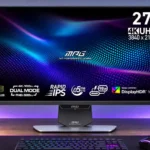
MSI MPG 274URDFW E16M Feature Scores
Explore all 89 feature scores for MSI MPG 274URDFW E16M, organized into pros and cons.
Scores by Feature
Summary
89 reviewed features-
Very positive 4.5-5.029 (33%)
-
Positive 3.5-4.435 (39%)
-
Neutral 2.5-3.417 (19%)
-
Negative 1.5-2.47 (8%)
-
Very negative below 1.51 (1%)
Pros
Sort
-
Detailed 4K visuals, punchy colors and bright HDR make cinematic games the showcase, despite less-than-OLED black depth.
-
Native 4K yields strikingly sharp 27-inch images and text, at the expense of lower definition in FHD speed mode.
-
Bright HDR scenes and highlights are striking, while strong SDR output lets the monitor resist most room glare.
-
Native 4K160 is excellent for detailed gaming, and FHD320 is useful for speed despite imperfect refresh compliance.
-
The main attraction is switching between detailed 4K160 and faster FHD320 gaming, though the lower resolution is noticeably softer.
-
Quantum-dot wide gamut covers most DCI-P3 and Adobe RGB, helping HDR color and creative uses.
-
The LCD has no OLED-style organic pixel burn-in risk, making it safer for prolonged static work interfaces.
-
Most assessments favor the all-round value, though less-positive tests warn against expecting OLED-class dimming or perfect motion.
-
The sleek white-and-black chassis receives widespread praise for a clean look that fits gaming and professional desks.
-
It is highly capable for mixed office tasks thanks to crisp 4K text, wide adjustment, laptop input and no OLED burn-in risk.
-
Fine 4K text looks exceptionally crisp with standard RGB pixels; FHD mode is notably blurrier.
-
Large-area brightness is a clear strength of the 1,152-zone backlight; black crush, haloing and color shifts keep HDR short of perfect.
-
A rich feature set at the reviewed midrange price is compelling, especially for buyers combining work and gaming.
-
Quantum dots and excellent large-area brightness produce lively HDR colors, with dark-scene color accuracy less assured.
-
SDR signal processing is exceptionally quick; HDR zone processing raises latency somewhat but play remains responsive.
-
The high-power USB-C input should keep many laptops charged while connected, with one test measuring roughly 90W.
-
Testing found little or no variable-refresh flicker, a useful distinction from some OLED displays.
-
Two HDMI 2.1 inputs, DisplayPort, USB-C and USB ports create solid flexibility; USB 2.0 speed is a clear blemish.
-
Full height, tilt, swivel and pivot adjustment is widely praised, aside from a somewhat limited maximum height.
-
FHD320 makes fast games smoother, but softness and incomplete pixel transitions prevent it from matching the best esports displays.
-
Detailed 4K and vibrant HDR shine, tempered by native IPS black limitations and variable local-dimming results.
-
The monitor handles a wide range of PC games, with 4K160 for detail and 1080p320 when speed matters more.
-
At 27 inches, 4K yields exceptionally fine text and images; moving to FHD cuts that definition sharply.
-
The matte coating diffuses lamps and normal room light well, but strong sunny-window reflections can still distract.
-
Unlike OLED, the LCD is comfortable displaying fixed windows and toolbars for hours without the same burn-in concerns.
-
The 27-inch size gives 4K dense detail and keeps reduced-resolution gaming less soft than larger 32-inch alternatives.
-
A built-in KVM helps one mouse and keyboard serve a desktop and laptop, though the slow USB hub limits heavier transfers.
-
Default gamma is impressive in some testing, and accurate SDR gamut emulation helps preserve intended tones; some modes still stray.
-
HDR1000, level-three dimming and high halo suppression are broadly preferred; adjusting halos trades tiny-highlight brightness for blooming.
-
Different HDR modes offer control, but the 1000-nit mode is consistently favored over the dimmer 400-nit preset.
-
The 1,152 zones bring vivid HDR and deeper blacks, but especially in SDR they can alter gamma or wash out the image.
-
HDMI 2.1 supports PlayStation and Xbox at 4K120 with VRR; the PC-only 160/320Hz figures do not apply to consoles.
-
4K160 is clear for most play, while 1080p320 improves motion definition without fully solving pixel response limits.
-
The flat, fairly compact metal base leaves usable desk space and can hold small items.
-
Multiple game and professional modes enable different gamut or brightness preferences, with some locked controls.
-
HDMI-CEC can wake the monitor and select the proper input when a connected console turns on.
-
One-button mode selection and sensible HDR defaults simplify initial use, although color-sensitive workflows take more work.
-
IPS colors stay relatively consistent from the side, although blooming and glow become more apparent in dark HDR scenes.
-
AMD and Nvidia adaptive-refresh support is welcome, although the strongest motion tuning varies across frame rates.
-
Rapid IPS offers wide viewing angles, work-friendly text and good speed, while sacrificing native black depth against VA and OLED.
-
Haloing is often subdued by default settings and some users barely notice it; other testing still finds visible halos and black crush around bright objects.
-
Most hands-on accounts describe fast and seamless changes, but one lab encountered black screens and refresh-rate limits requiring a restart or custom mode.
-
The feature-rich menu is useful, but the physical joystick receives mixed feedback on tactile quality.
-
The chassis feels solid and the white finish avoids a cheap look, although stand wobble remains possible.
-
Crosshairs, counters, dark-area boosting, modes and rapid switching give the display a substantial gaming toolbox.
-
Passive cooling keeps the display from needing an intrusive fan system.
-
A flicker-free backlight without PWM dimming reduces one common comfort concern during long sessions.
-
Wide Adobe RGB coverage and an accurate emulation preset make photography feasible, with calibration important for demanding work.
-
Slim three-sided framing is attractive, but the thin lower bezel can be awkward beside a mismatched older display.
-
The display generally transitions smoothly, although toggling HDR in Windows for work and gaming can still be tedious.
-
The direct dual-mode shortcut is convenient, although one review finds the joystick cheap and frustrating.
-
The smaller display simulation gives fast-game players another viewing option, though detailed image-quality evaluation is limited.
-
The LCD generally keeps bright full-screen scenes stronger than OLED alternatives, although peak output can settle after a few seconds.
-
A cutout in the stand makes routing multiple display and power cables neater.
-
DisplayPort offers the full 4K160 option with DSC, giving desktop PC users a capable connection.
-
Firmware can be applied over DisplayPort, allowing corrections; the reviewed units span multiple revisions with varying behavior.
-
Full-bandwidth HDMI allows high-refresh PCs and 4K120 console gaming through two inputs.
-
The matching white cables make the package visually cohesive with the white monitor.
-
Both multi-source viewing modes are useful workstation extras alongside the KVM switch.
-
The monitor's exterior and presentation look more upscale than its midrange positioning suggests.
-
Standard 100-by-100 mounting works with many monitor arms, and the stand can be replaced when needed.
-
The blue-light filter is helpful after hours, but HDR brightness may need reducing for comfortable extended viewing.
-
Large bright elements stand out, while tiny highlights in very dark scenes may be dimmed to avoid glowing halos.
-
The matte surface preserves fairly clean text and images, though it has some grain compared with glossy coatings.
Cons
Sort
-
The lengthy alphanumeric model name is repeatedly mocked as hard to say or remember.
-
MPRT can sharpen moving objects, but doubled edges, locked brightness and disabled VRR make it an awkward tradeoff.
-
Xbox consoles can use 4K120 and VRR, but the monitor does not offer Dolby Vision support.
-
Reviewers question MSI's quoted minimum 0.5ms gray-to-gray claim, which is far faster than typical measured behavior.
-
Local dimming deepens blacks but can crush near-black details, particularly in challenging HDR scenes.
-
There is no ambient-light sensor to automatically tune brightness, an omission for changing room lighting.
-
No built-in speakers are provided, a drawback for users wanting audio without external gear.
-
An external power brick adds another cable and device to conceal around the desk.
-
One owner reports rear RGB refusing to synchronize through Mystic Light, possibly due to firmware.
-
Movement is reasonably clear overall, but overshoot and double images appear with some overdrive or strobing settings.
-
1080p remains usable for fast games and sometimes compares well with other dual-mode screens, but it cannot match crisp native 4K.
-
Fast is a reasonable compromise at high refresh rates, but absent variable overdrive creates extra overshoot as rates fall.
-
The screen calibrates well with an ICC profile and offers gamut presets, but preset locks and apparently ineffective RGB sliders restrict tuning.
-
HDR follows its brightness target fairly well, but some scenes are overbright and low-luminance colors can shift cool.
-
Getting close to 4K160 or 1080p320 in demanding games requires adequate PC performance, so the headline rates are not automatic.
-
The onboard hub and KVM are convenient for input devices, but USB 2.0 data speed is poor for external storage.
-
Power usage is considered normal for a high-brightness Mini LED gaming screen rather than unusually low.
-
The rear RGB is generally considered elegant, but its ambient effect is weak and Mystic Light synchronization reportedly fails for one owner.
-
Adaptive refresh helps prevent tearing, but overshoot becomes more noticeable at lower refresh rates.
-
Tests disagree sharply: some find consistency across the panel, while another reports obvious light and dark patches.
-
Mini LED improves darkness greatly compared with edge-lit LCD; without dimming, IPS gray blacks and halo behavior remain.
-
Pixel transitions are generally quick but not class-leading, with blur and overshoot dependent on refresh and overdrive.
-
The stand is substantial but several hands-on tests report modest wobble when touched or adjusted.
-
Zoned dimming substantially enhances HDR depth, but native IPS contrast cannot match VA or OLED in dark scenes.
-
SDR presets can be good and improve through calibration, but some tests report warm whites, locked controls and blue-tinted HDR grays.
Use Cases
Best for
Sort
-
It is particularly effective as one display for 4K creative tasks, docked laptop work and both fast and cinematic PC games.
-
Sharp RGB-stripe text, 4K detail and minimal static-image risk suit long work sessions; local dimming is often best disabled on the desktop.
-
Vivid highlights, deepened blacks and fast response make HDR games immersive, although scene-dependent haloing and black crush remain.
-
Strong SDR/HDR brightness and an effective matte coating help in bright offices, though direct sunshine still creates reflections.
-
USB-C combines image transmission and substantial laptop charging, making a tidy one-cable workspace possible.
-
USB-C video and approximately 90–98W charging are strong for connected laptops, subject to their power needs.
-
The high-density 4K screen and wide color range suit editing, and Mini LED avoids OLED burn-in worries from static timelines.
-
Mini LED is especially attractive for extended workdays with static interface elements, avoiding OLED-style burn-in worries.
-
The feature set is compelling around the cited midrange pricing, especially against costlier 4K OLED options; cheaper 1440p alternatives remain available.
-
A sharp 4K canvas and broad gamut suit mixed creative work, particularly creators who also play games.
-
Full pivot lets the screen rotate for code or documents, supported by broad stand adjustments.
-
At 4K and 160Hz, relaxed and immersive games stay detailed and smooth without needing the faster 1080p mode.
-
Native 4K and bright HDR suit detailed films, but dark-room black depth is less convincing than OLED.
-
An owner upgrading from an ordinary LED LCD found much deeper blacks and visibly richer colors.
-
The KVM supports shared peripherals between computers, an advantage when swapping between work and play systems.
-
Fast 1080p mode handles titles such as Valorant and CS2 well, though image sharpness drops and 320Hz pixel response is imperfect.
-
Wide Adobe RGB and DCI-P3 coverage can support serious SDR work after checking calibration; HDR color temperature and uniformity concerns warrant care.
-
A 24.5-inch active-image option creates a more concentrated view for competitive matches, without changing the native panel size.
-
The bright, wide-gamut panel can serve HDR video workflows, but uneven color accuracy at low luminance limits confidence for critical grading.
-
4K text sharpness and pivot support make coding comfortable, especially as a portrait secondary monitor.
-
Portrait pivot can be handy for a second display; mismatched bottom bezels may spoil alignment with an older monitor.
-
A pivoting second screen can show code or documents, though bezel differences can make mixed-monitor installations look uneven.
Conditional or not ideal for
Sort
-
Dark-room viewingMini LED gives dramatic HDR depth, but IPS glow, black crush and haloing mean OLED remains more convincing for dark-room movies.
-
Battle royale gamingFast-paced games such as Apex Legends run well, but dropping from 4K to 1080p for 320Hz reduces visual richness.
-
SDR gamingSDR play is smooth and colorful, but opinions diverge on whether local dimming helps or makes accuracy worse.