Best for productivity versatility
BenQ RD280UG
5.0 attribute score
Highest scored product for this attribute based on supporting review evidence.

Highest scored product for this attribute based on supporting review evidence.
Balances the attribute score, supporting reviews, and overall product strength.
Has the broadest review evidence for this attribute.
Strongest overall product among items with scored evidence for this attribute.

The tall display excels at coding, trading, writing, spreadsheets, research, creative tools, and multi-window work. Its extra vertical space often replaces the need for a second screen.
Pros: productivity versatility, aspect ratio
Cons: value for money, competitive gaming suitability
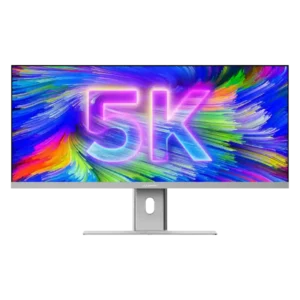
This is the monitor’s standout quality: it handles timelines, spreadsheets, coding, writing, browsing, and multiple apps exceptionally well. Reviewers repeatedly found it capable of replacing a dual- or triple-monitor workspace.
Pros: productivity versatility, aspect ratio
Cons: built-in speakers, competitive gaming suitability
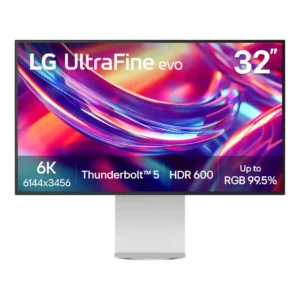
Productivity is the strongest use case: the 6K canvas can show a full 4K preview alongside timelines, tools, code, or multiple large apps. Creators and developers repeatedly report faster, more...
Pros: port selection, overall satisfaction
Cons: value for money, cable management
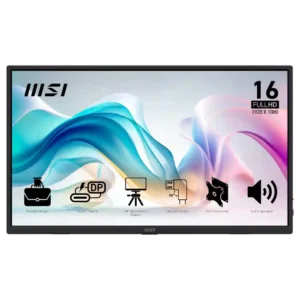
Productivity is the monitor's clearest use case. Reviewers repeatedly praise it for second-screen work, coding, travel, editing, field diagnostics, and flexible office setups.
Pros: value for money, portability and weight
Cons: built-in speakers, color gamut
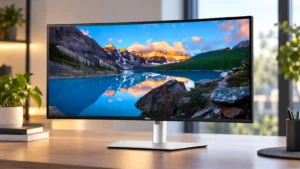
Productivity is the clearest strength: the 34-inch ultrawide comfortably holds multiple apps, spreadsheets, editors, and research windows at once. KVM, hub, and layout tools make it especially effective for work-from-home...
Pros: overall satisfaction, productivity versatility
Cons: value for money, reliability over time
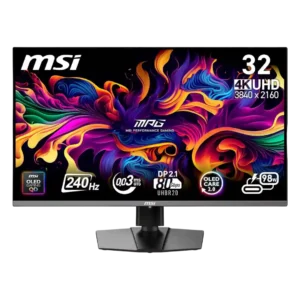
The 32-inch 4K desktop is excellent for side-by-side windows, coding, editing, and mixed laptop/desktop use. Text clarity is strong for OLED, though 27-inch 4K or IPS can look slightly cleaner...
Pros: color accuracy, value for money
Cons: reliability over time, brightness
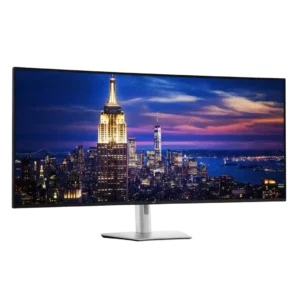
Productivity is the overwhelming consensus strength: one seamless 6K canvas can replace multiple displays, reduce window switching, and keep dense workflows visible at once. It is especially effective for trading,...
Pros: productivity versatility, overall satisfaction
Cons: value for money, response time
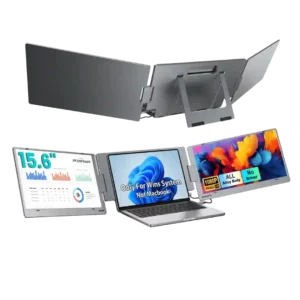
Productivity is the X90E’s strongest use case. Reviewers repeatedly say the extra screens make spreadsheets, documents, coding, meetings, presentations, and travel work much easier by reducing constant window switching.
Pros: overall satisfaction, portability and weight
Cons: reliability over time

The 32-inch 4K workspace, crisp text, USB-C power delivery, and KVM make it useful for office work as well as gaming. Several reviewers felt it could replace separate work and...
Pros: brightness, reflection handling
Cons: cable management

The wide desktop, USB-C charging, KVM, accurate color, and improved RGB-stripe text make it far more practical for work than earlier QD-OLED ultrawides. Low pixel density still limits fine text...
Pros: overall satisfaction, sharpness
Cons: Resolution, cable management
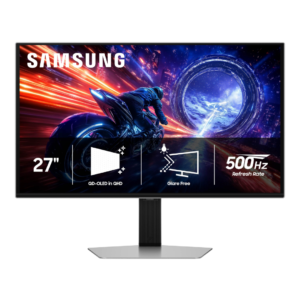
The G6 can handle office and creative work well thanks to strong color and usable 1440p sharpness, but opinions are split for all-day productivity. Text fringing, burn-in risk, missing USB-C,...
Pros: overall satisfaction, competitive gaming suitability
Cons: value for money, screen size
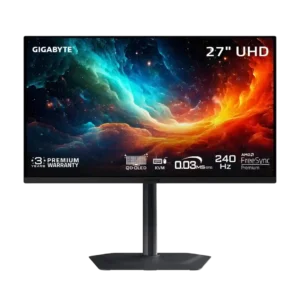
High pixel density, clear text, low reflections, and a compact stand make everyday work comfortable. Static desktop use and imperfect color accuracy limit professional productivity roles.
Pros: motion clarity, PC gaming compatibility
Cons: color accuracy, software support

The color performance and ergonomic stand make it useful for creative work, but text fringing and the lack of USB-C or KVM features reduce its appeal as an all-in-one office...
Pros: color gamut, overall picture quality
Cons: brightness, HDR performance
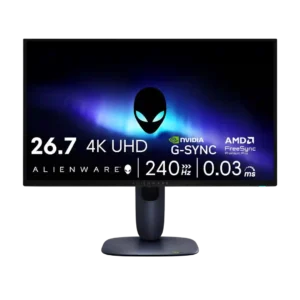
Productivity versatility was mixed: excellent text clarity helped, but burn-in risk, no KVM, and weak USB-C limited work setups.
Pros: value for money, sharpness
Cons: brightness, USB hub functionality