Best for overdrive tuning
MSI MPG 341CQR QD-OLED X36
5.0 attribute score
Highest scored product for this attribute based on supporting review evidence.

Highest scored product for this attribute based on supporting review evidence.
Balances the attribute score, supporting reviews, and overall product strength.
Has the broadest review evidence for this attribute.
Strongest overall product among items with scored evidence for this attribute.

OLED response requires no aggressive overdrive, and transitions remain free of visible overshoot or slow trailing across refresh rates.
Pros: overall satisfaction, sharpness
Cons: Resolution, cable management
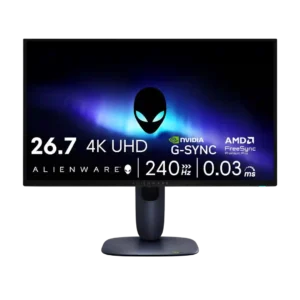
Overdrive behavior was effectively excellent because OLED response consistency created a single-overdrive-style experience.
Pros: value for money, sharpness
Cons: brightness, USB hub functionality
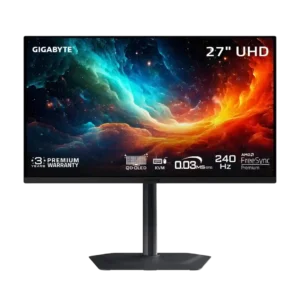
OLED response needs only one overdrive behavior across the refresh range, so there is no need to retune it for different frame rates.
Pros: motion clarity, PC gaming compatibility
Cons: color accuracy, software support

The panel does not require overdrive tuning because OLED transitions are already fast across the refresh range. That removes the overshoot and profile-selection compromises common to LCD monitors.
Pros: brightness, reflection handling
Cons: cable management
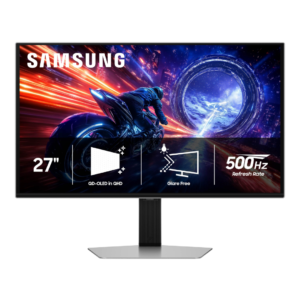
OLED response remains consistent across refresh rates, so there is no need to retune overdrive as frame rate changes.
Pros: overall satisfaction, competitive gaming suitability
Cons: value for money, screen size

The default overdrive setting is a sensible all-purpose choice, while the Premium mode adds useful motion clarity for games. Tuning remains conservative enough to avoid severe artifacts.
Pros: productivity versatility, aspect ratio
Cons: value for money, competitive gaming suitability
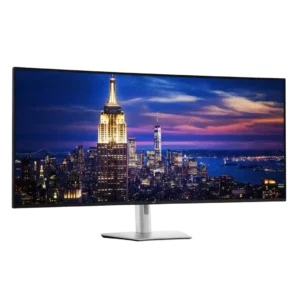
The fast overdrive setting is not recommended: it harms picture clarity without delivering a worthwhile gaming improvement. Normal mode is the safer choice.
Pros: productivity versatility, overall satisfaction
Cons: value for money, response time