Best for 24-inch mode quality
ASUS ROG Swift OLED PG32UCWM
4.0 attribute score
Highest scored product for this attribute based on supporting review evidence.

Highest scored product for this attribute based on supporting review evidence.
Balances the attribute score, supporting reviews, and overall product strength.
Has the broadest review evidence for this attribute.
Strongest overall product among items with scored evidence for this attribute.

The smaller simulated screen option helps tailor competitive games to a tighter viewing area, with smooth performance in the tested configuration.
Pros: Pixel density, Resolution
Cons: GPU demands, HDR performance

The smaller simulated screen size makes competitive play more flexible, but image quality falls as the active resolution shrinks.
Pros: black levels, sharpness
Cons: value for money, brightness

The smaller display simulation gives fast-game players another viewing option, though detailed image-quality evaluation is limited.
Pros: Dual-mode versatility, refresh rate
Cons: black levels, contrast

The programmable Tactical Switch makes reduced-size displays easier to call up for competitive play, although these emulation modes require some setup and can introduce scaling compromises.
Pros: brightness, contrast
Cons: Text fringing, speaker quality

The simulated 24.5-inch view is usable for fast action, but scaling leaves lower resolutions visibly blurrier than the full panel.
Pros: Resolution, sharpness
Cons: value for money, HDR performance
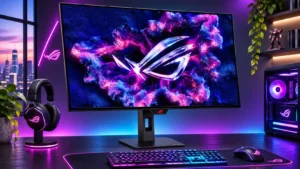
Simulated smaller viewing areas can make fast games easier to scan, but reduced effective resolution and scaling quality do not fully match a native 24-inch display.
Pros: overall satisfaction, black levels
Cons: reflection handling, Color brightness

Unlike some larger dual-mode competitors, this screen cannot shrink its 1080p image into a 24-inch competitive viewport. That limits its appeal to players who prefer a tighter tournament-style view.
Pros: Resolution, refresh rate
Cons: HDR performance, contrast

The reduced esports-size window works, but the small active area and coarse lower-resolution image are awkward on such a large panel.
Pros: Resolution, overall satisfaction
Cons: value for money, Image scaling

The simulated 24-inch Full HD view does not rescue the softer picture; it still looks noticeably worse than the native presentation.
Pros: overall satisfaction, contrast
Cons: value for money, port selection

The smaller simulated play area is a poor substitute for a native 24-inch screen: it looks blurry and its pixel mapping is unconvincing.
Pros: refresh rate, competitive gaming suitability
Cons: value for money, brightness