Best for gaming image presets
InnoCN GA27S1Q
4.3 attribute score
Highest scored product for this attribute based on supporting review evidence.

Highest scored product for this attribute based on supporting review evidence.
Balances the attribute score, supporting reviews, and overall product strength.
Has the broadest review evidence for this attribute.
Strongest overall product among items with scored evidence for this attribute.

The monitor offers an unusually large set of presets and customization controls, especially in SDR. HDR limits those controls, and some presets look too similar.
Pros: color gamut, overall picture quality
Cons: brightness, HDR performance
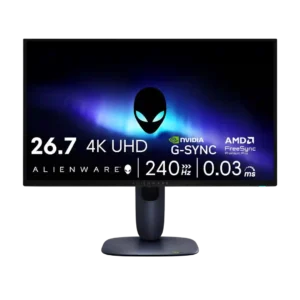
Gaming presets and visibility modes were useful but not central, with reviewers noting practical modes for different genres and visibility needs.
Pros: value for money, sharpness
Cons: brightness, USB hub functionality
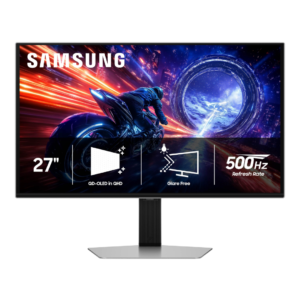
Samsung provides useful picture controls and flexible sRGB/HDR adjustment, but the preset selection is thinner than some competitors and certain advanced settings are not very explicit.
Pros: overall satisfaction, competitive gaming suitability
Cons: value for money, screen size

The monitor offers many genre and professional presets with extensive customization. Some gaming presets are visibly inaccurate, so User or sRGB modes are usually better starting points.
Pros: overall satisfaction, sharpness
Cons: Resolution, cable management
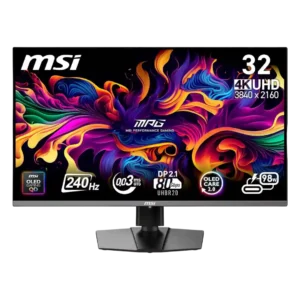
The sRGB and professional profiles can deliver balanced, accurate color, while some gaming presets add useful punch. The FPS mode and split menu organization drew criticism.
Pros: color accuracy, value for money
Cons: reliability over time, brightness
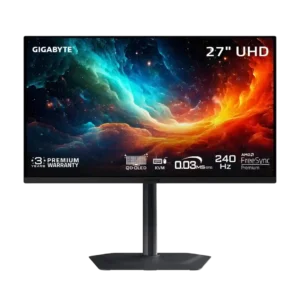
The monitor offers many gaming and HDR presets, but tuning them can be frustrating. Some settings introduce artifacts, reset the display, or trade accuracy for brightness.
Pros: motion clarity, PC gaming compatibility
Cons: color accuracy, software support

The accurate color modes are excellent, but several game-themed presets are not recommended because they distort color.
Pros: brightness, reflection handling
Cons: cable management