
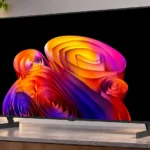
LG B6E OLED Feature Scores
Explore all 95 feature scores for LG B6E OLED, organized into pros and cons.
Scores by Feature
Summary
95 reviewed features-
Very positive 4.5-5.038 (40%)
-
Positive 3.5-4.429 (31%)
-
Neutral 2.5-3.418 (19%)
-
Negative 1.5-2.410 (11%)
Pros
Sort
-
Near-infinite OLED contrast brings deep blacks and expressive highlights to films and games, particularly in darker rooms.
-
Quick response, extremely low input lag and refined 120Hz motion make this one of the strongest areas of the B6E.
-
Perfect, inky OLED blacks are a standout strength across dark scenes, helping highlights and shadows feel sharply separated.
-
OLED blacks, vivid colors and sharp texture make an excellent overall image, tempered by some color inconsistency and modest daylight performance.
-
This is where the B6E is at its best: dark scenes retain deep blacks, strong contrast and the vivid look that makes OLED attractive.
-
Four HDMI 2.1 inputs are unusually generous for a budget-oriented OLED and make it easy to connect multiple modern systems.
-
Gaming-mode latency is exceptional, supporting nearly immediate responses to controller inputs.
-
Discounted pricing makes the B6E a standout introduction to OLED, but a cheaper B5 or a closely priced C6 can change the calculation.
-
Modern games look sharp and run smoothly, with the HDMI bandwidth and gaming modes to make the most of 4K sources.
-
The B6E succeeds as a versatile, good-value OLED with exceptional gaming and dark-room pictures. Reflections and several cost-saving details keep it below pricier models.
-
All four HDMI inputs offer high-bandwidth gaming support, including 4K/120Hz and variable refresh rate.
-
OLED pixel transitions are nearly instantaneous, keeping fast game movement exceptionally crisp.
-
Rich reds, blues and other saturated colors look engaging in ordinary scenes, but the brightest colors can fade and higher-end OLEDs have more punch.
-
4K/120Hz gaming is a clear highlight, with strong compatibility across modern consoles and the responsive motion OLED is known for.
-
Fast 120Hz play is sharp and fluid, with variable refresh rate helping avoid tears when frame rates fluctuate.
-
VRR works across a broad span of refresh rates and helps gameplay stay smooth and tear-free.
-
HDR highlights have satisfying punch for an affordable OLED, but larger bright scenes look subdued beside premium LG models.
-
Game Optimizer delivers excellent responsiveness, while ordinary picture modes can add noticeable input delay.
-
webOS has broad app support and intuitive menus, though sluggish moments and persistent advertising interrupt an otherwise polished experience.
-
webOS offers an expansive app library for streaming and gaming, leaving few obvious gaps for everyday entertainment.
-
Connected consoles can trigger Game Optimizer automatically, helping players get the TV’s fastest responses without changing settings manually.
-
Dolby Vision streaming looks vivid and detailed, though compatibility with the newer Dolby Vision 2 format is uncertain.
-
AMD FreeSync support contributes to the broad, smooth variable-refresh gaming package.
-
The 120Hz panel gives games convincingly fluid, crisp motion, though it does not reach the higher rates of premium gaming displays.
-
Strong contrast and colorful highlights make HDR enjoyable, although peak and full-screen brightness leave room for improvement.
-
Fast action looks clean with minimal smearing, although lower-frame-rate material can still reveal stutter.
-
DVDs and HD streams gain clear, natural-looking detail without aggressive edge sharpening.
-
Construction feels solid and generally premium, even if the stand feet and some finishing touches are less upscale than flagship alternatives.
-
Compression cleanup and texture enhancement help older or low-quality video look cleaner without excessive sharpening.
-
Slim styling, narrow borders and a restrained profile look attractive in a living room, without the bulk of many conventional TVs.
-
webOS menus are generally intuitive and well organized, even if the software can occasionally feel heavier than expected.
-
The two stand feet support the thin display securely despite their basic materials.
-
Dark detail is generally strong, but occasional black crush and inaccurate shadow rendering can hide fine textures.
-
Black screens remain truly dark without the glow or haloing that can appear on backlit TVs.
-
Bright objects sit against dark backgrounds without distracting halos, thanks to individually controlled OLED pixels.
-
Per-pixel OLED control achieves the effect of perfect local dimming, with no zone transitions to distract from dark scenes.
-
The instant OLED pixel response produces exceptionally crisp moving objects, especially at 120Hz.
-
Compression artifacts and blockiness are handled extremely well, giving rough streams a cleaner appearance.
-
Low-frame-rate compensation extends variable refresh operation below the panel’s normal minimum to reduce tearing.
-
The screen has a clean, thin-edged appearance, although the B6E’s bezels are thicker than those on some premium OLEDs.
-
Normal processing cleans up many low-quality sources without destroying fine detail, though an optional sharpening mode on the regular B6 can look artificial.
-
Textures and skin detail look clean and natural, although a direct Samsung comparison found slightly crisper fine details on the rival.
-
Most film and TV signals play with even frame pacing, although a few unusual frame-rate combinations can retain judder.
-
Self-lit WOLED pixels deliver true blacks and bloom-free contrast, although the affordable panel is less luminous than premium OLED designs.
-
Four inputs provide room for several consoles, streamers or a PC without constantly swapping cables.
-
HDR luminance tracking closely follows the intended image, preserving subtle differences in bright details.
-
A wide selection of familiar streaming services helps make webOS a complete television platform.
-
Colors and contrast stay remarkably consistent off-axis, with only mild fading from extreme positions.
-
The B6E is noticeably brighter than some older budget OLEDs, yet substantially dimmer than the C6 and G6 and not equipped for very bright rooms.
-
Many scenes look beautifully balanced and natural, but a greenish cast is visible in certain side-by-side comparisons.
-
Calibration is straightforward and can refine accuracy, although the default image is already strong enough that gains may be subtle.
-
NVIDIA G-SYNC compatibility helps reduce tearing for supported gaming PCs.
-
A revised subpixel structure improves the sharpness of computer text compared with less PC-friendly OLED arrangements.
-
Filmmaker Mode suits darker dramatic scenes while Cinema Home enhances colorful films and animation.
-
webOS works with a broad range of connected-home platforms, making the TV adaptable to existing setups.
-
Highlights retain smooth gradation, though the TV sometimes protects detail by limiting how bright tiny elements appear.
-
webOS organizes entertainment with helpful Quick Cards, while settings allow a cleaner home page if suggestions feel intrusive.
-
Clips behind the stand feet provide a simple, useful way to keep cables tidier.
-
The central picture stays fairly clean on gray fields, with only minor patchiness that is unlikely to stand out at normal distances.
-
Game Optimizer offers accessible controls for tuning responsiveness and other gameplay settings.
-
The redesigned webOS layout is easier to navigate, though some operation can feel sluggish as the software becomes more demanding.
-
Four high-bandwidth HDMI connections accommodate several modern devices, but rear-facing sockets complicate tight wall mounts.
-
The B6E handles mainstream HDR color well but covers less of the widest color spaces than some alternatives and even its predecessor.
-
AI Sound Pro can improve clarity and detail, but it cannot make the built-in speakers deliver deep bass or a wide soundstage.
-
The newer budget WOLED panel excels at black levels but does not match tandem OLED for maximum brightness or rich highlight colors.
-
Subtle refresh-related brightness dips should not bother most viewers, but the picture is not entirely flicker-free.
-
Some home-screen promotions and suggested content can be turned off for a cleaner interface, but apps-page ads remain.
Cons
Sort
-
Glossy mirror-like reflections are one of the most consistent complaints, with strong lamps and windows disrupting darker scenes.
-
The glossy panel does little to hide window or lamp reflections, especially when darker scenes are playing.
-
Reasonable ambient light is manageable, but bright windows can wash out the experience and make the screen mirror its surroundings.
-
Static logos or news banners pose a meaningful permanent burn-in risk. Mixed viewing helps, but caution is worthwhile for fixed content.
-
Low-end impact is restrained, so engines and dramatic effects lack the rumble that the vivid OLED picture deserves.
-
The B6E’s modest speaker output struggles to fill loud or large spaces.
-
Very dark gray scenes can reveal distracting vertical bands even though ordinary gray screens are relatively clean.
-
Sound largely stays inside the width of the screen rather than creating an enveloping cinematic field.
-
The basic B6E remote lacks the microphone needed for some voice features; using those functions requires an optional Magic Remote.
-
A large webOS banner ad can crowd the home page. Home-screen promotions can be disabled, but ads remain on the apps page.
-
Basic viewing is serviceable, but thin bass, limited volume and a narrow presentation leave the speakers behind the picture.
-
Slow camera pans in movies can look jumpy because the OLED pixels transition so quickly; fast games are less affected.
-
The supplied B6E remote is simpler than the B6’s Magic Remote and misses its motion and voice conveniences; the more advanced remote can be bought separately.
-
Fixed, widely spaced feet take up a substantial amount of furniture space.
-
The regular B6 offers a reduced set of sound presets, while the B6E needs the optional Magic Remote for room correction.
-
Dolby Atmos material can be played, but the built-in speakers struggle to reproduce spacious effects convincingly.
-
Some rear-facing HDMI ports are awkward to reach, especially when the television is mounted close to a wall.
-
webOS does not always feel as smooth as its well-organized interface suggests, with occasional hesitation.
-
Without the Magic Remote’s pointer and built-in microphone, some navigation and smart functions are less convenient out of the box.
-
The panel cannot maintain the same visual punch when much of the screen is bright, a drawback for sports and sunny outdoor scenes.
-
The television can be mounted, but backward-facing HDMI ports may require angled adapters for a close-to-wall installation.
-
White balance can look close to ideal by default, but a visible green or yellow bias appears in some scenes alongside the C6 and B5.
-
The panel has relatively low risk of many common failures, but static imagery can burn in and edge-pixel issues may appear with age.
-
The feet provide adequate support but look and feel cheaper than the metal stand parts on the B5.
-
Speech can be clear during ordinary watching, but it can also sound uneven and patchy. A soundbar offers more consistent voices.
-
TruMotion can smooth sports and panning shots, but its frame cadence is not always consistent and may introduce choppiness.
-
Optional black-frame insertion can reduce perceived blur, but its 60Hz-only operation limits flexibility.
-
The B6E can look accurate out of the box, but a green cast appears in some side-by-side scenes. Other content renders skin tones vibrantly and naturally.
Use Cases
Best for
Sort
-
On sale, the B6E delivers much of LG’s OLED picture and gaming appeal for substantially less than premium models. Its value depends on the price gap to older B5 stock and the C6.
-
PS5 and Xbox players benefit from 4K/120Hz, VRR, low input lag and four HDMI 2.1 ports—an especially compelling combination at this price.
-
Dark-room films look rich and cinematic thanks to contrast and color, although occasional green tint, pan stutter and limited speakers keep the experience from being flawless.
-
Bright in-game highlights look lively, with Dolby Vision gaming support complementing the low-latency presentation.
-
Dolby Vision streams look especially vivid in darker rooms, with strong OLED blacks and dependable app access.
-
DVD material upscales cleanly, without the over-sharpened outlines seen on weaker processing systems.
-
Rapid aiming and chaotic firefights feel immediate thanks to low input lag and fast pixel response.
-
A separate soundbar is a sensible pairing: it fills in the bass and spaciousness missing from the built-in speakers.
-
Four full-bandwidth HDMI 2.1 inputs let a high-end PC take advantage of quick 120Hz OLED gaming.
-
The image changes little when viewed from the side, making it a good choice for viewers seated across a wide couch.
-
Motion settings handle fast play nicely, but bright fields reveal the panel’s limited full-screen luminance.
-
HD streams upscale with crisper textures and lively contrast, making ordinary HD programming look noticeably better.
-
Improved subpixel ordering gives PC text a clearer appearance than some earlier OLED layouts, making occasional desktop use more comfortable.
-
Clear dialogue, attractive picture quality and accessible menus make regular TV watching pleasant, provided the room is not too bright.
-
The limited speaker volume is easier to live with in a quiet bedroom than in a noisy shared space.
-
Normal room lighting is workable if windows and strong lamps are not directly facing the screen.
Conditional or not ideal for
Sort
-
Bright-room viewingDirect sunlight and overhead lights expose this TV’s main weakness: visible reflections and insufficient full-screen brightness.
-
Long-term ownershipCommon panel failures are not expected to be widespread, but static-image burn-in and eventual edge-pixel defects are meaningful precautions.
-
Photosensitive playersThe slight OLED brightness dip is invisible to most people, but those unusually sensitive to flicker should be cautious.