
The 31.5-inch display creates substantial workspace for timelines, design tools and multiple windows without forcing a dual-monitor setup.
Pros: value for money, Resolution
Cons: HDR performance, refresh rate

The 31.5-inch display creates substantial workspace for timelines, design tools and multiple windows without forcing a dual-monitor setup.
Pros: value for money, Resolution
Cons: HDR performance, refresh rate
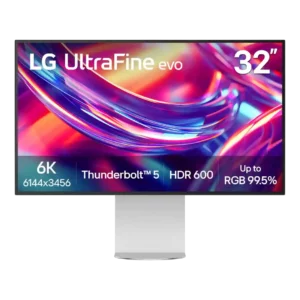
At roughly 32 inches, the display gives creative apps, code editors, timelines, and multiple windows noticeably more breathing room. Several reviewers call this size a sweet spot for a primary...
Pros: port selection, overall satisfaction
Cons: value for money, cable management

The wide 34-inch canvas earns praise for replacing cramped multiwindow desktop setups.
Pros: overall satisfaction, screen size
Cons: stand adjustability, Photo editing

The 27-inch panel is widely regarded as a comfortable size for work, reading and keeping multiple tasks visible without moving to a much larger display.
Pros: USB hub functionality, USB-C power delivery
Cons: speaker quality
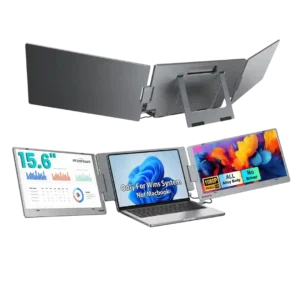
The dual 15.6-inch panels are a major attraction for buyers who want more workspace. Customers especially appreciate the larger viewing area for documents and multitasking.
Pros: overall satisfaction, portability and weight
Cons: reliability over time

A 27-inch screen provides a popular balance of usable gaming space and manageable desk footprint.
Pros: overall satisfaction, response time
Cons: reflection handling, VRR flicker

The 27-inch size gives 4K dense detail and keeps reduced-resolution gaming less soft than larger 32-inch alternatives.
Pros: Dual-mode versatility, refresh rate
Cons: black levels, contrast

The 27-inch format works well alongside another display and balances 4K density with a compact footprint; those needing more space can choose a larger model.
Pros: port selection, USB hub functionality
Cons: competitive gaming suitability, motion clarity

The 27-inch size is seen as a comfortable match for QHD gaming and desktop use.
Pros: HDR performance, black levels
Cons: viewing angles, response time

The 15.6-inch format strikes a practical balance between a useful extra workspace and the ability to fit beside a laptop in a bag or cramped location.
Pros: overall satisfaction, stand adjustability
Cons: value for money, reflection handling
The 40-inch canvas is the product’s defining advantage, giving spreadsheets, timelines, and several windows room to breathe. Its near-meter width and awkward weight demand a large, stable desk.
Pros: productivity versatility, aspect ratio
Cons: built-in speakers, competitive gaming suitability

The 34-inch footprint creates an enjoyable, spacious gaming and multitasking view while requiring a sufficiently wide desk.
Pros: ultrawide gaming experience, black levels
Cons: HDR performance, viewing angles

The large 32-inch canvas is excellent for side-by-side documents and viewing content, but it may overwhelm smaller desks.
Pros: overall picture quality, overall satisfaction
Cons: port selection, brightness

The 27-inch size is comfortable for QHD gaming and desk use, balancing workspace with manageable system demands.
Pros: brightness, contrast
Cons: Text fringing, speaker quality

The 32-inch diagonal is a pleasing match for 4K gaming and work, offering scale without taking over a typical desk.
Pros: brightness, HDR performance
Cons: speaker quality, built-in speakers

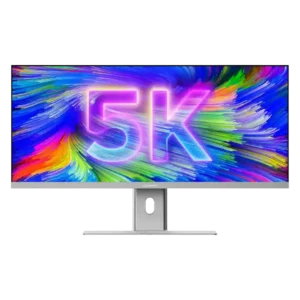
A 27-inch surface gives 5K pixels exceptional density without requiring a massive workspace, fitting the intended high-detail viewing distance.
Pros: Pixel density, Resolution
Cons: GPU demands, HDR performance

The 27-inch size is widely seen as a good match for QHD and feels like a meaningful improvement over smaller older panels.
Pros: overall satisfaction, refresh rate
Cons: HDR performance, HDMI 2.1 support

The 27-inch screen is seen as a useful sweet spot for detailed QHD games and ordinary desk work.
Pros: overall satisfaction, PC gaming compatibility
Cons: color accuracy, local dimming performance

The expansive 32-inch screen makes games and work more immersive and spacious, though it can feel oversized at close competitive-gaming distances.
Pros: value for money, overall satisfaction
Cons: HDR performance, Headphone output quality

The 27-inch format balances usable multitasking space against a modest footprint, though native 4K text often needs scaling.
Pros: value for money, Resolution
Cons: port selection, HDR performance
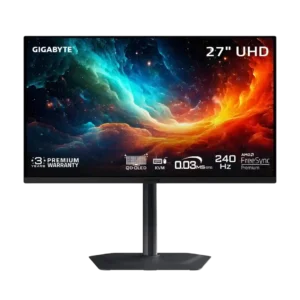
The 27-inch format is a strong match for 4K, delivering dense detail without requiring a huge desk. A selectable 24-inch mode adds flexibility for esports.
Pros: motion clarity, PC gaming compatibility
Cons: color accuracy, software support

The 27-inch format keeps fast games within easy view and fits a desk comfortably, although some consider it small for the price.
Pros: overall satisfaction, value for money
Cons: reflection handling, screen uniformity

The 27-inch 4K format balances crisp detail with manageable desk space, although some video editors would prefer a larger working canvas.
Pros: value for money, Resolution
Cons: port selection, competitive gaming suitability
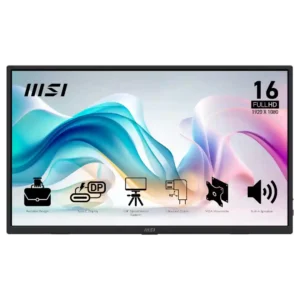
The 15.6-inch size is widely appreciated for compact desks and travel, though one buyer found it too small for their purpose.
Pros: value for money, portability and weight
Cons: built-in speakers, color gamut

The 27-inch size was seen as compact and desk-friendly, though some reviewers preferred larger 32-inch displays for immersion.
Pros: value for money, sharpness
Cons: brightness, USB hub functionality

The 27-inch format brings unusually high pixel density and suits closer desk viewing. Some people still prefer a 32-inch OLED for a roomier canvas or more immersive games.
Pros: sharpness, overall satisfaction
Cons: value for money, VRR flicker

Several reviewers like the 27-inch and 1440p combination, although one owner had to rearrange a crowded desk to fit it beside an iMac.
Pros: refresh rate, value for money
Cons: HDR performance, contrast
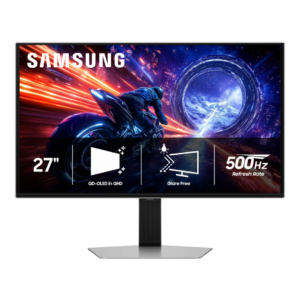
The 27-inch size is ideal for close-up competitive play and smaller desks, but it can feel modest for the price and lacks the cinematic scale of larger displays.
Pros: overall satisfaction, competitive gaming suitability
Cons: value for money, screen size

The compact 14-inch footprint favors travel and secondary-screen use, rather than replacing a roomy main monitor.
Pros: brightness, portability and weight
Cons: value for money, port selection