
The 39-inch format gives noticeably more vertical presence than 34-inch ultrawides without the imposing dimensions of a 45-inch panel.
Pros: Resolution, overall satisfaction
Cons: value for money, Image scaling

The 39-inch format gives noticeably more vertical presence than 34-inch ultrawides without the imposing dimensions of a 45-inch panel.
Pros: Resolution, overall satisfaction
Cons: value for money, Image scaling

At 34 inches the curved panel feels expansive for gaming and can hold wide workspaces without needing a second display.
Pros: refresh rate, Text fringing
Cons: Resolution, GPU demands

The 31.5-inch viewable screen is immersive in games and spacious for desktop work, although it needs a reasonably generous desk.
Pros: black levels, sharpness
Cons: value for money, brightness

The 27-inch format feels well sized for immersive games without dominating the desk; its room for multiple windows is appreciated.
Pros: value for money, panel type
Cons: brightness, port selection

The 27-inch format is regarded as a gaming sweet spot: large enough for detail yet compact enough for esports.
Pros: black levels, overall picture quality
Cons: brightness, Gaming feature selection

The 27-inch panel provides satisfying room for everyday tasks, including situations where a second laptop screen becomes unnecessary.
Pros: Monitor daisy-chaining, overall picture quality
Cons: value for money, refresh rate

The 27-inch size pairs naturally with 5K resolution, giving a comfortable desktop canvas without sacrificing text definition.
Pros: port selection, color accuracy
Cons: built-in speakers, speaker quality
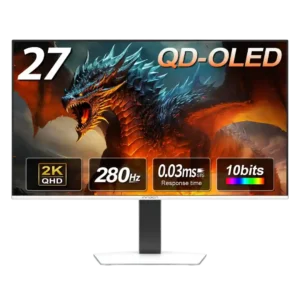
At 27 inches, the screen size pairs especially well with 1440p for a balanced desktop gaming setup.
Pros: color gamut, overall picture quality
Cons: brightness, HDR performance

The 32-inch format gives games and complex tasks room to breathe, though it is a substantial desktop display.
Pros: PC gaming compatibility, reflection handling
Cons: color accuracy, VRR flicker
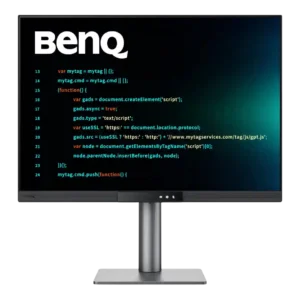
Although it occupies roughly a 28-inch footprint, the taller panel feels closer to a 32-inch widescreen in vertical space. That added height makes dense work layouts feel less cramped.
Pros: productivity versatility, aspect ratio
Cons: value for money, competitive gaming suitability

A roomy 32-inch canvas suits high-DPI work and immersive play, although using 6K requires scaling and does not magically expand the physical viewing area.
Pros: Resolution, sharpness
Cons: value for money, HDR performance

The 39-inch format gives games more vertical presence than typical 34-inch ultrawides without reaching the unwieldy width of many 45-inch models. It still demands a reasonably deep, spacious desk.
Pros: overall satisfaction, Text fringing
Cons: brightness, Edge dimming behavior

The 32-inch screen creates strong immersion and provides useful desktop space without becoming an ultrawide. Its size is excellent for cinematic games, though some esports players may prefer a smaller...
Pros: brightness, reflection handling
Cons: cable management

The 34-inch width broadens the field of view without becoming taller than a typical 27-inch monitor, helping both immersion and multitasking.
Pros: refresh rate, color accuracy
Cons: console gaming compatibility, DisplayPort connectivity

A compact 24-inch screen puts game information in a focused field of view; some players prefer that to a more immersive 27-inch panel. The size is a deliberate esports choice.
Pros: competitive gaming suitability, motion clarity
Cons: contrast, overall picture quality

The 34-inch width offers a sweet spot for immersion and multitasking, though its limited height may feel smaller to owners of taller 32-inch displays.
Pros: brightness, value for money
Cons: port selection, built-in speakers

The large 32-inch format supports immersive games and side-by-side windows without feeling like an oversized television.
Pros: brightness, color gamut
Cons: AI scene optimization, value for money

The 32-inch display adds immersion and workspace compared with 27-inch monitors. Its size can feel excessive to players who sit close and focus on competitive shooters.
Pros: overall satisfaction, black levels
Cons: value for money, stand adjustability

The 27-inch format balances immersion and desk space, with more picture area than many traditional 24- or 25-inch esports monitors.
Pros: motion clarity, Backlight strobing
Cons: contrast, HDR performance

At 34 inches, the display adds horizontal room for games and windows without approaching the bulk of 39- or 49-inch models.
Pros: color gamut, contrast
Cons: value for money, Resolution

The compact, thin-bezel 27-inch form fits common desktop setups without demanding an oversized desk.
Pros: competitive gaming suitability, refresh rate
Cons: Dual-mode versatility, GPU demands

The 52-inch panel can replace several monitors and feels transformative once users adapt. Its four-foot width, weight, and viewing-distance demands make a large, deep desk essential.
Pros: productivity versatility, overall satisfaction
Cons: value for money, response time

The 27-inch size balances high pixel density with a manageable desk footprint. Users wanting a large physical workspace may feel cramped even at 5K.
Pros: Resolution, Dual-mode versatility
Cons: value for money, GPU demands

The compact 27-inch footprint works well for many desks, but 32-inch display users and timeline-heavy editors may feel constrained.
Pros: refresh rate, HDR performance
Cons: value for money, Device compatibility

The expansive 32-inch view is great for immersive 4K games, though it also demands space and can feel unwieldy during office work.
Pros: overall satisfaction, contrast
Cons: value for money, port selection