
Remarkably sharp motion across nearly the entire panel is the defining strength, even at frame rates far below 360fps. Minor strobe crosstalk remains in some situations.
Pros: motion clarity, Backlight strobing
Cons: contrast, HDR performance

Remarkably sharp motion across nearly the entire panel is the defining strength, even at frame rates far below 360fps. Minor strobe crosstalk remains in some situations.
Pros: motion clarity, Backlight strobing
Cons: contrast, HDR performance

Fast OLED pixels and 280Hz refresh deliver exceptionally crisp movement, even if 360Hz alternatives offer a small competitive edge.
Pros: brightness, value for money
Cons: port selection, built-in speakers

Moving images are a standout: fast camera pans and rapid gameplay retain excellent clarity. The low price does not diminish this core OLED strength.
Pros: value for money, panel type
Cons: brightness, port selection

At 240Hz, fast motion is extremely clean and sharp, with rapid transitions and very little blur. Enthusiasts seeking the absolute highest esports clarity may still prefer faster 360–540Hz displays.
Pros: overall satisfaction, black levels
Cons: value for money, stand adjustability

Fast-moving objects show remarkably little blur or trailing, helping target visibility and making rapid camera movement feel precise.
Pros: competitive gaming suitability, refresh rate
Cons: Dual-mode versatility, GPU demands

Smooth 360Hz updates and very fast OLED pixels make moving targets and camera pans extremely clean; lower frame rates show less benefit.
Pros: color gamut, contrast
Cons: value for money, Resolution

Rapid action stays sharp with minimal blur, making fast-paced games unusually easy to follow.
Pros: PC gaming compatibility, reflection handling
Cons: color accuracy, VRR flicker
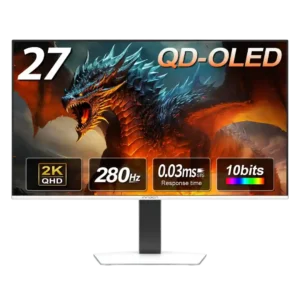
Fast movement stays clean and sharp, with reviewers repeatedly praising the smoothness in both esports and cinematic games.
Pros: color gamut, overall picture quality
Cons: brightness, HDR performance

Motion is exceptionally clear and fluid at 240Hz, with near-instant OLED transitions making moving targets easy to follow. Black-frame insertion can improve clarity at lower frame rates but adds setup...
Pros: brightness, reflection handling
Cons: cable management

Near-instant OLED transitions are exceptionally clean at 240Hz, and the optional 480Hz mode improves fast-moving target definition further.
Pros: black levels, sharpness
Cons: value for money, brightness

Near-instant pixel transitions produce very little visible motion blur. The extremely fluid 360Hz ceiling strengthens fast PC gaming.
Pros: refresh rate, color accuracy
Cons: console gaming compatibility, DisplayPort connectivity

Motion is consistently crisp and smooth, from high-refresh desktop movement to frantic gaming sequences.
Pros: overall satisfaction, contrast
Cons: value for money, port selection

Rapid tracking is remarkably well defined, especially with DyAc 3 engaged. The gain over top-end OLED can be obvious in tests yet subtle to some players in real matches.
Pros: competitive gaming suitability, motion clarity
Cons: contrast, overall picture quality

Fast-moving scenes look exceptionally clear thanks to OLED pixel transitions. Racing, shooters, and even desktop scrolling benefit.
Pros: black levels, overall picture quality
Cons: brightness, Gaming feature selection

Very fast OLED transitions make movement crisp and responsive, letting details stay easier to follow during quick camera movements.
Pros: brightness, color gamut
Cons: AI scene optimization, value for money

Instantaneous OLED pixel transitions keep motion well defined, especially at higher refresh rates. Running the full-resolution mode at 165Hz still offers less clarity than higher-refresh flagship OLEDs at equal frame...
Pros: overall satisfaction, Text fringing
Cons: brightness, Edge dimming behavior

Desktop motion looks fluid and comfortable at 120Hz, even when several inputs run at different refresh rates. The panel handles scrolling and everyday animation far better than conventional office displays.
Pros: productivity versatility, overall satisfaction
Cons: value for money, response time

Motion stays impressively clear during rapid camera pans and fast-moving games; 360Hz makes fine moving details easier to follow.
Pros: refresh rate, Text fringing
Cons: Resolution, GPU demands

Instantaneous OLED transitions produce remarkably crisp motion, especially at 330Hz, with some refresh-rate limitations relative to faster OLEDs.
Pros: Resolution, overall satisfaction
Cons: value for money, Image scaling

Action is smooth and sharp by LCD standards, especially in 330Hz mode. A little trailing blur remains, so top OLEDs are still clearer.
Pros: Resolution, Dual-mode versatility
Cons: value for money, GPU demands
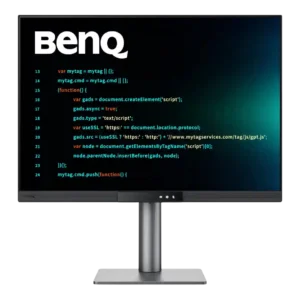
Scrolling and everyday motion look smooth at 120Hz, especially in code, charts, and desktop apps. Games are improved too, though moving objects can still look softer than on a gaming...
Pros: productivity versatility, aspect ratio
Cons: value for money, competitive gaming suitability

The fast mode looks distinctly clearer than 165Hz, but IPS pixel response and low-frame-rate overshoot prevent OLED-like motion clarity.
Pros: Resolution, sharpness
Cons: value for money, HDR performance

Higher refresh improves perceived fluidity, but moving objects can still smear substantially compared with fast OLED monitors.
Pros: refresh rate, HDR performance
Cons: value for money, Device compatibility

Movement is notably less crisp than on faster gaming displays, with a tester reporting visible smear during rapid action.
Pros: port selection, color accuracy
Cons: built-in speakers, speaker quality

Slow pixel transitions make movement blurrier than on many modern monitors, limiting the premium feel in fast motion.
Pros: Monitor daisy-chaining, overall picture quality
Cons: value for money, refresh rate