
DisplayPort 2.1, HDMI 2.1, USB-C and USB data ports provide an extensive connection suite for premium gaming and work setups.
Pros: black levels, sharpness
Cons: value for money, brightness

DisplayPort 2.1, HDMI 2.1, USB-C and USB data ports provide an extensive connection suite for premium gaming and work setups.
Pros: black levels, sharpness
Cons: value for money, brightness

DisplayPort 2.1, two HDMI 2.1 inputs and USB-C video/charging make this a particularly flexible premium monitor. Missing KVM limits shared-peripheral switching.
Pros: PC gaming compatibility, reflection handling
Cons: color accuracy, VRR flicker

The port selection is comprehensive and premium, with DisplayPort 2.1a, two HDMI 2.1 inputs, USB-C power delivery, USB-A ports, KVM support, and a headphone jack.
Pros: brightness, reflection handling
Cons: cable management

DisplayPort 2.1, HDMI 2.1, USB-C, USB-A, and audio output create a versatile connection set. The omission of older optical audio output disappoints users of some external DACs.
Pros: overall satisfaction, black levels
Cons: value for money, stand adjustability

Connectivity is exceptionally comprehensive, with Thunderbolt 4, dual HDMI, dual DisplayPort, numerous USB-A and USB-C ports, Ethernet, and easy-access front connections. It functions as a true connectivity powerhouse.
Pros: productivity versatility, overall satisfaction
Cons: value for money, response time

A generous mix of Thunderbolt, USB-C, USB-A, and HDMI makes this more flexible than many minimalist Mac displays.
Pros: port selection, color accuracy
Cons: built-in speakers, speaker quality

DisplayPort 2.1, dual HDMI 2.1, USB-C, several USB-A ports and a headphone output form a particularly well-rounded connection set.
Pros: color gamut, contrast
Cons: value for money, Resolution

HDMI 2.1, DisplayPort 2.1, USB-C, and USB hub options make the monitor versatile across PCs and laptops.
Pros: refresh rate, Text fringing
Cons: Resolution, GPU demands

DisplayPort 2.1, two HDMI 2.1 ports, USB-C and USB-A make connectivity more flexible than a typical gaming-only monitor.
Pros: brightness, color gamut
Cons: AI scene optimization, value for money

High-bandwidth DisplayPort, dual HDMI, USB-C and several peripheral connections cover most mixed setups. Buyers wanting extra HDMI inputs or integrated audio should still check their needs.
Pros: overall satisfaction, Text fringing
Cons: brightness, Edge dimming behavior

DisplayPort 2.1, two HDMI 2.1 inputs and USB-C provide excellent modern video connectivity. Missing KVM and more extensive USB docking are the notable limitations.
Pros: Resolution, Dual-mode versatility
Cons: value for money, GPU demands

The port assortment is praised for HDMI, USB-C and USB hub connectivity, but DisplayPort 2.1 is a notable omission compared with certain rivals.
Pros: refresh rate, color accuracy
Cons: console gaming compatibility, DisplayPort connectivity
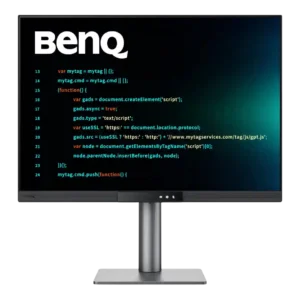
Connectivity is a major strength, combining USB-C power delivery, HDMI, DisplayPort, USB-B, and accessible downstream ports. A few reviewers disliked specific port positions, but the overall selection is highly versatile.
Pros: productivity versatility, aspect ratio
Cons: value for money, competitive gaming suitability
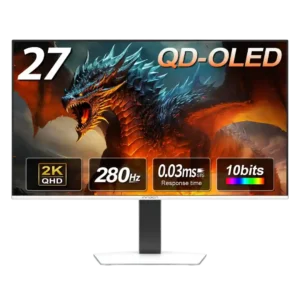
The core video selection is strong with dual HDMI and dual DisplayPort, but the lack of USB-C, USB expansion, and KVM functionality keeps it from feeling fully equipped.
Pros: color gamut, overall picture quality
Cons: brightness, HDR performance

The multiple HDMI inputs are useful, while the straightforward rear port orientation makes cables easier to attach. The connection mix is otherwise focused on gaming.
Pros: competitive gaming suitability, motion clarity
Cons: contrast, overall picture quality

Modern DisplayPort, HDMI, USB-C, and USB-A ports cover many setups, though a missing KVM and certain USB routing limitations temper flexibility.
Pros: Resolution, overall satisfaction
Cons: value for money, Image scaling

Two HDMI inputs, DisplayPort, USB-C, and USB-A provide welcome flexibility, although some would like another HDMI or easier physical access.
Pros: competitive gaming suitability, refresh rate
Cons: Dual-mode versatility, GPU demands

Two HDMI 2.1 inputs and DisplayPort cover core video needs, while limited USB, no audio jack and no video-capable USB-C leave the hub side basic.
Pros: brightness, value for money
Cons: port selection, built-in speakers

Modern HDMI and DisplayPort connections handle the demanding signal, but missing USB-C and Thunderbolt and a small USB hub reduce workstation appeal.
Pros: Resolution, sharpness
Cons: value for money, HDR performance

Thunderbolt 5 and USB-C are excellent for Mac-centric desks, but no HDMI, DisplayPort or USB-A makes this a restricted multi-device hub.
Pros: Monitor daisy-chaining, overall picture quality
Cons: value for money, refresh rate

A single HDMI and DisplayPort connection and few extras feel meager for a high-end screen, especially next to more flexible competitors.
Pros: overall satisfaction, contrast
Cons: value for money, port selection

Two HDMI 2.1 ports, DisplayPort, and USB-A cover basic gaming needs, but the lack of USB-C and KVM disappoints in this price class.
Pros: motion clarity, Backlight strobing
Cons: contrast, HDR performance

Two HDMI 2.1 inputs and DisplayPort cover typical display connections, but the absence of USB hub functions feels restrictive.
Pros: black levels, overall picture quality
Cons: brightness, Gaming feature selection

Thunderbolt 5 is fast and useful, but the absence of HDMI, DisplayPort, USB-A, and a second upstream input is a repeated frustration.
Pros: refresh rate, HDR performance
Cons: value for money, Device compatibility

The connection lineup covers basic video inputs but little else, with limited HDMI bandwidth and no USB expansion.
Pros: value for money, panel type
Cons: brightness, port selection