
Extremely strong HDR peaks and sustained luminance make this one of the brightest displays its testers have used; SDR brightness can depend on ambient-light behavior.
Pros: refresh rate, HDR performance
Cons: value for money, Device compatibility

Extremely strong HDR peaks and sustained luminance make this one of the brightest displays its testers have used; SDR brightness can depend on ambient-light behavior.
Pros: refresh rate, HDR performance
Cons: value for money, Device compatibility

The Tandem OLED reaches impressive HDR brightness for its class, although sustained brightness can fall and direct sunlight remains demanding.
Pros: competitive gaming suitability, refresh rate
Cons: Dual-mode versatility, GPU demands

The five-layer panel is noticeably brighter in SDR and produces vivid, high-impact HDR highlights. Large bright HDR scenes remain more constrained than small specular effects.
Pros: brightness, value for money
Cons: port selection, built-in speakers

The new panel produces brighter SDR images and impressive HDR highlights, with peaks near 1,300 nits in small areas. Large bright regions remain more restrained.
Pros: color gamut, contrast
Cons: value for money, Resolution

The display reaches strong SDR brightness and remains impressively bright with Pulsar on. It also dims enough for many darker spaces.
Pros: motion clarity, Backlight strobing
Cons: contrast, HDR performance

SDR brightness is generally sufficient for home and office work, even under normal room lighting. It is still less bright than some premium competitors.
Pros: port selection, color accuracy
Cons: built-in speakers, speaker quality

Full-screen SDR brightness is now strong enough for normal office and gaming use, and dynamic mode can push smaller highlights higher. HDR remains bright for a monitor, though it still...
Pros: brightness, reflection handling
Cons: cable management

For an OLED ultrawide, brightness is excellent in both SDR and HDR, although sunny windows and larger bright scenes can still expose limits.
Pros: Resolution, overall satisfaction
Cons: value for money, Image scaling

The 600-nit SDR output is comfortably bright for most offices, although it looks modest next to the XDR and offers little advancement over the prior model.
Pros: Monitor daisy-chaining, overall picture quality
Cons: value for money, refresh rate
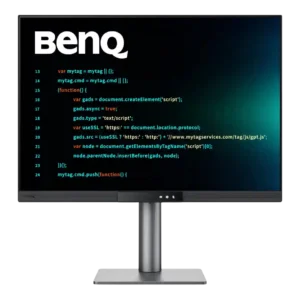
Brightness is sufficient for normal indoor work and can be driven high when needed. More importantly, it dims very low while preserving clarity, and the ambient sensor can adjust it...
Pros: productivity versatility, aspect ratio
Cons: value for money, competitive gaming suitability

SDR and larger-area HDR brightness have improved over earlier versions, helping colorful games and desktop apps. Several tests still find small-highlight gains modest and OLED television HDR considerably brighter.
Pros: overall satisfaction, black levels
Cons: value for money, stand adjustability

The newer panel is brighter than its predecessor and retains luminance well as brighter areas grow. Full-screen white is still less intense than small HDR highlights.
Pros: PC gaming compatibility, reflection handling
Cons: color accuracy, VRR flicker

Brilliant SDR output and large HDR highlights make daylight use easy. Small highlights are less forceful, and independent tests disagree over whether sustained HDR brightness falls after several minutes.
Pros: Resolution, Dual-mode versatility
Cons: value for money, GPU demands

Full-screen SDR brightness has improved and works in ordinary indoor lighting, while HDR peaks can be brilliant. Strong direct sunlight remains a challenge.
Pros: refresh rate, Text fringing
Cons: Resolution, GPU demands

Around 440–480 nits is ample for ordinary indoor work but falls short of the impact and flexibility of brighter premium HDR rivals.
Pros: Resolution, sharpness
Cons: value for money, HDR performance

The peak brightness impresses one reviewer, but another finds full-screen output limited next to LED displays, especially in brighter rooms.
Pros: overall satisfaction, contrast
Cons: value for money, port selection

The Tandem OLED panel makes a noticeable leap over older LG OLEDs for several owners, especially in HDR. One disappointed owner found it dimmer than rival QD-OLEDs, and full-screen brightness...
Pros: brightness, color gamut
Cons: AI scene optimization, value for money

Brightness is comfortable for most offices and home studios, generally landing in the mid-300-nit range. It can struggle in very bright rooms, and the automatic adjustment may feel too aggressive.
Pros: productivity versatility, overall satisfaction
Cons: value for money, response time

Small HDR highlights can be punchy, and SDR output is comfortable for typical indoor use. Larger bright areas are less luminous than on the competing white-subpixel LG panel.
Pros: overall satisfaction, Text fringing
Cons: brightness, Edge dimming behavior
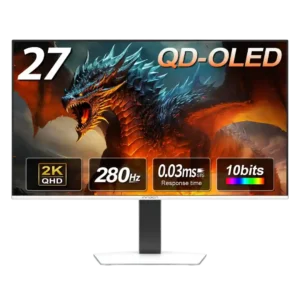
Brightness is adequate in controlled lighting but trails brighter IPS, Mini-LED, and premium OLED rivals. Highlight mode helps, yet sunlit rooms remain a weak fit.
Pros: color gamut, overall picture quality
Cons: brightness, HDR performance

Large bright scenes and full-screen white are less punchy than on some newer competitors, despite strong small highlights and enough SDR output for many users.
Pros: black levels, sharpness
Cons: value for money, brightness

Brightness is the most persistent weakness: adequate for many indoor desks but underpowered beside brighter OLED and mini-LED competitors.
Pros: black levels, overall picture quality
Cons: brightness, Gaming feature selection

Brightness is the recurring weak spot, especially in sunny rooms and HDR. It is generally manageable in controlled or moderately lit spaces.
Pros: value for money, panel type
Cons: brightness, port selection