
OLED transitions are effectively instantaneous, with little to no ghosting or overshoot at the tested refresh rates.
Pros: overall satisfaction, response time
Cons: reflection handling, VRR flicker

OLED transitions are effectively instantaneous, with little to no ghosting or overshoot at the tested refresh rates.
Pros: overall satisfaction, response time
Cons: reflection handling, VRR flicker

Near-instant transitions leave very little ghosting, trailing or overshoot even at extreme refresh rates.
Pros: black levels, motion clarity
Cons: value for money, Dual-mode versatility

Fast OLED pixel transitions keep moving edges remarkably free of smearing, ghost trails and overshoot artifacts.
Pros: brightness, contrast
Cons: Text fringing, speaker quality

Ghosting control was excellent, with reviewers reporting no ghosting, tearing, or inverse ghosting in use.
Pros: value for money, sharpness
Cons: brightness, USB hub functionality

OLED response leaves virtually no visible trailing or overshoot in ordinary gaming.
Pros: overall satisfaction, value for money
Cons: reflection handling, screen uniformity
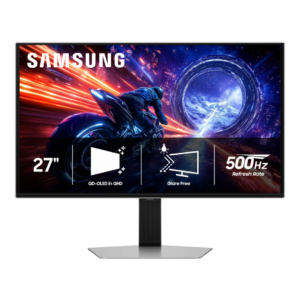
Fast-moving objects show essentially no visible trailing or overshoot, one of the clearest advantages of the OLED response behavior.
Pros: overall satisfaction, competitive gaming suitability
Cons: value for money, screen size

At least one hands-on test reported no noticeable ghost trails during casual gaming.
Pros: brightness, portability and weight
Cons: value for money, port selection

A rapid OLED pixel response keeps motion crisp, with little visible smear or overshoot in the strongest test account.
Pros: overall picture quality, overall satisfaction
Cons: port selection, brightness
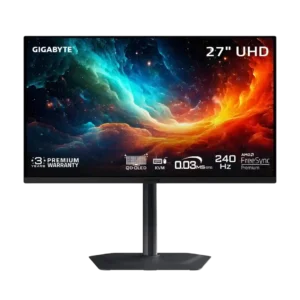
Fast OLED response produces clean motion without the overshoot artifacts commonly seen on aggressive LCD overdrive modes.
Pros: motion clarity, PC gaming compatibility
Cons: color accuracy, software support

Near-instant OLED response leaves fast motion unusually free of trailing and ghosting in action games.
Pros: reflection handling, HDR performance
Cons: screen uniformity, Screen coating clarity

Fast-moving objects show little to no ghosting or overshoot. This is a major advantage over many LCD gaming monitors.
Pros: sharpness, overall satisfaction
Cons: value for money, VRR flicker

Moving objects show relatively little trailing, and the strobing mode produces minimal double images when configured well.
Pros: overall satisfaction, PC gaming compatibility
Cons: color accuracy, local dimming performance

Real-game motion can look clean, yet measured testing still finds blur and inverse ghosting during fast action.
Pros: HDR performance, overall satisfaction
Cons: local dimming performance, Blooming control

Motion is generally clean with sensible settings, but aggressive overdrive can introduce bright trails or inverse ghosting.
Pros: Pixel density, Resolution
Cons: GPU demands, HDR performance

VA smearing is substantially better controlled than on older panels, although dark transitions and some motion-test trails remain visible.
Pros: brightness, HDR performance
Cons: speaker quality, built-in speakers

Gaming blur results vary. Some testers report slight ghosting, while casual-game impressions find surprisingly little of the traditional VA black smear.
Pros: overall satisfaction, screen size
Cons: stand adjustability, Photo editing

Motion is generally clean at 160Hz, though inverse overshoot at lower refresh rates and smearing at 320Hz remain drawbacks.
Pros: HDR performance, overall satisfaction
Cons: HDR highlight detail, color accuracy

At high frame rates motion generally looks clean, but testers and owner summaries report inverse ghosting as refresh drops. Opinions emphasizing the fast advertised response are more positive than the...
Pros: refresh rate, value for money
Cons: HDR performance, contrast

Fast motion remains the biggest gaming compromise: some tests show visible smearing, and the fastest overdrive preset can introduce ghosting.
Pros: value for money, overall satisfaction
Cons: HDR performance, Headphone output quality

Basic motion is clean, but VRR can add blur and the most aggressive overdrive may produce bright inverse trails.
Pros: overall satisfaction, refresh rate
Cons: HDR performance, HDMI 2.1 support

Movement is reasonably clear overall, but overshoot and double images appear with some overdrive or strobing settings.
Pros: Dual-mode versatility, refresh rate
Cons: black levels, contrast

Feedback is divided: one hands-on tester noticed no ghosting, but instrumented coverage and another gaming assessment describe persistent trails behind fast motion.
Pros: value for money, Resolution
Cons: port selection, competitive gaming suitability

Visible dark trailing is the most persistent weakness, particularly in rapid high-refresh scenes and against dark backgrounds.
Pros: ultrawide gaming experience, black levels
Cons: HDR performance, viewing angles

Black smearing during dark transitions remains the clearest motion drawback, despite being reasonably controlled for a VA panel in some tests.
Pros: HDR performance, black levels
Cons: viewing angles, response time

Blur is a significant weakness for games with fast movement, despite the impressive-sounding refresh specification.
Pros: USB hub functionality, USB-C power delivery
Cons: speaker quality

Fast camera movement and high-contrast edges leave noticeable trailing, especially compared with gaming-focused IPS displays.
Pros: value for money, Resolution
Cons: port selection, HDR performance
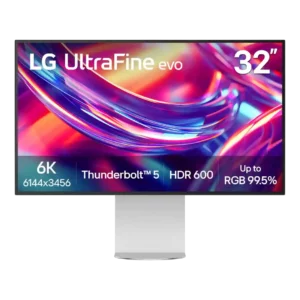
Ghosting is poor in fast motion, with one measured review reporting a lot of trailing on moving objects. This is a notable weakness for gaming or rapid on-screen movement.
Pros: port selection, overall satisfaction
Cons: value for money, cable management

Motion trails are a persistent weak spot, and the faster overdrive mode can trade blur for inverse ghosting or dark halos.
Pros: port selection, USB hub functionality
Cons: competitive gaming suitability, motion clarity
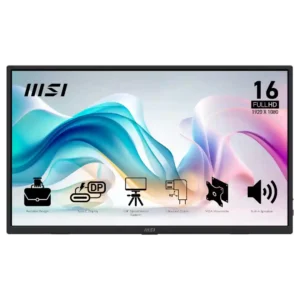
Ghosting can be severe in scrolling and video according to one owner, making motion-heavy use a risk.
Pros: value for money, portability and weight
Cons: built-in speakers, color gamut