
Extremely fast OLED transitions keep motion clean, with little smearing, overshoot or visible ghosting even in fast games.
Pros: brightness, value for money
Cons: port selection, built-in speakers

Extremely fast OLED transitions keep motion clean, with little smearing, overshoot or visible ghosting even in fast games.
Pros: brightness, value for money
Cons: port selection, built-in speakers

Fast OLED transitions largely avoid ghosting and overshoot across a range of refresh rates, an advantage over LCD competitors.
Pros: refresh rate, Text fringing
Cons: Resolution, GPU demands

Near-instant OLED response avoids obvious ghost trails and inverse-overshoot artifacts, including during VRR operation.
Pros: color gamut, contrast
Cons: value for money, Resolution

Rapid OLED transitions produce exceptionally clean moving objects and little visible overshoot, even in demanding motion tests.
Pros: overall satisfaction, black levels
Cons: value for money, stand adjustability

Ghosting is tightly controlled in fast scenes, reinforcing the monitor’s strength for high-speed gaming.
Pros: value for money, panel type
Cons: brightness, port selection
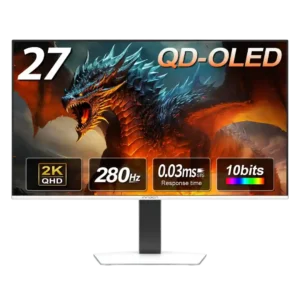
Motion tests showed no visible ghosting or inverse-ghosting trails, reinforcing the panel’s excellent gaming clarity.
Pros: color gamut, overall picture quality
Cons: brightness, HDR performance

Rapid OLED response largely eliminates trails and smearing during sudden camera movement.
Pros: black levels, overall picture quality
Cons: brightness, Gaming feature selection

Very fast OLED response keeps trailing and smearing minimal in rapid action.
Pros: competitive gaming suitability, refresh rate
Cons: Dual-mode versatility, GPU demands

OLED response eliminates visible ghosting across the refresh range. There are no LCD-style overdrive artifacts to manage.
Pros: brightness, reflection handling
Cons: cable management

Fast pixel transitions keep ghosting almost invisible, helping frantic action look clear.
Pros: overall satisfaction, contrast
Cons: value for money, port selection

Fast-moving elements show almost no noticeable smearing, helping demanding action games stay legible.
Pros: PC gaming compatibility, reflection handling
Cons: color accuracy, VRR flicker

OLED transitions are very clean at both 4K and 1080p, with almost no visible trails.
Pros: brightness, color gamut
Cons: AI scene optimization, value for money

Normal fast-overdrive settings keep inverse trails low, making motion respectable for an IPS panel. More aggressive tuning can introduce overshoot.
Pros: Resolution, Dual-mode versatility
Cons: value for money, GPU demands
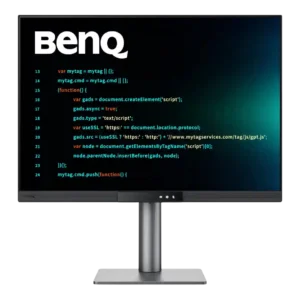
Ghosting is controlled reasonably well once overdrive is raised. A little inverse ghosting can appear, but it is subtle and generally worth the added clarity.
Pros: productivity versatility, aspect ratio
Cons: value for money, competitive gaming suitability

Moving objects are exceptionally clean across the panel, though faint crosstalk or double images can occur in particular colors or during sudden frame-rate changes.
Pros: motion clarity, Backlight strobing
Cons: contrast, HDR performance

Fast TN response and DyAc 3 keep trails very limited in action, with some testers finding it cleaner than a strobing competitor. Mild duplication or crosstalk can still appear under...
Pros: competitive gaming suitability, motion clarity
Cons: contrast, overall picture quality

Fast motion is generally serviceable, but inverse ghosting becomes visible at lower variable refresh rates in 3K mode.
Pros: Resolution, sharpness
Cons: value for money, HDR performance

Ghosting is a clear weakness, with motion tests showing substantially more smearing than Samsung mini-LED and LG OLED gaming displays. Fast mode does little to solve it.
Pros: productivity versatility, overall satisfaction
Cons: value for money, response time

Fast-moving objects can smear across the screen, making this a poor choice for demanding motion-heavy games.
Pros: port selection, color accuracy
Cons: built-in speakers, speaker quality