Best for curved screen immersion
Dell Alienware AW3425DW
5.0 attribute score
Highest scored product for this attribute based on supporting review evidence.

Highest scored product for this attribute based on supporting review evidence.
Balances the attribute score, supporting reviews, and overall product strength.
Has the broadest review evidence for this attribute.
Strongest overall product among items with scored evidence for this attribute.

Overall: 4.2/5
The gentle 1800R curve feels enveloping in games without the extreme distortion of tighter curves.
Pros: refresh rate, HDR performance
Cons: reflection handling, Text fringing

Overall: 4.4/5
The curved screen immersion draws praise for improving picture quality, convenience, or responsiveness.
Pros: refresh rate, Text fringing
Cons: Resolution, GPU demands

Overall: 4.1/5
The gentler 1500R curve draws in the edges for immersive play without the distortion and discomfort associated with LG’s earlier 800R curves.
Pros: Resolution, overall satisfaction
Cons: value for money, Image scaling

Overall: 4.5/5
The moderate 1800R curve is widely appreciated as immersive without the more aggressive wrap of earlier designs.
Pros: color gamut, contrast
Cons: value for money, Resolution

Overall: 4.0/5
The gentle curve is widely liked because it adds immersion without feeling aggressive. Owners describe it as comfortable for scanning the full ultrawide workspace.
Pros: overall satisfaction, productivity versatility
Cons: value for money, reliability over time

Overall: 4.1/5
The 1500R curve adds a welcome sense of depth without feeling overly aggressive, particularly for a centered single player.
Pros: value for money, overall satisfaction
Cons: HDR performance, Headphone output quality

Overall: 4.3/5
The 1500R curve gently pulls the edges into view and complements the wide screen for engrossing play. It is less extreme than some larger gaming ultrawides, which many find more...
Pros: overall satisfaction, Text fringing
Cons: brightness, Edge dimming behavior

Overall: 4.4/5
The gentle 2500R curve draws the edges into a comfortable viewing position without dramatic distortion; even users skeptical of curved screens often warm to it.
Pros: overall picture quality, color accuracy
Cons: value for money, built-in speakers

Overall: 4.2/5
The 1800R curve helps pull the far edges into view and adds immersion to work and entertainment, though curved lines can complicate geometric editing.
Pros: overall satisfaction, screen size
Cons: stand adjustability, Photo editing

Overall: 3.7/5
The gentle wrap draws peripheral action into view and can reduce head movement across the enormous screen.
Pros: value for money, black levels
Cons: refresh rate, portability and weight

Overall: 4.4/5
The gently curved 34-inch screen gives games a wider, immersive feel without the distortion of more aggressive curves. A few people would prefer an even deeper wraparound.
Pros: brightness, value for money
Cons: port selection, built-in speakers

Overall: 3.7/5
The 1500R curve wraps games around a centered player effectively, but it makes the screen less forgiving from other seats.
Pros: ultrawide gaming experience, black levels
Cons: HDR performance, viewing angles
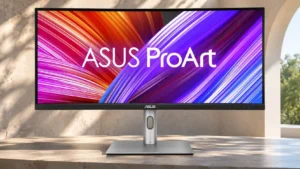
Overall: 3.9/5
The gentle 3800R curve brings the edges inward without the pronounced wraparound feel of aggressive gaming ultrawides.
Pros: color accuracy, value for money
Cons: color gamut, black levels
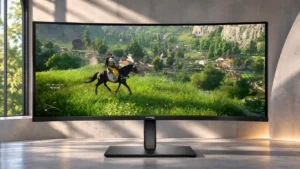
Overall: 4.4/5
The gentle 1800R curve makes the broad screen feel more involving without much distracting geometry during ordinary tasks.
Pros: refresh rate, color accuracy
Cons: console gaming compatibility, DisplayPort connectivity

Overall: 4.1/5
The tight 800R curve can feel wonderfully enveloping during gaming and simulations, yet others find it excessive for everyday use and straight-line work. Its shape is a major preference-dependent decision.
Pros: Resolution, overall satisfaction
Cons: value for money, GPU demands

Overall: 4.3/5
The gentle curve usually keeps the giant screen comfortable without visibly warping office content. Its subtlety suits office work, though a deeper curve would pull in the edges, reduce reflections,...
Pros: productivity versatility, overall satisfaction
Cons: value for money, response time

Overall: 3.6/5
The gentle 1700R curve adds a little involvement without feeling extreme to many users. Others prefer flat screens, especially for straight-line desktop work.
Pros: overall satisfaction, brightness
Cons: Dolby Vision support, VRR flicker

Overall: 3.6/5
The flat 27-inch format disappointed a user who prefers curved monitors for immersion. There is no curved alternative in this version.
Pros: refresh rate, Dual-mode versatility
Cons: motion clarity, black levels

Overall: 4.3/5
The flat 27-inch format cannot match the wraparound immersion of a large curved display, making it less compelling for buyers prioritizing cinematic scale.
Pros: overall satisfaction, competitive gaming suitability
Cons: value for money, screen size

Overall: 4.4/5
This is a flat 32-inch display, so it will not satisfy buyers seeking a curved, wraparound presentation. Reviewers point curved-screen fans toward other models.
Pros: brightness, reflection handling
Cons: cable management