
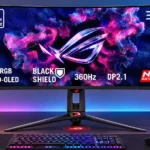
Asus ROG Swift 34 QD-OLED PG34WCDN Feature Scores
Explore all 87 feature scores for Asus ROG Swift 34 QD-OLED PG34WCDN, organized into pros and cons.
Scores by Feature
Summary
87 reviewed features-
Very positive 4.5-5.046 (53%)
-
Positive 3.5-4.427 (31%)
-
Neutral 2.5-3.412 (14%)
-
Negative 1.5-2.41 (1%)
-
Very negative below 1.51 (1%)
Pros
Sort
-
Exceptionally broad DCI-P3 coverage and vivid QD-OLED color volume give games and HDR media rich, saturated tones.
-
Perfect-pixel OLED blacks alongside bright highlights create exceptional depth, especially in dark scenes.
-
Exceptionally low processing delay makes even fast shooters feel immediate and reactive.
-
This is widely considered an excellent high-end ultrawide, with stronger text, speed and HDR than previous generations. Pricing and some OLED compromises temper the enthusiasm.
-
Expansive 21:9 framing meets elite speed, striking contrast and smooth motion; the 34-inch curve feels immersive without overwhelming the desk.
-
Instantaneous-feeling response, negligible input lag and 360Hz updates make this a standout for shooters and esports, assuming the PC can deliver high frame rates.
-
The 360Hz refresh rate is a substantial jump over older 175Hz and 240Hz ultrawides, with the biggest payoff in games that can actually reach high fps.
-
Near-instant OLED transitions keep motion crisp and reduce smearing without distracting overshoot.
-
The new RGB-stripe layout essentially eliminates the pink-green text fringes seen on older QD-OLED monitors, a major benefit for reading and work.
-
The new panel produces brighter SDR images and impressive HDR highlights, with peaks near 1,300 nits in small areas. Large bright regions remain more restrained.
-
RGB-stripe subpixels remove the characteristic fuzzy text edges of older QD-OLEDs, giving unexpectedly crisp 1440p-class results.
-
Smooth 360Hz updates and very fast OLED pixels make moving targets and camera pans extremely clean; lower frame rates show less benefit.
-
Vibrant colors, rich contrast, crisp text and clear motion produce a consistently striking image across work and games.
-
HDR is a major strength thanks to pixel-level contrast and improved peak output. No single mode combines full accuracy, peak intensity and freedom from dimming.
-
Full-bandwidth DisplayPort 2.1 UHBR20 can run 3440×1440 at 360Hz without DSC, a standout advantage for suitably equipped PCs.
-
Tiny bright elements can reach around 1,300 nits, making neon, explosions and reflections stand out. Larger bright scenes can lose some of that punch.
-
DisplayPort 2.1, dual HDMI 2.1, USB-C, several USB-A ports and a headphone output form a particularly well-rounded connection set.
-
High-bandwidth ports, VRR support and a 360Hz ceiling make it well equipped for modern PC gaming, from shooters to graphically demanding single-player titles.
-
The moderate 1800R curve is widely appreciated as immersive without the more aggressive wrap of earlier designs.
-
The integrated KVM lets one keyboard and mouse follow a change between connected computers, avoiding extra desktop switching hardware.
-
Height, tilt and swivel adjustments are smooth and practical, although the stand does not pivot to portrait.
-
OLED delivers extremely deep blacks in controlled lighting, and BlackShield reduces the purple cast of older QD-OLEDs. In brighter rooms, blacks can still look gray.
-
BlackShield noticeably lessens direct reflections and purple-tinted raised blacks. It cannot fully match the brighter-room black depth of some WOLED alternatives.
-
FreeSync and G-Sync compatibility help keep fast games smooth, with generally clean response even under changing frame rates. The dedicated anti-flicker mode brings its own limitations.
-
Dedicated sRGB and wide-gamut modes can be exceptionally accurate, and calibration results are excellent. Default oversaturation and inconsistent gamma in some modes call for attention.
-
Per-pixel light control keeps bright objects from sprouting distracting halos, a significant OLED advantage over zone-dimmed LCDs.
-
Near-instant OLED response avoids obvious ghost trails and inverse-overshoot artifacts, including during VRR operation.
-
The latest QD-OLED generation combines OLED's near-instant motion and deep blacks with improved text rendering and higher brightness.
-
Detailed scenes, immersive 21:9 framing and vivid HDR make cinematic single-player games look superb.
-
Its 90W USB-C supply comfortably exceeds basic charging-only ports and supports many laptops, even though one comparable MSI offers slightly more power.
-
Pixel care, screen shifting, proximity-based shutoff and related settings help limit prolonged static exposure. They reduce risk rather than eliminate OLED burn-in.
-
Adjustable sRGB and DCI-P3 options, six-axis saturation and software tools provide strong control. An Adobe RGB preset is missed, and one sRGB mode locks certain settings.
-
Clear menu organization and a responsive joystick earn praise; DisplayWidget is often quicker for complex settings.
-
The illuminated rear branding and desk projection add attractive flair without being overly intrusive. They favor a distinctly gaming-oriented look.
-
Screen-wide consistency is generally excellent, with little dirty-screen effect, though faint banding can appear in dark material.
-
The built-in proximity sensor can black the panel when you leave and bring it back promptly when you return, supporting both convenience and care.
-
Solid construction, a refined finish and a sturdy stand help it feel premium. The angular gaming presentation may be more divisive than the physical quality.
-
The stand's cable cutaway and integrated switching simplify a desk with several connected devices, even if the wide monitor still needs substantial space.
-
DisplayWidget software makes OLED care and color adjustments easier than navigating several levels of physical menus.
-
A cluster of USB-A ports plus USB-C and KVM support adds practical peripheral flexibility, with more ports than some rivals.
-
Colors and brightness stay consistent from off-center positions, a familiar advantage of OLED technology.
-
The 21:9 view opens up peripheral game scenery and more desktop space. Alternative aspect ratios can help focus competitive play, but consoles require manual switching.
-
Shooter, strategy and other presets, plus crosshairs and performance overlays, add flexibility. Differences between some presets are subtle.
-
Aggressive ROG styling, sharp angles and RGB flourishes look striking to some but overly gamer-focused to others.
-
Clean text, multitasking width, USB-C charging and KVM switching make occasional work comfortable. Continuous static desktop use is a poor match for OLED longevity.
-
ELMB offers a useful way to increase motion clarity when running below 360fps, but is incompatible with variable refresh and not available at every rate.
-
The newer coating maintains a clear, glossy-looking image while reducing reflected-light problems compared with earlier QD-OLED finishes.
-
The stand is solid with little wobble, though its large pronged footprint does not always provide a clear advantage over smaller bases.
-
The HDMI 2.1 connections support demanding inputs and console gaming, though 360Hz over HDMI uses DSC.
-
Standard operation ranges from minimally distracting to noticeable flicker under unstable frame rates. Anti-flicker can help, but sacrifices useful VRR behavior.
-
A 34-inch ultrawide is less cumbersome than jumbo monitors, yet the broad, pronged stand takes room and is not everyone's preferred base.
-
The OSD is generally intuitive and DisplayWidget makes adjustments easier, although reaching rear ports and enabling ELMB can be cumbersome.
-
Multiple major VRR formats are supported, but the anti-flicker setting narrows the active VRR range and can disable compensation at low frame rates.
-
Display Center can recognize games and automatically switch to appropriate picture presets; switching between strategy and shooter titles worked as intended.
-
The self-emissive OLED screen avoids the backlight bleed associated with many LCDs.
-
Fingerprints and smudges wipe away more easily than on older QD-OLED coatings, a practical benefit for routine care.
-
Unlike zoned LCD backlights, individual OLED pixels can turn fully off next to bright pixels, avoiding halos.
-
Pixel response stays clean across refresh rates without constant overdrive adjustments, making gaming setup simpler.
-
Molded protection and neat internal packing keep the large display secure during delivery.
-
Picture-in-picture and side-by-side source modes are convenient when keeping two connected systems visible at once.
-
Refined surfaces, sturdy construction and a slim OLED display section help it look the part of a flagship gaming monitor.
-
An integrated camera thread on the stand is genuinely useful for positioning webcam or creator accessories without another clamp.
-
Black-frame insertion markedly sharpens motion at 120Hz and 180Hz. Requiring fixed refresh, disabled VRR and multiple setting changes reduces convenience.
-
VESA mounting provides a welcome route to an arm or alternative support instead of using the wide stock stand.
-
Presence-triggered shutoff and newer panel material help offset consumption, although running at the very highest refresh rate can raise power use.
-
ELMB black-frame insertion gives lower-frame-rate games motion clarity approaching the monitor's native 360Hz mode, although it requires a more involved setup.
-
PC connections are broad, and supported PlayStation and Xbox signal formats work through the available inputs. Consoles still need aspect-ratio adjustment.
-
Automatic updates through DisplayWidget are useful, particularly for a monitor whose early firmware has drawn feature requests.
-
The updated panel material offers added brightness without a stated increase in heat generation, an encouraging efficiency improvement.
-
At 34 inches, the display adds horizontal room for games and windows without approaching the bulk of 39- or 49-inch models.
-
ASUS Display Center provides mouse-based access to a wider range of display settings, though its experimental voice features were unreliable in one test.
-
A three-year warranty explicitly covering burn-in adds reassurance, although it cannot rule out wear after coverage ends.
-
Xbox and PlayStation signals work well, including 4K input downscaling and 120Hz play. Manual 16:9 selection and some ELMB restrictions make it less seamless than on PC.
Cons
Sort
-
The experimental voice-controlled settings feature failed to work despite troubleshooting, making it unreliable as a real convenience.
-
Aspect-ratio modes were not remembered independently for different inputs in early testing, forcing manual changes when swapping PC and console.
-
Several measurements found gamma behavior outside the intended target, sometimes darkening or overbrightening content. Careful preset selection or calibration helps.
-
The full 360Hz advantage depends on sufficiently high game frame rates; heavy titles and weaker GPUs cannot always show the benefit.
-
Higher SDR brightness can fluctuate as white areas grow, while Uniform Brightness holds a steadier but lower level. HDR peak modes can also dim substantially in brighter scenes.
-
Performance and features are compelling, but the asking price is steep compared with capable 240Hz and 280Hz alternatives. The premium is easiest to justify for speed enthusiasts.
-
The harder coating is an improvement in principle, but scratches were seen on one tested sample, leaving real-world durability uncertain.
-
Shadow Boost can make darker SDR game areas easier to inspect, but its strongest dynamic setting also alters midtones noticeably.
-
Audio must come from external speakers or headphones. One owner does not mind the omission, but anyone wanting monitor audio will need another device.
-
Blue-light modes are available, but certain settings conflict with Uniform Brightness and the strongest filter restricts brightness.
-
Gray uniformity is strong overall, but mild banding appears in some darker gradients.
-
Screen-size emulation is flexible, but a tested 27-inch mode looked softer than expected pending a proposed firmware correction.
-
True Black 500 tracks the target curve more accurately but limits highlights. Brighter modes can overbrighten or dim scenes and sacrifice tonal detail.
-
The 3440×1440 ultrawide format provides useful working space and sharp images, especially with RGB stripe. It is not as finely detailed as true 4K or higher-density rivals.
Use Cases
Best for
Sort
-
Cutting-edge QD-OLED improvements, 360Hz operation and extensive connectivity make this a tempting flagship for early adopters.
-
Clear RGB-stripe text and extra horizontal workspace are excellent for windows, browsing and timelines. Frequent all-day static applications still bring OLED wear concerns.
-
Deep blacks, vivid color, punchy highlights and ultra-fast response make HDR games look dramatic without adding obvious sluggishness.
-
KVM, USB ports, picture-by-picture support and multiple video inputs make it convenient to alternate between a gaming PC and another machine.
-
One USB-C lead can carry a laptop's picture and provide meaningful charging, reducing cables when switching to work.
-
USB-C DisplayPort Alt Mode and 90W charging offer a convenient single-cable laptop connection.
-
Precise factory and calibrated colors make the display viable for color-sensitive tasks, though the correct mode is important and OLED burn-in limits static-heavy work.
-
Controlled, darker lighting shows the OLED's deepest blacks and strongest HDR contrast, making it an especially appealing nighttime display.
-
USB-C carrying both video and power is particularly useful with compatible gaming handhelds such as the ROG Ally.
-
The curve fills peripheral vision without becoming an attention-grabbing distraction once play begins.
-
High-contrast OLED visuals and vivid colors suit films and streaming, with HDR mode selection influencing the result.
-
A built-in camera mounting thread is a thoughtful addition for streamers and anyone positioning a webcam above the monitor.
-
The ultrawide timeline and substantially cleaner text are pleasing for editing sessions, though all-day static UI remains a broader OLED concern.
-
BlackShield offers a welcome improvement over earlier QD-OLEDs, with less purple tint and subdued reflections. WOLED alternatives still keep darker blacks in well-lit spaces.
Conditional or not ideal for
Sort
-
Budget-conscious buyersThis is expensive flagship hardware, and cheaper 240Hz or 280Hz ultrawides cover much of the experience. Price-sensitive buyers may prefer those or a sale.
-
Portrait orientationThe broad curved panel does not pivot into portrait orientation, so vertical monitor layouts are not practical with its stand.
-
Alternative operating systemsA Linux user encountered an error importing the monitor color profile. Color-management setup may demand extra troubleshooting outside Windows.
-
Casual gamingThe picture is enjoyable for ordinary games, but its price and 360Hz ceiling exceed what many casual players need.
-
Photosensitive playersReduced OLED flicker may help compared with older designs, but brightness variation and VRR flicker have not disappeared for sensitive users.
-
Long-term ownershipBetter protective software and some expected durability improvements are encouraging, but long stretches of static content remain a burn-in risk.