Best for ultrawide gaming experience
LG 45GX950A-B
5.0 attribute score
Highest scored product for this attribute based on supporting review evidence.

Highest scored product for this attribute based on supporting review evidence.
Balances the attribute score, supporting reviews, and overall product strength.
Has the broadest review evidence for this attribute.
Strongest overall product among items with scored evidence for this attribute.

Overall: 4.1/5
Ultrawide PC games gain tremendous immersion from the tall screen, high resolution and wraparound curve. The experience is outstanding when games support 21:9 well and the desk can accommodate the...
Pros: Resolution, overall satisfaction
Cons: value for money, GPU demands

Overall: 4.5/5
Expansive 21:9 framing meets elite speed, striking contrast and smooth motion; the 34-inch curve feels immersive without overwhelming the desk.
Pros: color gamut, contrast
Cons: value for money, Resolution

Overall: 4.3/5
The wide, tall-enough 39-inch canvas delivers a compelling sense of presence in supported games. The result is more immersive than a standard 34-inch ultrawide without needing an enormous 45-inch setup.
Pros: overall satisfaction, Text fringing
Cons: brightness, Edge dimming behavior

Overall: 4.1/5
The 21:9 curved screen supplies a wide field of view and deep immersion, especially in games that natively support ultrawide layouts.
Pros: Resolution, overall satisfaction
Cons: value for money, Image scaling

Overall: 3.7/5
The immersive 32:9 view is a highlight in supported games, though uneven ultrawide support and high GPU demands are caveats.
Pros: value for money, black levels
Cons: refresh rate, portability and weight

Overall: 4.4/5
Supported games benefit from an immersive field of view and a dramatic curved canvas, though the pixel count and response limitations remain.
Pros: overall picture quality, color accuracy
Cons: value for money, built-in speakers

Overall: 4.4/5
A wider field of view and gentle curvature add real immersion in compatible PC games, with black bars or unsupported scenes remaining occasional frustrations.
Pros: brightness, value for money
Cons: port selection, built-in speakers

Overall: 4.2/5
The panoramic 21:9 layout makes supported games more enveloping, especially paired with vibrant OLED color and fast motion.
Pros: refresh rate, HDR performance
Cons: reflection handling, Text fringing

Overall: 3.7/5
Supported 21:9 games feel more cinematic and spacious, though black bars appear in titles without ultrawide support.
Pros: ultrawide gaming experience, black levels
Cons: HDR performance, viewing angles
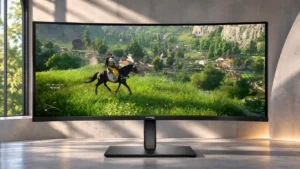
Overall: 4.4/5
The broad 21:9 image wraps more of a compatible game into view and feels especially immersive. Games without good ultrawide support or certain genres are less ideal.
Pros: refresh rate, color accuracy
Cons: console gaming compatibility, DisplayPort connectivity

Overall: 4.4/5
The expansive 21:9 view makes supported games more absorbing and reveals more of the scene at once. Some games still show black side bars.
Pros: refresh rate, Text fringing
Cons: Resolution, GPU demands

Overall: 4.3/5
Supported ultrawide games feel expansive and can eliminate side bars, making strategy, racing, and cinematic play impressive. Not every title handles the aspect ratio properly, and the shallow curve is...
Pros: productivity versatility, overall satisfaction
Cons: value for money, response time

Overall: 4.2/5
Games that support 21:9 can look expansive and immersive, while others display unused side space.
Pros: overall satisfaction, screen size
Cons: stand adjustability, Photo editing

Overall: 4.0/5
The ultrawide shape and 120Hz make occasional gaming enjoyable, but the experience is held back by missing FreeSync and other gaming-first features. It works better as a bonus than a...
Pros: overall satisfaction, productivity versatility
Cons: value for money, reliability over time

Overall: 4.2/5
The special ultrawide view expands the horizontal perspective but puts black bars above and below. A real ultrawide screen is preferable for frequent widescreen play.
Pros: reflection handling, color gamut
Cons: value for money, brightness

Overall: 4.4/5
The standard 16:9 screen is less effective than an ultrawide for expansive multitasking or wraparound immersion. Buyers prioritizing a wider field of view should consider a 34-inch ultrawide instead.
Pros: brightness, reflection handling
Cons: cable management

Overall: 4.3/5
The 27-inch flat screen cannot deliver the scale or wraparound immersion of an ultrawide, so buyers focused on cinematic field of view have stronger alternatives.
Pros: overall satisfaction, competitive gaming suitability
Cons: value for money, screen size

Overall: 3.5/5
The traditional 16:9 shape disappoints someone who would prefer a wider, wraparound field for immersive games.
Pros: Resolution, sharpness
Cons: value for money, HDR performance