#1
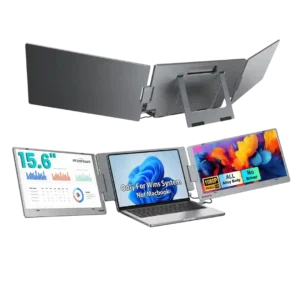
The single-cable USB-C setup is one of the X90E’s clearest wins. Reviewers repeatedly praise the cleaner desk, fewer adapters, and ability to run both extra screens from one connection.
Pros: overall satisfaction, portability and weight
Cons: reliability over time
#2

The right-angle USB-C connector and ports on either side help route the cable neatly.
Pros: brightness, portability and weight
Cons: value for money, port selection
#3

A built-in cable-routing channel in the stand helps keep wires tucked away and the desk neater.
Pros: value for money, overall satisfaction
Cons: HDR performance, Headphone output quality
#4

One USB-C connection reduces desktop cable clutter and keeps a laptop-and-monitor arrangement tidy.
Pros: overall satisfaction, stand adjustability
Cons: value for money, reflection handling
#5
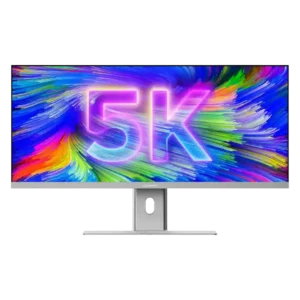
One USB-C cable can carry video, data, Ethernet access, and up to 90W charging, dramatically reducing desk clutter. Replacing a multi-monitor setup also removes extra power and display cables.
Pros: productivity versatility, aspect ratio
Cons: built-in speakers, competitive gaming suitability
#6

A rear cover and stand routing help hide cords, and single-cable laptop input further tidies up a workstation.
Pros: value for money, Resolution
Cons: port selection, competitive gaming suitability
#7

The stand's cable-routing opening and conveniently placed hub help keep keyboard, mouse and video wiring tidy.
Pros: ultrawide gaming experience, black levels
Cons: HDR performance, viewing angles
#8

A rear hook and removable cover help hide wiring and tidy the desk.
Pros: HDR performance, overall satisfaction
Cons: local dimming performance, Blooming control
#9

A cable pass-through in the stand helps keep basic video and power leads tidy.
Pros: overall satisfaction, PC gaming compatibility
Cons: color accuracy, local dimming performance
#10

A straightforward routing hole helps conceal a busy collection of wires. With almost every port occupied, feeding larger power connectors through becomes awkward.
Pros: port selection, USB hub functionality
Cons: competitive gaming suitability, motion clarity
#11

Cable management was consistently viewed positively, from the stand channel to the integrated power supply and tidier setup.
Pros: value for money, sharpness
Cons: brightness, USB hub functionality
#12

A stand channel and rear connection cover can hide cabling neatly, although the cover and narrow exit space can be fiddly.
Pros: HDR performance, overall satisfaction
Cons: HDR highlight detail, color accuracy
#13

Rear covers and a compact base help hide cables neatly, although one account finds the routing hooks rather delicate.
Pros: overall picture quality, overall satisfaction
Cons: port selection, brightness
#14

Single-cable laptop hookup and improved rear routing keep the desk tidy. The revised clip helps, though not everyone finds it perfect.
Pros: USB hub functionality, USB-C power delivery
Cons: speaker quality
#15

A removable connector cover makes the rear connections look tidier after setup.
Pros: Pixel density, Resolution
Cons: GPU demands, HDR performance
#16

A large cutout in the stand provides a simple path for routing cables behind the monitor.
Pros: black levels, motion clarity
Cons: value for money, Dual-mode versatility
#17

Running peripherals through the built-in USB hub reduces desk cable clutter and keeps the computer's ports freer.
Pros: sharpness, overall satisfaction
Cons: value for money, VRR flicker
#18

A cutout in the stand makes routing multiple display and power cables neater.
Pros: Dual-mode versatility, refresh rate
Cons: black levels, contrast
#19

A stand cut-out tidies cables effectively, although front-bottom USB placement can expose wires and not everyone loves the routing.
Pros: overall satisfaction, refresh rate
Cons: HDR performance, HDMI 2.1 support
#20

USB-C docking and KVM functionality help keep the desk neat, but an external power brick adds clutter.
Pros: brightness, HDR performance
Cons: speaker quality, built-in speakers
#21
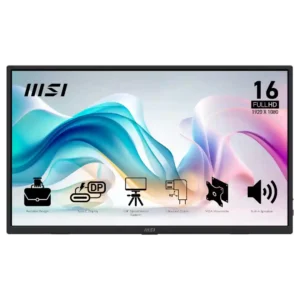
Right-angle cables can keep setups tidy, but side port placement and short included cables create clutter or reach problems in some desk layouts.
Pros: value for money, portability and weight
Cons: built-in speakers, color gamut
#22

A rear cover, clip, and simple cable routing help tidy the desk; some laptop setups still require awkward extra adapters or docks.
Pros: value for money, Resolution
Cons: port selection, HDR performance
#23

Opinions split: the stand provides basic routing, but some reviewers complain of messy cables and limited organization behind the display.
Pros: overall satisfaction, screen size
Cons: stand adjustability, Photo editing
#24

A cable clip tidies the connections, but the external power brick and limited integrated routing can still leave clutter to manage.
Pros: brightness, contrast
Cons: Text fringing, speaker quality
#25

An internal power supply helps eliminate a bulky brick, but the stand's low cable opening leaves some wires visible. Tidier setups may benefit from a monitor arm.
Pros: value for money, Resolution
Cons: HDR performance, refresh rate
#26

An included cable clip helps, but the stand lacks a passthrough and the bottom audio jack can leave visible wiring.
Pros: overall satisfaction, value for money
Cons: reflection handling, screen uniformity
#27
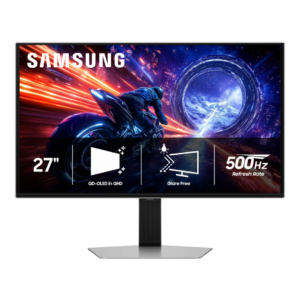
The large external power brick makes minimalist desk setups harder to keep tidy and complicates cable management.
Pros: overall satisfaction, competitive gaming suitability
Cons: value for money, screen size
#28

A short power cable can make an arm-mounted setup harder to route neatly, especially alongside other displays.
Pros: refresh rate, value for money
Cons: HDR performance, contrast
#29
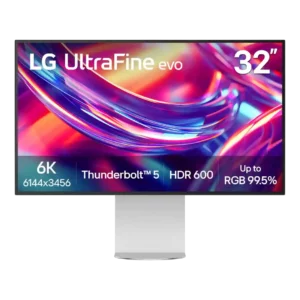
Cable management is a repeated weakness. The stand lacks a routing hole or channel, rear cables hang visibly, and the oversized external power brick adds clutter beneath the desk.
Pros: port selection, overall satisfaction
Cons: value for money, cable management
