
The supplied cable clip and practical port placement help keep the rear of the setup tidy.
Pros: port selection, color accuracy
Cons: built-in speakers, speaker quality

The supplied cable clip and practical port placement help keep the rear of the setup tidy.
Pros: port selection, color accuracy
Cons: built-in speakers, speaker quality

The stand's cable cutaway and integrated switching simplify a desk with several connected devices, even if the wide monitor still needs substantial space.
Pros: color gamut, contrast
Cons: value for money, Resolution

Routing cables through the stand keeps the generous selection of connections manageable without excessive clutter.
Pros: black levels, sharpness
Cons: value for money, brightness

Avoiding a separate power brick leaves a tidier set of cables behind the monitor.
Pros: black levels, overall picture quality
Cons: brightness, Gaming feature selection
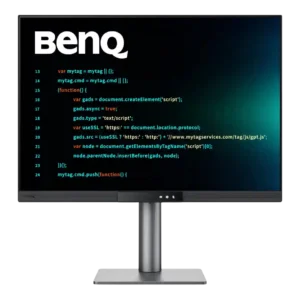
The adjustable cable loop is simple but unusually effective, and daisy chaining can further reduce desk clutter. Multi-monitor users especially benefit from the cleaner wiring.
Pros: productivity versatility, aspect ratio
Cons: value for money, competitive gaming suitability

The stand provides an effective internal cable route, and its cable tidy opening helps control the clutter from multiple connected devices.
Pros: overall satisfaction, black levels
Cons: value for money, stand adjustability

Video, charging and peripheral sharing can use fewer desk cables, making a combined work-and-gaming setup easier to keep neat.
Pros: refresh rate, color accuracy
Cons: console gaming compatibility, DisplayPort connectivity

A cutout in the stand lets cables pass cleanly behind the screen for a tidier setup.
Pros: Resolution, sharpness
Cons: value for money, HDR performance

A cutout in the stand keeps power and video cables tidier, though the solution is simple rather than elaborate.
Pros: brightness, value for money
Cons: port selection, built-in speakers

One-cable operation and stand routing can make a complex workstation much cleaner than a multi-monitor setup. The huge number of possible connections can still create visible clutter, and the stand...
Pros: productivity versatility, overall satisfaction
Cons: value for money, response time

Routing cables through the stand keeps the rear tidy in ordinary use. The routing can require a little care, and some miss earlier Alienware cable organization details.
Pros: overall satisfaction, Text fringing
Cons: brightness, Edge dimming behavior

A pass-through opening in the stand tidies power and signal cables, while USB-C docking further reduces desk clutter.
Pros: PC gaming compatibility, reflection handling
Cons: color accuracy, VRR flicker

The stand includes a pass-through for routing wires, helping keep the setup tidy.
Pros: motion clarity, Backlight strobing
Cons: contrast, HDR performance

Basic rear routing helps tidy the setup, but the opening can be too tight for a fully populated set of cables.
Pros: refresh rate, Text fringing
Cons: Resolution, GPU demands

USB-C can reduce clutter in a desktop-and-laptop setup, but the physical cable-routing grommet does not prevent sag. The hanging power cable is particularly difficult to hide.
Pros: brightness, reflection handling
Cons: cable management

Some testers miss an opening through the stand, although one found the included rear clip effective for bundling cables.
Pros: competitive gaming suitability, refresh rate
Cons: Dual-mode versatility, GPU demands
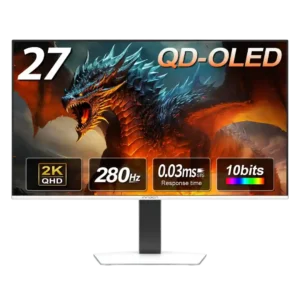
Cable management is weak because the stand lacks a built-in clip or routing hole, and the external power brick adds extra clutter.
Pros: color gamut, overall picture quality
Cons: brightness, HDR performance

The external snap-on cable clip is a weak point: it feels inexpensive, has limited capacity, and can leave a USB-C cable hanging near the controls.
Pros: Resolution, Dual-mode versatility
Cons: value for money, GPU demands

The clean single-cable laptop setup helps, but the nonremovable power cord makes moving or rearranging the display frustrating.
Pros: Monitor daisy-chaining, overall picture quality
Cons: value for money, refresh rate

Cable routing was largely omitted, leaving owners to tame visible wires themselves.
Pros: value for money, panel type
Cons: brightness, port selection